Sharing links sounds simple until you actually need to use the same link across WhatsApp, LINE, Instagram, TikTok, ads, posters, and customer messages. A long URL may work technically, but it often looks messy, gets cut off, feels untrustworthy, or becomes difficult to track later. That is why creating a clean short link is useful for creators, small businesses, marketers, app owners, event teams, and anyone who shares links often.
A clean short link gives people one simple URL to click, copy, remember, or scan. Instead of pasting a long campaign URL full of random characters, tracking parameters, and confusing symbols, you can share something short and readable. It looks more professional in a WhatsApp message, fits better in a LINE broadcast, feels cleaner in an Instagram bio, and is easier to place inside TikTok captions or profile links.
The goal is not just to make a link shorter. The real goal is to make the link easier for real people to use.
Why Social and Chat Links Need to Be Cleaner
Links behave differently depending on where you share them. A link that looks fine on a website may look too long inside WhatsApp. A link that works in a browser may feel messy when pasted into LINE. A campaign URL that makes sense to your marketing team may look suspicious to a customer seeing it for the first time.
This matters because social and chat platforms are personal spaces. People open WhatsApp, LINE, Instagram, and TikTok quickly, often on mobile, and they decide within seconds whether something feels safe enough to tap. If the link looks confusing, too long, or unrelated to the message, some users will ignore it even if the offer is relevant.
Clean links also help with presentation. For example, a restaurant sharing a booking page, a creator promoting a new product, or a startup sending app download links should not need to paste a long URL that looks like it came from an internal system. A short URL makes the message feel intentional and easier to understand.
This is especially important when the same campaign appears in many places. You may share a product page on WhatsApp, put the same link in your Instagram bio, use it in a TikTok caption, and send it to customers through LINE. If every platform uses a different messy URL, your campaign becomes harder to manage. A single clean short link keeps everything simple.
Where One Clean Short Link Works Best
A clean short link is useful whenever the same destination needs to be shared repeatedly. It works especially well in places where space is limited, attention is short, or links need to look trustworthy at first glance.
Common examples include:
- WhatsApp messages sent to customers, leads, friends, groups, or communities.
- LINE chats, LINE OA broadcasts, campaign messages, and QR code promotions.
- Instagram bios, Stories, Reels captions, DMs, and profile links.
- TikTok bios, video captions, creator campaigns, and influencer promotions.
- Posters, flyers, table cards, booths, packaging, menus, and printed materials.
- Email campaigns, SMS messages, paid ads, and customer support replies.
The main advantage is consistency. Instead of creating a different link every time you share something, you can create one clear version and reuse it across channels. This reduces mistakes and makes reporting easier later.
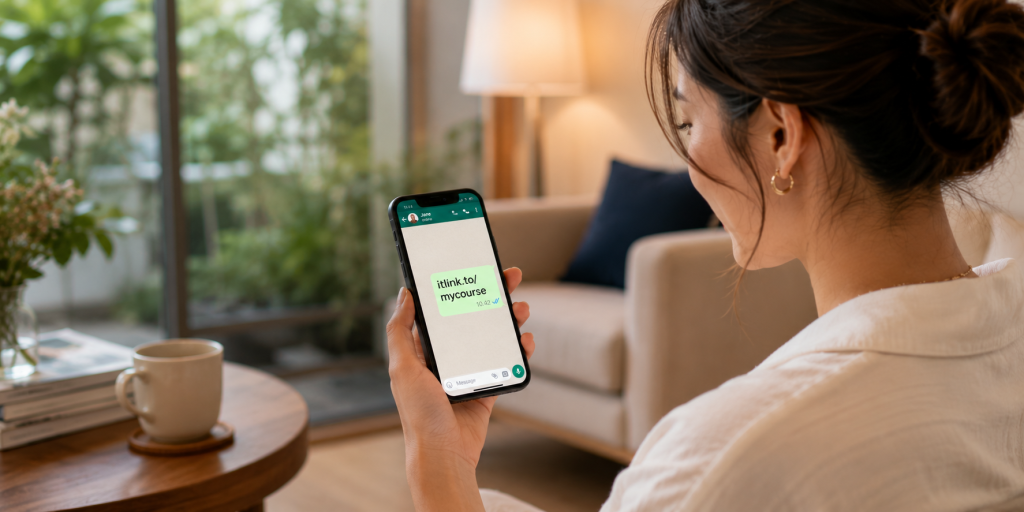
For example, instead of sharing a long product URL with tracking parameters in every message, you could use a branded short link like:
That type of link is easier to read, easier to say out loud, and easier to place on both digital and offline materials.
Start With the Real Destination First
Before creating a short URL, decide where the link should actually send people. This sounds obvious, but many messy campaigns happen because the destination is unclear from the beginning. Some teams create links too quickly, then later realize the landing page is wrong, the product page is outdated, or the app download page does not work well on mobile.
Start by opening the final destination yourself. Check it on mobile, not only on desktop. Most people clicking from WhatsApp, LINE, Instagram, and TikTok will be using a phone, so the mobile experience matters most.
Ask yourself whether the page loads quickly, explains the offer clearly, and has a clear next step. If the page is confusing, a short link will not fix the real problem. A clean short link can improve sharing and tracking, but the destination still needs to convert.
For example, if you are promoting a booking page, make sure the booking form works. If you are sharing a product page, make sure the product is available. If you are sending people to an app page, make sure the correct app store page opens properly. The short link should point to a destination that is already ready for traffic.
A good short link starts with a good destination.
How to Create a Clean Short Link Step by Step
The process should be simple, but it helps to follow a clear order. First, copy the final URL you want people to visit. This may be a product page, landing page, booking form, app download page, event registration page, campaign page, or social profile.
Next, create a short URL using a link management tool. Choose a readable alias instead of letting the system generate a random string. A random short link may be shorter, but it does not always feel clean. A readable alias gives people more confidence because they can understand the purpose of the link before clicking.
For example, a random link may look like:
yourdomain.com/x7a9p2
A cleaner version would be:
yourdomain.com/menu
or:
yourdomain.com/app
or:
yourdomain.com/sale
After creating the short link, test it before sharing. Open it on your phone, send it to yourself in WhatsApp or LINE, tap it from Instagram or TikTok if possible, and confirm that it opens the correct page. Also check whether the preview image and title look acceptable when pasted into chat apps.
Finally, save the link somewhere your team can find it later. This could be inside your campaign plan, content calendar, ad notes, or link management dashboard. A short link is only useful if people on your team know which one to use.
Choosing the Right Custom Alias
The alias is the part of the short link that people actually read. It usually comes after the slash. For example, in a link like itlink.to/app, the alias is “app.” Choosing the right alias makes the link easier to trust and remember.
A good alias should be short, clear, and related to the destination. Avoid using random internal campaign names that only your team understands. Customers do not know what “q3-campaign-v2-final” means. They understand words like “menu,” “book,” “download,” “join,” “sale,” or “event.”
Try to keep the alias simple enough to type manually if needed. This matters for printed materials, event booths, posters, and QR code backup text. If someone cannot scan the QR code, they should still be able to type the link without frustration.
Avoid using too many words. A link like /new-product-launch-promotion-june-2026 may be descriptive, but it is not clean. A shorter version like /launch or /newproduct is usually better.
The best aliases feel natural in context. If the message says “Tap here to book your table,” then /book makes sense. If the message says “Download our app,” then /app or /download makes sense. If the link goes to a promotion, then /sale or /offer may work better.
Common Mistakes That Make Short Links Look Unprofessional
A short link should make sharing easier, but poor setup can still create confusion. One common mistake is making the alias too vague. A link like /click or /go does not tell the user anything. It may work, but it does not build trust.
Another mistake is creating too many versions of the same link. For example, one team member shares /promo, another shares /summer, and another shares /offer, even though all links go to the same campaign. This makes reporting messy and increases the chance that someone uses the wrong link.
Some people also forget to test the link inside the actual platform where it will be shared. A link may work in a browser but show a strange preview in WhatsApp or LINE. It may be clickable in Instagram bio but not ideal in a caption. It may look fine on desktop but open poorly on mobile.
Another issue is changing the destination too often without documenting it. If a short link originally went to a sale page and later points to a different page, old reports may become harder to understand. Redirect changes can be useful, but they should be intentional.
A clean short link is not only short. It is organized, understandable, tested, and easy to manage.
Using Short Links Across WhatsApp, LINE, Instagram, and TikTok
Each platform has a slightly different link behavior, so your short link should be flexible enough to work across all of them. WhatsApp is often used for direct communication, so the link should look trustworthy inside personal messages and group chats. A readable short URL helps because people can quickly understand what the link is about.
LINE is often used for customer communication, especially in markets where LINE OA is common. In LINE broadcasts or chat replies, a clean short link makes the message look less cluttered. It also helps when you are sending repeated promotions or customer support links.
Instagram gives you limited places to use clickable links. Your bio link, Story link stickers, and DMs are important placements. A clean short link works well because it looks better on profile pages and is easier to remember if someone sees it quickly.
TikTok also has limited link placements, especially around bios and captions. A short URL is useful when the goal is to move viewers from content to a product, app, booking page, waitlist, or campaign page. The cleaner the link, the easier it is for people to understand what they are tapping.
The same short URL can support all these channels, but you should still test the full journey from each platform. The click is only the first step. The page after the click matters just as much.
Tracking Clicks Without Making the Link Messy

One of the biggest reasons to use a short URL is tracking. When you share a normal long URL, you may not know how many people clicked unless your website analytics is already set up correctly. A short link can help you see click activity more directly.
This is useful when you are comparing channels. For example, you may want to know whether more people clicked from WhatsApp, LINE, Instagram, or TikTok. You may also want to check whether a QR code campaign received real scans, or whether an influencer actually sent traffic.
Tracking helps you make better decisions. If a link gets many clicks but very few signups, the issue may not be the link. It may be the landing page, the offer, the loading speed, the form, or the mismatch between the message and the destination.
This is why link tracking should be used as a diagnostic tool, not just a vanity metric. Clicks tell you that people were interested enough to tap. They do not automatically mean the campaign worked. After clicks, you still need to look at what users did next.
A clean short link gives you a better starting point. It keeps the shared URL simple while still allowing you to understand performance behind the scenes.
When a Branded Short Link Is Better
A branded short link can make your URL feel more trustworthy because it uses a recognizable name. Instead of sending users to a random-looking domain, you can use a link that feels connected to your brand, campaign, or product.
This is especially useful when the link is shared outside your website. People may see it in a chat, social bio, QR code, flyer, or influencer post. If the link looks familiar, they are more likely to trust it.
A branded short link is also helpful for long-term marketing. If your business regularly shares links for promotions, app downloads, events, menus, catalogs, booking pages, or customer support, a consistent short link format makes your brand look more organized.
For example, a creator could use one clean short link for a new product drop. A restaurant could use one for reservations. A startup could use one for an app download campaign. A service business could use one for booking consultations.
You do not need to overcomplicate it. The most important thing is that the link looks intentional and sends people to the right place.
Create Your Clean Short Link and Share It With Confidence
A clean short link makes everyday sharing easier. It helps you avoid long, messy URLs and gives your audience a link that looks more professional across WhatsApp, LINE, Instagram, and TikTok. It also helps your team stay organized when the same campaign appears in many different places.
The key is to start with the right destination, choose a clear alias, test the link on mobile, and use tracking to understand what happens after people click. A short link should not only look better. It should make your campaign easier to manage.
If you want a simple way to create a clean short link, branded short link, or trackable short URL for your next campaign, you can use itlink.to’s Short Link tool here: https://itlink.to/#short-link
Create one clean link, test it, and use it everywhere your audience already talks, scrolls, and clicks.
References
- Google Search Central: SEO Starter Guide The essential foundation guide from Google outlining core search engine optimization strategies, covering everything from crawlability to structuring high-quality content.
- Meta Business Help Center: About WhatsApp links and business messaging Official resource detailing how businesses can generate chat links, drive traffic directly into WhatsApp threads, and leverage AI messaging tools.
- TikTok Business Help Center: Ad and landing page guidance A comprehensive manual outlining compliance standards, ad creative parameters, and functionality requirements for destination landing pages.
- LINE for Business: Official account and messaging information Official portal providing setup instructions, broadcast parameters, and management features for operating a LINE Official Account to connect with users.