หมวดหมู่: Short Links

Content focused on URL shortening, custom short links, branded links, link management, and click tracking.

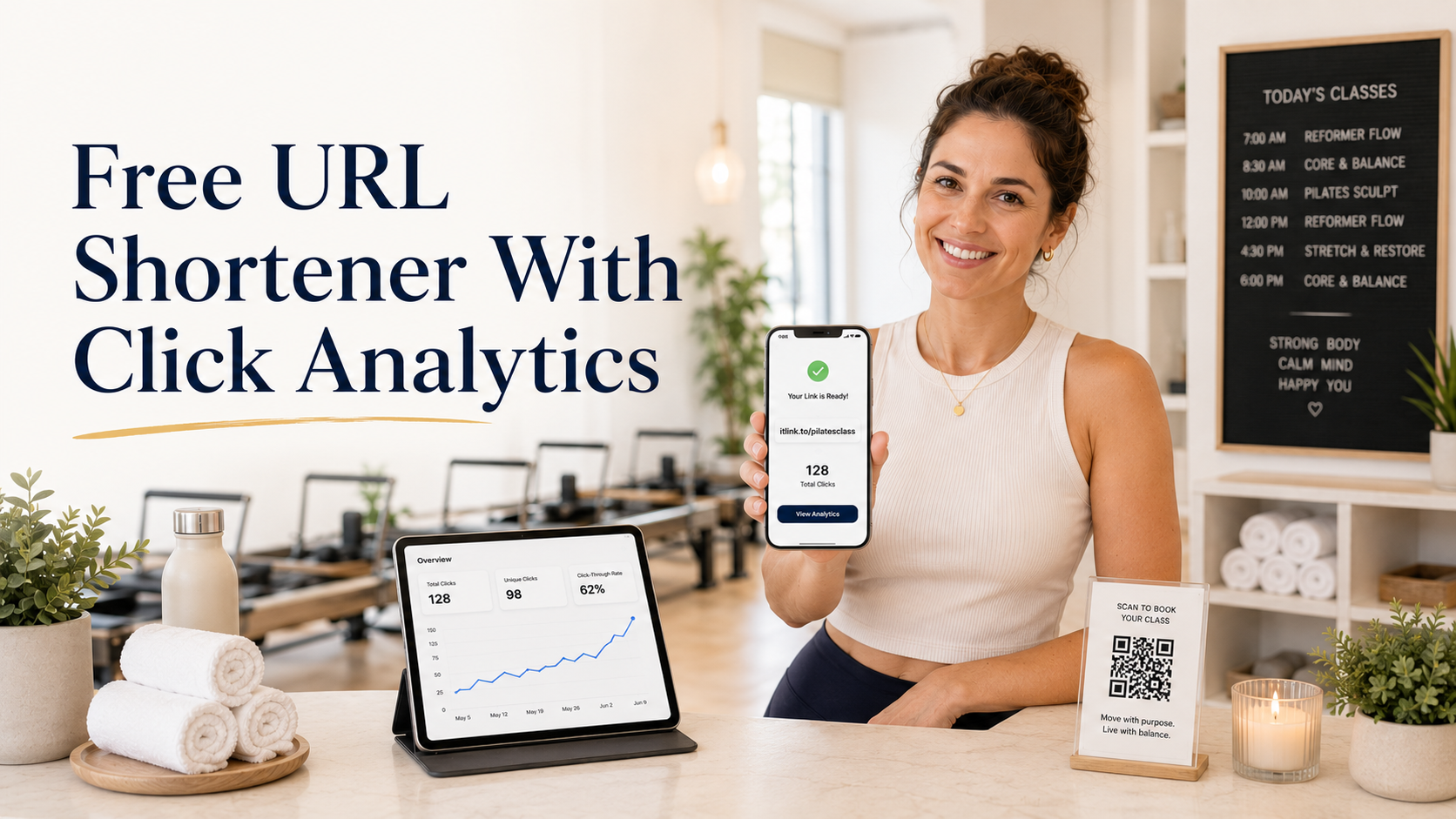
  • Free URL Shortener With Click Analytics

    Free URL Shortener With Click Analytics

    A free URL shortener is useful when you need a clean link that is easy to share, easy to remember, and easy to track. Long URLs can look messy in WhatsApp, LINE, Instagram, TikTok, email, flyers, and QR codes. But a short link should do more than simply look nicer. It should also help you understand whether people are actually clicking.

    That is where click analytics becomes important. If you are sharing a product page, booking link, app download page, campaign landing page, or social profile, you should not have to guess whether the link is working. You need a simple way to see activity, compare channels, and improve your next campaign.

    Why a Short Link Alone Is Not Enough

    A short link is useful, but it becomes much more valuable when you can see how people interact with it. Without analytics, you only know that you shared a link. You do not know whether people clicked, where the link performed best, or whether a campaign failed because of the offer, the placement, or the link itself.

    For example, a small business might share the same promotion on Instagram, LINE, and printed flyers. If there is no tracking, the owner may only see final sales or booking numbers. That creates a blind spot. If sales are low, maybe nobody clicked. Maybe people clicked but did not convert. Maybe the link was placed in the wrong channel. Click analytics helps separate these problems.

    This matters because marketing decisions should not be based only on feelings. Even simple click data can show whether a link is getting attention. Once you know that, you can improve the message, design, placement, or destination page.

    Free URL Shortener With Analytics: What to Look For

    A good free URL shortener with analytics should help you create clean short links and understand link performance without making the process complicated. You do not always need an enterprise marketing platform. For many creators, small businesses, startups, and solo marketers, the most important thing is being able to create a short link quickly and check if people clicked.

    The best setup is simple. Paste your long URL, create a short version, share it, then review basic click data. This is enough for everyday campaigns such as social posts, bio links, QR codes, influencer promotions, event materials, and customer messages.

    The key is to choose a shortener that supports real usage, not just link decoration. A pretty short link is helpful, but a trackable short link is more useful because it gives you feedback.

    Practical Places to Use Free Short Links

    Free short links are most useful in places where space, trust, and clarity matter. A long link can break across lines, look suspicious, or distract from the main message. A clean short link is easier to place and easier for people to understand.

    Good places to use short links include:

    • Social media bios, especially Instagram, TikTok, YouTube, and X
    • WhatsApp, LINE, Messenger, and SMS messages
    • QR codes on posters, flyers, packaging, menus, and event booths
    • Email campaigns and newsletters
    • Product launches, booking pages, and app download campaigns
    • Influencer captions, story links, and affiliate-style promotions
    • Offline materials where users need to type or scan a simple URL

    The goal is not just to make the URL shorter. The goal is to make the user journey cleaner. A short link reduces friction before the click, while analytics helps you learn what happens after you share it.

    Example: Tracking Clicks From Instagram, LINE, and QR Codes

    Imagine you run a small fitness studio. You are promoting a free trial class. You share the booking page in your Instagram bio, send it to leads on LINE, and print a QR code for the front desk.

    If all three channels use the same long booking URL with no tracking, you may only see total bookings. But if you create separate short links for each channel, you can compare performance more clearly.

    For example, one short link can be used for Instagram, one for LINE, and one for the QR code. After a few days, you may notice that LINE gets fewer clicks but more bookings, while Instagram gets many clicks but fewer completed forms. That tells you something useful. Instagram may need a better landing page or stronger offer, while LINE may already have warmer leads.

    This is how simple URL analytics can help you make better decisions without needing a complicated dashboard.

    Common Mistakes When Using Short Links

    Many people create short links quickly but forget to use them strategically. This can make the data confusing or less useful.

    Common mistakes include:

    • Using the same short link everywhere and not knowing which channel drove the clicks
    • Changing the destination too often without noting what changed
    • Sharing a short link without testing it first
    • Using unclear link names that are hard to manage later
    • Looking only at clicks and ignoring whether people actually take action
    • Creating too many links without a simple naming system

    The biggest mistake is treating click analytics as the final answer. Clicks tell you whether people were interested enough to open the link. They do not automatically prove that your offer, landing page, or checkout flow is working. Use clicks as the first signal, then compare them with signups, purchases, bookings, or replies.

    Clicks vs Conversions: Know the Difference

    A click means someone opened your link. A conversion means someone completed the action you wanted, such as booking a call, buying a product, joining a waitlist, downloading an app, or submitting a form.

    This difference is important. If your short link gets many clicks but no conversions, the problem may not be the short link. The problem may be the destination page, the price, the offer, the loading speed, the form length, or a mismatch between your message and the page.

    For example, if your TikTok video says “download the free guide” but the landing page asks people to create an account first, many users may leave. The link did its job by bringing people to the page. The page failed to finish the job.

    A free URL shortener with analytics helps you find the first part of the problem: are people clicking or not? From there, you can investigate the rest of the funnel.

    How to Name and Organize Your Short Links

    Good organization makes URL analytics easier to understand. If every short link has a random name, you may forget what each link was used for. A simple naming habit can save time later.

    Use names that describe the campaign, channel, and purpose. For example, a link for an Instagram bio campaign can use a clear slug related to the offer. A QR code for a fitness event can use a name connected to the event. A link sent through LINE can use a separate version so you can compare it later.

    You do not need a complex system. You only need enough structure to answer simple questions: where did this link appear, what was it promoting, and what result did it create?

    This also helps when you reuse campaigns. If you run monthly promotions, organized short links make it easier to compare this month’s performance with last month’s performance.

    When You Should Use UTM Parameters Too

    Short link analytics is useful, but you may also want UTM parameters when you use tools like Google Analytics. UTM parameters help identify campaign traffic by source, medium, and campaign name. Google’s own Analytics documentation explains that UTM parameters can help show which campaigns referred traffic in acquisition reports.

    A practical workflow is to add UTM parameters to your final destination URL, then shorten that full URL. This gives you a clean link for users while still preserving campaign tracking for your analytics tools.

    For example, you can create a campaign URL for an Instagram promotion, then turn it into a short link before placing it in your bio. Users see a clean link, while your analytics setup can still recognize the campaign source.

    This is especially helpful when you want both simple link-level click analytics and deeper website analytics.

    Why itlink.to Is Useful for Simple Link Tracking

    For many small businesses and creators, the best tool is the one that is simple enough to use consistently. You should not need a complicated setup just to create a clean short link and see whether people clicked.

    With itlink.to, you can create a free short link for everyday campaigns and use it when sharing links across social media, messaging apps, QR codes, and marketing materials. It is a practical option when you want a cleaner URL and basic visibility into link activity without overcomplicating the process.

    This makes it especially useful for creators, local businesses, coaches, salons, online sellers, app teams, and marketers who need fast, trackable links for real campaigns.

    Conclusion: Start With One Trackable Short Link

    A free URL shortener is not just about making a long URL look cleaner. It helps you share links more confidently and understand whether people are actually clicking. That feedback is useful because it tells you where attention is coming from and where your marketing may need improvement.

    Start with one important link. Create a short version, share it in one or two key places, and check the click analytics. Then compare the results with your real business goal, such as bookings, signups, sales, downloads, or replies.

    Create your free short link with itlink.to and start tracking your clicks today: https://itlink.to/#short-link

    References

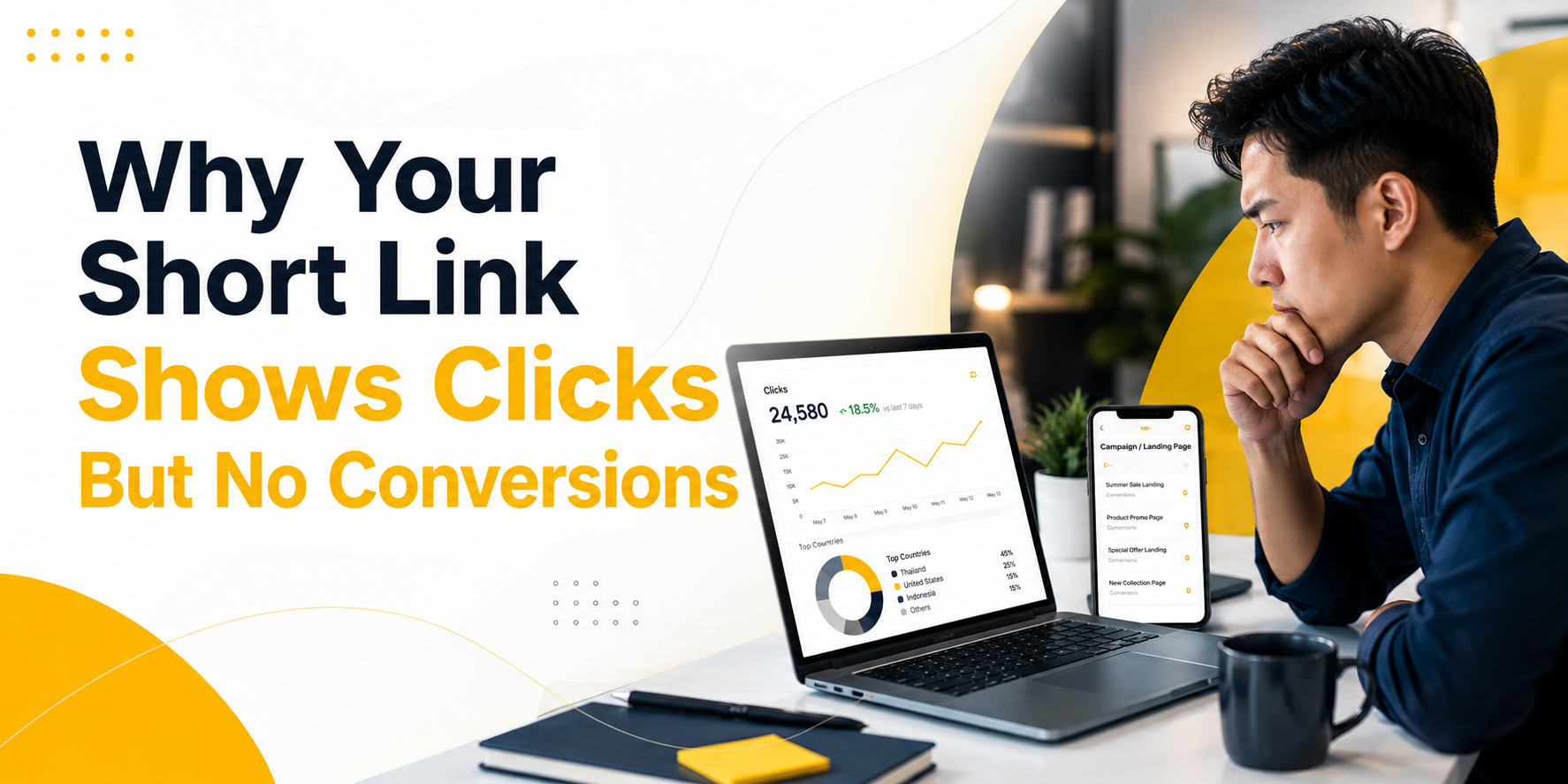
  • Why Your Short Link Shows Clicks But No Conversions

    Why Your Short Link Shows Clicks But No Conversions

    Seeing clicks but no conversions can be confusing. Your short link shows activity. People are clicking your QR code, tapping your Instagram bio link, opening your email campaign, or visiting your app download link. But the result you wanted does not happen. No signup. No sale. No app install. No form submission. No booking.

    This does not always mean the campaign failed. It usually means you need to find where the journey breaks.

    A short link measures the first step: the click. A conversion measures the result you actually care about. Between those two points, many things can go wrong. The link may send users to the wrong page. The page may not match the promise. The tracking may be missing. The conversion event may not fire. Or the campaign may be getting clicks from people who are curious but not ready to act.

    That is why short link analytics is useful. Before you judge conversions, you should first confirm whether people are actually clicking, what devices they use, where they come from, and whether the campaign is sending traffic to the right place. With a free short link tracking tool like itlink.to, you can start checking that click data without needing an expensive analytics setup.

    Clicks But No Conversions Means the Journey Needs to Be Checked

    A click is not the same as a result. A click only means someone opened your link. A conversion means they completed the action you wanted them to take.

    For example, if 1,000 people click your short link and 20 people sign up, the campaign has 1,000 clicks and 20 conversions. If 1,000 people click and nobody signs up, you have clicks but no conversions.

    The mistake is assuming the problem is always the landing page or the audience. Sometimes that is true, but not always. The issue may happen before users even reach the page. A redirect may break. UTM parameters may disappear. Android users may be sent to the wrong destination. A QR code may be scanned by bots or preview tools. Your analytics may simply not be recording the conversion properly.

    The practical way to think about it is this: your campaign has stages. First, someone sees the link. Then they click. Then they land somewhere. Then they decide whether to act. If the final result is missing, you need to check each stage instead of guessing.

    First, Confirm That People Are Actually Clicking

    Before you investigate why people are not buying, signing up, or downloading, confirm one basic thing: are people actually clicking the link?

    This is where short link tracking helps. If you use a normal long URL, you may not clearly know how many people opened it from a flyer, social profile, QR code, or influencer post. You may only see vague traffic later inside Google Analytics or another platform.

    A short link gives you a clearer first signal. You can see whether the campaign is getting clicks at all.

    For example, imagine you print a QR code on a poster for an app launch. You expect people to scan it, but the app install number is zero. Without click tracking, you do not know whether people ignored the poster, scanned the QR code but dropped off, or installed the app but tracking failed.

    With itlink.to Short Link, which includes free short link tracking, you can first check whether the QR code is receiving clicks. If there are almost no clicks, the problem may be the poster placement, QR code size, message, or visibility. If there are many clicks but no installs, the problem is probably after the click.

    That small difference matters. It tells you where to look next.

    The Problem May Happen Before the Click

    Sometimes there are no conversions because the campaign never gets enough real attention. The short link may show only a few clicks, which means the problem is not the landing page yet. The problem is that not enough people are opening the link.

    This can happen when a QR code is too small, placed too low, printed in a low-contrast design, or shown without a clear reason to scan. It can also happen when a social bio link is hidden behind weak profile copy, or when an email CTA does not make the benefit clear.

    For example, “Learn More” is often weaker than “Download the Free Travel Checklist.” One creates vague curiosity. The other tells users exactly what they get.

    If your short link analytics shows low clicks, focus on the campaign message and placement first. Make the CTA clearer. Put the link in a more visible place. Improve the QR code design. Use a stronger reason to click.

    At this stage, conversion optimization is not the priority. You need more qualified clicks before you can judge what happens after the click.

    The Problem May Happen During the Redirect

    A short link usually redirects users from a clean, short URL to the final destination. That redirect should feel instant and invisible. But if something breaks during that step, conversions can disappear.

    The link may send users to the wrong page. UTM parameters may be removed. A mobile user may be sent to a desktop page. An old campaign link may still point to an outdated offer. A QR code may open a page that looks fine on desktop but broken on mobile.

    This is especially important for app campaigns. If an iPhone user clicks your app download link but lands on a generic website instead of the App Store, many users will drop off. If an Android user lands on an App Store page, the journey is broken immediately.

    This is also where link testing matters. Always test the short link from the same place your users will use it. Open the Instagram bio link inside Instagram. Scan the QR code with a real phone. Tap the email link from an actual inbox. Test iPhone, Android, and desktop if your audience uses all three.

    If the redirect is wrong, no amount of landing page improvement will fix the conversion issue.

    The Problem May Happen After the Landing Page Opens

    If people click the link and land on the correct page, but still do not act, the issue is likely after the click.

    This is where the landing page, offer, page speed, trust signals, and CTA become important. The page may be too slow. The signup form may ask for too much information. The app download button may be hard to find. The headline may not match the campaign message. The user may not understand what to do next.

    For example, if your Instagram post says “Get early access to our app,” the landing page should immediately support that promise. It should not open a generic homepage with many unrelated sections. The user clicked for one reason. The page should continue that same reason.

    This is also where mobile experience matters. Many short link campaigns happen on mobile: QR scans, social bios, SMS, influencer links, app download campaigns, and email clicks. If the page looks good on desktop but feels slow or confusing on mobile, conversions will suffer.

    Short link analytics cannot fix the landing page for you. But it helps confirm that the click happened, so you can stop guessing and inspect the page experience more seriously.

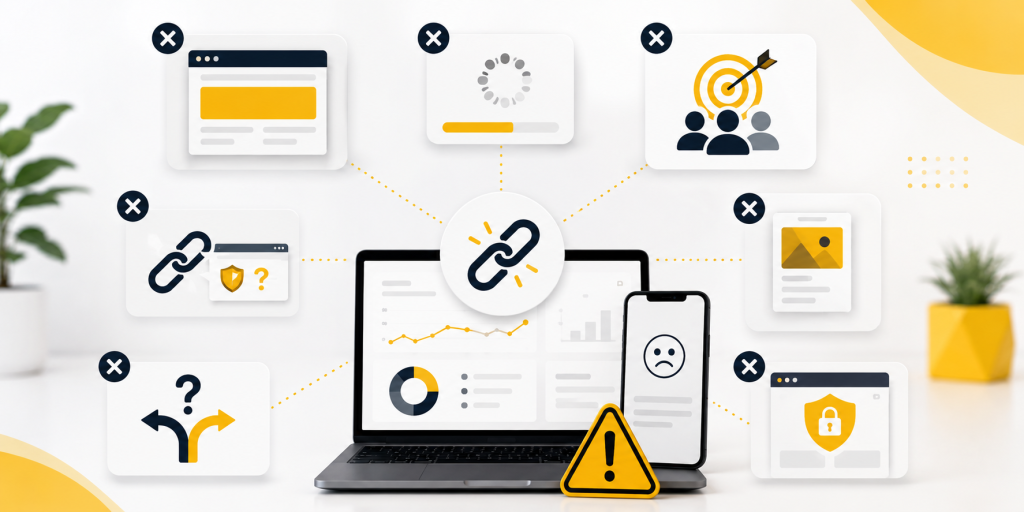
    Common Reasons Short Links Get Clicks But No Conversions

    There are many possible reasons your short link shows clicks but your business result is missing. The key is to separate tracking problems from marketing problems.

    Common causes include:

    • The link gets clicks, but the destination page is wrong.
    • The page opens, but the CTA is unclear or hidden.
    • The campaign promise does not match the landing page.
    • UTM parameters are missing or inconsistent.
    • Conversion tracking is not installed correctly.
    • The user converts later through another channel.
    • Email scanners or social preview tools inflate click numbers.
    • The page loads slowly on mobile.
    • The final action happens on a third-party platform you cannot fully track.
    • App Store or Google Play installs are not connected to your campaign report.

    This is why the first step is not to panic. The first step is to diagnose.

    If the link has no clicks, fix visibility and messaging. If the link has clicks but no sessions, check redirects, bots, and analytics. If the link has clicks and sessions but no conversions, check the landing page, offer, and conversion event.

    UTM Tracking Can Make the Data Clearer

    UTM parameters help analytics tools understand where traffic came from. They are especially useful when you use short links across different campaigns.

    For example, you may create one short link for an Instagram bio, another for a QR code, another for an email campaign, and another for an influencer. If each link uses clear UTM parameters, you can compare traffic more easily later.

    The problem is that UTM tracking is often messy. One campaign may use instagram, another may use ig, and another may use Instagram. These small differences split your reports. It looks like traffic is coming from many sources when it is really the same channel.

    Another issue is losing UTM parameters during redirects. If the final URL does not receive the UTM tags, your website analytics may not connect the visitor to the campaign. Your short link may show clicks, but your analytics report may show the traffic as direct or unknown.

    A cleaner process is to create the full tracked URL first, test it, then shorten it. After that, click the short link and confirm the final page still contains the tracking parameters.

    This simple step can prevent a lot of confusion later.

    Free Short Link Tracking Helps Small Campaigns Diagnose Faster

    Not every business needs a complex analytics stack to understand basic campaign performance. Sometimes you just need to know whether people clicked, what device they used, and where the traffic came from.

    That is where free short link tracking becomes useful.

    For small businesses, creators, startups, app makers, event teams, and marketers running quick campaigns, itlink.to offers a free way to create short links and check basic click analytics. You can use it to see click activity, device data, browser data, country data, and campaign traffic before you spend time guessing why conversions are missing.

    For example, if you put one link in your Instagram bio and another link on a printed QR code, you can compare which one gets more clicks. If the QR code gets clicks but no signups, the issue may be the landing page or form. If the QR code gets no clicks at all, the issue is probably the offline design or placement.

    This is the real value of short link analytics. It does not promise that every click will become a customer. No tool can promise that. But it gives you visibility into the first part of the journey, which helps you make better decisions.

    Do Not Judge the Campaign Until You Know Where the Drop Happens

    A campaign with clicks but no conversions is not automatically a failed campaign. It is a campaign with an unanswered question.

    Where did users drop off?

    If they never clicked, improve the message and placement. If they clicked but never reached the page, check redirects and tracking. If they reached the page but did not act, improve the page, offer, CTA, and conversion setup.

    This is why short link analytics should be part of campaign tracking. It gives you the first layer of truth before you analyze the rest of the funnel.

    With itlink.to Short Link, you can create free short links, track clicks, and review useful traffic data such as device, browser, country, and referrer. That makes it easier to understand whether your campaign has a traffic problem, a redirect problem, or a conversion problem.

    The better you understand the drop-off point, the faster you can fix the right thing.

    When your short link shows clicks but no conversions, do not stop at the surface number. Clicks tell you that people opened the link. They do not automatically tell you whether the page worked, whether tracking worked, or whether the offer was strong enough.

    Start by checking the journey. Did people click? Did the short link redirect correctly? Did users land on the right page? Did UTM parameters survive? Did the conversion event fire? Did the page clearly ask users to take the next step?

    Once you answer those questions, the problem becomes easier to fix.

    Short link analytics is useful because it gives you visibility before the conversion happens. And with itlink.to, you can start with free short link tracking to understand your clicks, devices, browsers, countries, and campaign traffic without overcomplicating your setup.

    Create a free short link with itlink.to and see where your campaign traffic starts: https://itlink.to/#short-link

    References

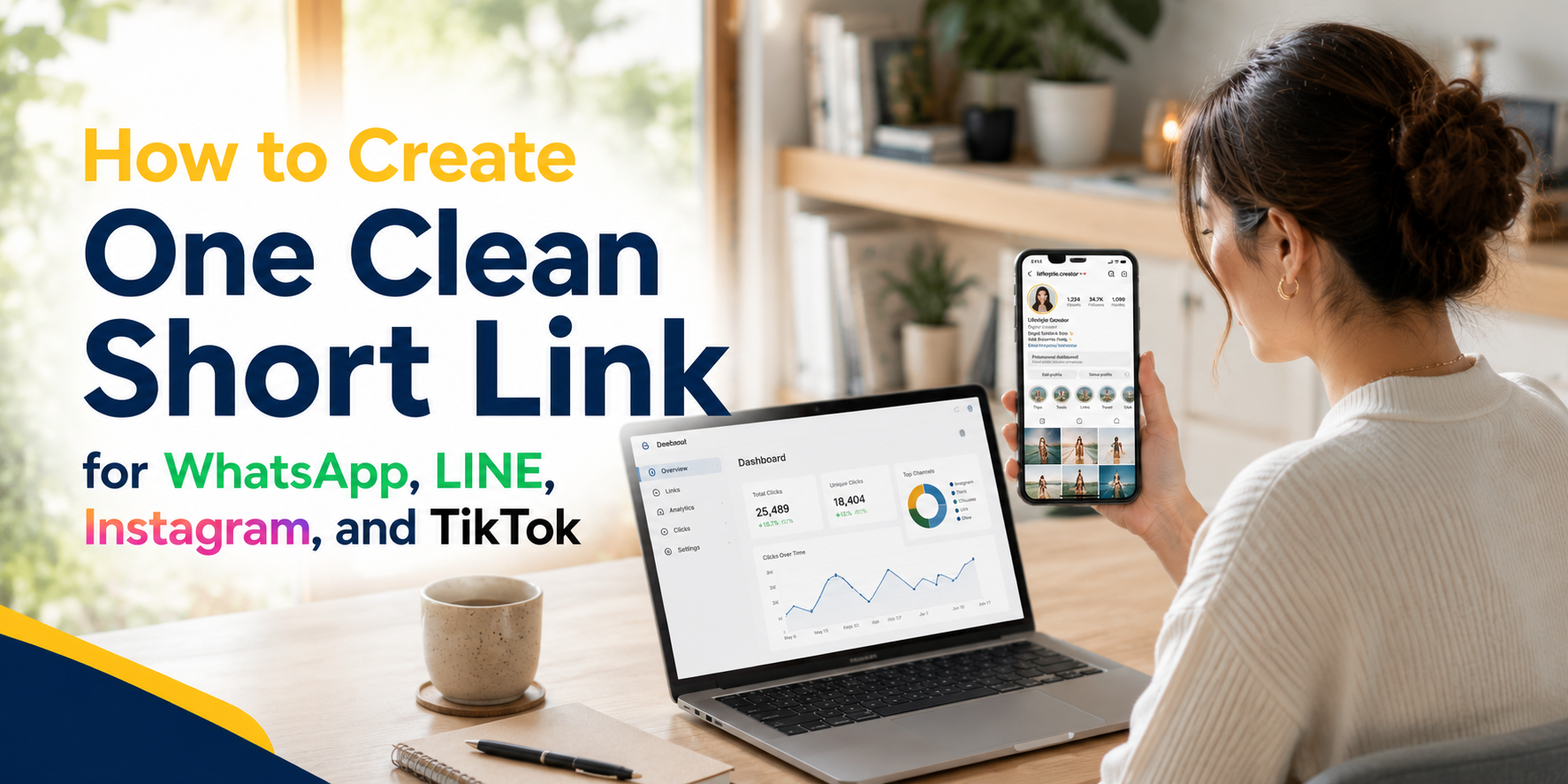
  • How to Create One Clean Short Link for WhatsApp, LINE, Instagram, and TikTok

    How to Create One Clean Short Link for WhatsApp, LINE, Instagram, and TikTok

    Sharing links sounds simple until you actually need to use the same link across WhatsApp, LINE, Instagram, TikTok, ads, posters, and customer messages. A long URL may work technically, but it often looks messy, gets cut off, feels untrustworthy, or becomes difficult to track later. That is why creating a clean short link is useful for creators, small businesses, marketers, app owners, event teams, and anyone who shares links often.

    A clean short link gives people one simple URL to click, copy, remember, or scan. Instead of pasting a long campaign URL full of random characters, tracking parameters, and confusing symbols, you can share something short and readable. It looks more professional in a WhatsApp message, fits better in a LINE broadcast, feels cleaner in an Instagram bio, and is easier to place inside TikTok captions or profile links.

    The goal is not just to make a link shorter. The real goal is to make the link easier for real people to use.

    Why Social and Chat Links Need to Be Cleaner

    Links behave differently depending on where you share them. A link that looks fine on a website may look too long inside WhatsApp. A link that works in a browser may feel messy when pasted into LINE. A campaign URL that makes sense to your marketing team may look suspicious to a customer seeing it for the first time.

    This matters because social and chat platforms are personal spaces. People open WhatsApp, LINE, Instagram, and TikTok quickly, often on mobile, and they decide within seconds whether something feels safe enough to tap. If the link looks confusing, too long, or unrelated to the message, some users will ignore it even if the offer is relevant.

    Clean links also help with presentation. For example, a restaurant sharing a booking page, a creator promoting a new product, or a startup sending app download links should not need to paste a long URL that looks like it came from an internal system. A short URL makes the message feel intentional and easier to understand.

    This is especially important when the same campaign appears in many places. You may share a product page on WhatsApp, put the same link in your Instagram bio, use it in a TikTok caption, and send it to customers through LINE. If every platform uses a different messy URL, your campaign becomes harder to manage. A single clean short link keeps everything simple.

    Where One Clean Short Link Works Best

    A clean short link is useful whenever the same destination needs to be shared repeatedly. It works especially well in places where space is limited, attention is short, or links need to look trustworthy at first glance.

    Common examples include:

    • WhatsApp messages sent to customers, leads, friends, groups, or communities.
    • LINE chats, LINE OA broadcasts, campaign messages, and QR code promotions.
    • Instagram bios, Stories, Reels captions, DMs, and profile links.
    • TikTok bios, video captions, creator campaigns, and influencer promotions.
    • Posters, flyers, table cards, booths, packaging, menus, and printed materials.
    • Email campaigns, SMS messages, paid ads, and customer support replies.

    The main advantage is consistency. Instead of creating a different link every time you share something, you can create one clear version and reuse it across channels. This reduces mistakes and makes reporting easier later.

    For example, instead of sharing a long product URL with tracking parameters in every message, you could use a branded short link like:

    https://itlink.to/summer-sale

    That type of link is easier to read, easier to say out loud, and easier to place on both digital and offline materials.

    Start With the Real Destination First

    Before creating a short URL, decide where the link should actually send people. This sounds obvious, but many messy campaigns happen because the destination is unclear from the beginning. Some teams create links too quickly, then later realize the landing page is wrong, the product page is outdated, or the app download page does not work well on mobile.

    Start by opening the final destination yourself. Check it on mobile, not only on desktop. Most people clicking from WhatsApp, LINE, Instagram, and TikTok will be using a phone, so the mobile experience matters most.

    Ask yourself whether the page loads quickly, explains the offer clearly, and has a clear next step. If the page is confusing, a short link will not fix the real problem. A clean short link can improve sharing and tracking, but the destination still needs to convert.

    For example, if you are promoting a booking page, make sure the booking form works. If you are sharing a product page, make sure the product is available. If you are sending people to an app page, make sure the correct app store page opens properly. The short link should point to a destination that is already ready for traffic.

    A good short link starts with a good destination.

    How to Create a Clean Short Link Step by Step

    The process should be simple, but it helps to follow a clear order. First, copy the final URL you want people to visit. This may be a product page, landing page, booking form, app download page, event registration page, campaign page, or social profile.

    Next, create a short URL using a link management tool. Choose a readable alias instead of letting the system generate a random string. A random short link may be shorter, but it does not always feel clean. A readable alias gives people more confidence because they can understand the purpose of the link before clicking.

    For example, a random link may look like:

    yourdomain.com/x7a9p2

    A cleaner version would be:

    yourdomain.com/menu

    or:

    yourdomain.com/app

    or:

    yourdomain.com/sale

    After creating the short link, test it before sharing. Open it on your phone, send it to yourself in WhatsApp or LINE, tap it from Instagram or TikTok if possible, and confirm that it opens the correct page. Also check whether the preview image and title look acceptable when pasted into chat apps.

    Finally, save the link somewhere your team can find it later. This could be inside your campaign plan, content calendar, ad notes, or link management dashboard. A short link is only useful if people on your team know which one to use.

    Choosing the Right Custom Alias

    The alias is the part of the short link that people actually read. It usually comes after the slash. For example, in a link like itlink.to/app, the alias is “app.” Choosing the right alias makes the link easier to trust and remember.

    A good alias should be short, clear, and related to the destination. Avoid using random internal campaign names that only your team understands. Customers do not know what “q3-campaign-v2-final” means. They understand words like “menu,” “book,” “download,” “join,” “sale,” or “event.”

    Try to keep the alias simple enough to type manually if needed. This matters for printed materials, event booths, posters, and QR code backup text. If someone cannot scan the QR code, they should still be able to type the link without frustration.

    Avoid using too many words. A link like /new-product-launch-promotion-june-2026 may be descriptive, but it is not clean. A shorter version like /launch or /newproduct is usually better.

    The best aliases feel natural in context. If the message says “Tap here to book your table,” then /book makes sense. If the message says “Download our app,” then /app or /download makes sense. If the link goes to a promotion, then /sale or /offer may work better.

    Common Mistakes That Make Short Links Look Unprofessional

    A short link should make sharing easier, but poor setup can still create confusion. One common mistake is making the alias too vague. A link like /click or /go does not tell the user anything. It may work, but it does not build trust.

    Another mistake is creating too many versions of the same link. For example, one team member shares /promo, another shares /summer, and another shares /offer, even though all links go to the same campaign. This makes reporting messy and increases the chance that someone uses the wrong link.

    Some people also forget to test the link inside the actual platform where it will be shared. A link may work in a browser but show a strange preview in WhatsApp or LINE. It may be clickable in Instagram bio but not ideal in a caption. It may look fine on desktop but open poorly on mobile.

    Another issue is changing the destination too often without documenting it. If a short link originally went to a sale page and later points to a different page, old reports may become harder to understand. Redirect changes can be useful, but they should be intentional.

    A clean short link is not only short. It is organized, understandable, tested, and easy to manage.

    Using Short Links Across WhatsApp, LINE, Instagram, and TikTok

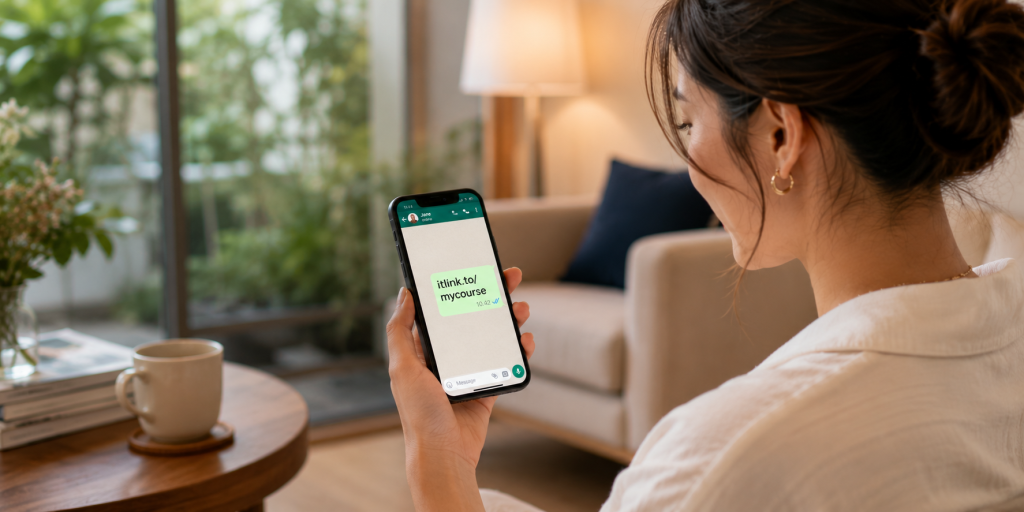
    Each platform has a slightly different link behavior, so your short link should be flexible enough to work across all of them. WhatsApp is often used for direct communication, so the link should look trustworthy inside personal messages and group chats. A readable short URL helps because people can quickly understand what the link is about.

    LINE is often used for customer communication, especially in markets where LINE OA is common. In LINE broadcasts or chat replies, a clean short link makes the message look less cluttered. It also helps when you are sending repeated promotions or customer support links.

    Instagram gives you limited places to use clickable links. Your bio link, Story link stickers, and DMs are important placements. A clean short link works well because it looks better on profile pages and is easier to remember if someone sees it quickly.

    TikTok also has limited link placements, especially around bios and captions. A short URL is useful when the goal is to move viewers from content to a product, app, booking page, waitlist, or campaign page. The cleaner the link, the easier it is for people to understand what they are tapping.

    The same short URL can support all these channels, but you should still test the full journey from each platform. The click is only the first step. The page after the click matters just as much.

    Tracking Clicks Without Making the Link Messy

    One of the biggest reasons to use a short URL is tracking. When you share a normal long URL, you may not know how many people clicked unless your website analytics is already set up correctly. A short link can help you see click activity more directly.

    This is useful when you are comparing channels. For example, you may want to know whether more people clicked from WhatsApp, LINE, Instagram, or TikTok. You may also want to check whether a QR code campaign received real scans, or whether an influencer actually sent traffic.

    Tracking helps you make better decisions. If a link gets many clicks but very few signups, the issue may not be the link. It may be the landing page, the offer, the loading speed, the form, or the mismatch between the message and the destination.

    This is why link tracking should be used as a diagnostic tool, not just a vanity metric. Clicks tell you that people were interested enough to tap. They do not automatically mean the campaign worked. After clicks, you still need to look at what users did next.

    A clean short link gives you a better starting point. It keeps the shared URL simple while still allowing you to understand performance behind the scenes.

    When a Branded Short Link Is Better

    A branded short link can make your URL feel more trustworthy because it uses a recognizable name. Instead of sending users to a random-looking domain, you can use a link that feels connected to your brand, campaign, or product.

    This is especially useful when the link is shared outside your website. People may see it in a chat, social bio, QR code, flyer, or influencer post. If the link looks familiar, they are more likely to trust it.

    A branded short link is also helpful for long-term marketing. If your business regularly shares links for promotions, app downloads, events, menus, catalogs, booking pages, or customer support, a consistent short link format makes your brand look more organized.

    For example, a creator could use one clean short link for a new product drop. A restaurant could use one for reservations. A startup could use one for an app download campaign. A service business could use one for booking consultations.

    You do not need to overcomplicate it. The most important thing is that the link looks intentional and sends people to the right place.

    Create Your Clean Short Link and Share It With Confidence

    A clean short link makes everyday sharing easier. It helps you avoid long, messy URLs and gives your audience a link that looks more professional across WhatsApp, LINE, Instagram, and TikTok. It also helps your team stay organized when the same campaign appears in many different places.

    The key is to start with the right destination, choose a clear alias, test the link on mobile, and use tracking to understand what happens after people click. A short link should not only look better. It should make your campaign easier to manage.

    If you want a simple way to create a clean short link, branded short link, or trackable short URL for your next campaign, you can use itlink.to’s Short Link tool here: https://itlink.to/#short-link

    Create one clean link, test it, and use it everywhere your audience already talks, scrolls, and clicks.

    References

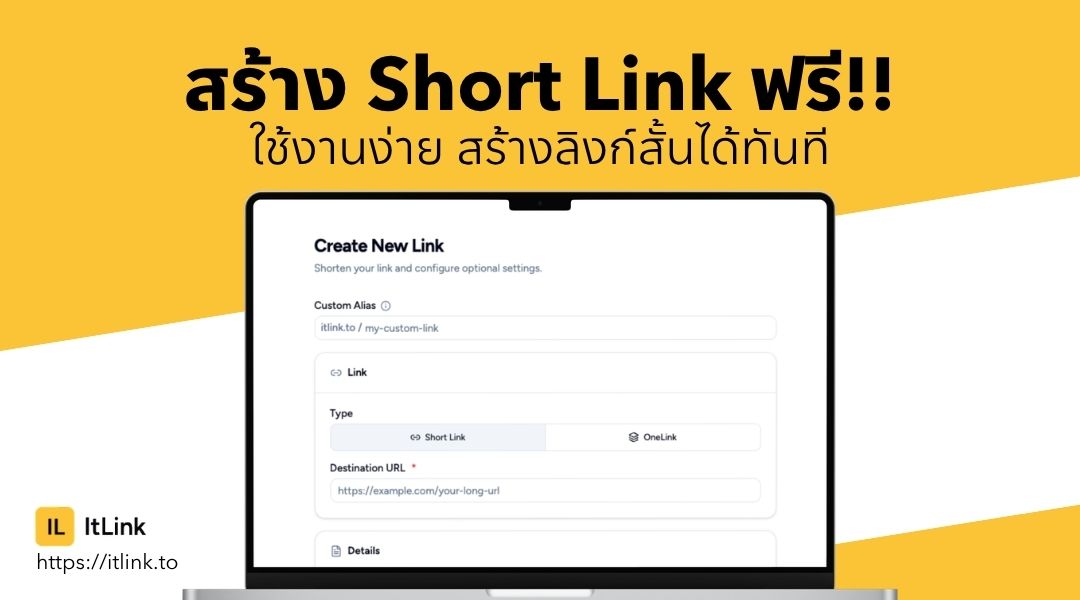
  • สร้าง Short Link ฟรี ใช้งานง่าย สร้างลิงก์สั้นได้ทันที

    สร้าง Short Link ฟรี ใช้งานง่าย สร้างลิงก์สั้นได้ทันที

    ในยุคที่การแชร์ข้อมูลเกิดขึ้นตลอดเวลา ไม่ว่าจะเป็นการโพสต์บนโซเชียลมีเดีย ส่งลิงก์ผ่านแชท หรือใช้ลิงก์สำหรับโปรโมตธุรกิจ การมี URL ที่สั้น กระชับ และดูน่าเชื่อถือ กลายเป็นเรื่องสำคัญมากขึ้นเรื่อย ๆ เพราะลิงก์ที่ยาวเกินไปอาจดูไม่น่าสนใจ จำยาก และทำให้ผู้ใช้งานลังเลที่จะคลิก หลายคนจึงเริ่มมองหาเครื่องมือสำหรับสร้าง Short Link ฟรี เพื่อช่วยย่อลิงก์ให้สั้นลง ใช้งานง่าย แชร์สะดวก และยังช่วยติดตามจำนวนคลิกได้อีกด้วย ปัจจุบันระบบสร้างลิงก์สั้นไม่ได้มีประโยชน์แค่เรื่องความสวยงาม แต่ยังกลายเป็นเครื่องมือสำคัญสำหรับนักการตลาด เจ้าของธุรกิจ ครีเอเตอร์ และผู้ใช้งานทั่วไปที่ต้องการจัดการลิงก์อย่างมีประสิทธิภาพ บทความนี้จะพาคุณไปรู้จักกับ Short Link ว่าคืออะไร มีข้อดีอย่างไร เหมาะกับใครบ้าง และควรเลือกใช้งานแบบไหนให้ตอบโจทย์มากที่สุด

    Short Link คืออะไร และทำไมถึงได้รับความนิยม

    Short Link หรือ URL Shortener คือ ระบบที่ช่วยย่อลิงก์ยาว ๆ ให้กลายเป็นลิงก์สั้นที่ดูสะอาด อ่านง่าย และแชร์ได้สะดวกมากขึ้น ตัวอย่างเช่น ลิงก์เว็บไซต์ที่มีตัวอักษรยาวหลายบรรทัด สามารถถูกย่อให้เหลือเพียงไม่กี่ตัวอักษรได้ภายในไม่กี่วินาที เหตุผลที่ Short Link ได้รับความนิยมมากขึ้น เพราะผู้ใช้งานอินเทอร์เน็ตในปัจจุบันต้องแชร์ลิงก์ผ่านหลายช่องทาง ทั้ง Facebook, X, Instagram, TikTok, LINE หรืออีเมล ซึ่งบางแพลตฟอร์มมีข้อจำกัดด้านพื้นที่ข้อความ การมีลิงก์สั้นจึงช่วยให้โพสต์ดูเป็นระเบียบและน่าคลิกมากกว่าเดิม นอกจากนี้ Short Link ยังช่วยเพิ่มประสบการณ์ของผู้ใช้งาน เพราะลิงก์ที่สั้นและชัดเจนดูน่าเชื่อถือกว่าลิงก์ที่เต็มไปด้วยตัวอักษรและสัญลักษณ์จำนวนมาก จึงไม่แปลกที่ทั้งแบรนด์ ธุรกิจออนไลน์ อินฟลูเอนเซอร์ และผู้ใช้งานทั่วไป ต่างเริ่มหันมาใช้ระบบย่อลิงก์กันมากขึ้น

    ข้อดีของการใช้ Short Link ฟรี ในการแชร์ลิงก์ออนไลน์

    หนึ่งในข้อดีที่ชัดเจนที่สุดของการใช้ Short Link คือ ช่วยให้ลิงก์ดูสั้นและเป็นมืออาชีพมากขึ้น โดยเฉพาะเวลานำไปโพสต์บนโซเชียลมีเดียหรือใช้ในงานโปรโมตต่าง ๆ ลิงก์ที่สั้นจะช่วยให้ข้อความโดยรวมดูสะอาดและอ่านง่าย อีกข้อดีสำคัญคือการจดจำลิงก์ได้ง่ายขึ้น หากใช้ระบบที่สามารถปรับแต่งชื่อท้ายลิงก์ได้ ผู้ใช้งานจะสามารถสร้างลิงก์ที่เกี่ยวข้องกับแบรนด์ สินค้า หรือแคมเปญได้โดยตรง ซึ่งช่วยเพิ่มโอกาสในการคลิกและสร้างความน่าเชื่อถือ หลายแพลตฟอร์มยังมีระบบติดตามสถิติ เช่น จำนวนคลิก อุปกรณ์ที่ใช้งาน ประเทศของผู้เข้าชม หรือช่องทางที่มีคนคลิกมากที่สุด ทำให้เจ้าของลิงก์สามารถนำข้อมูลไปวิเคราะห์พฤติกรรมผู้ใช้งานและวางแผนการตลาดได้แม่นยำขึ้น สำหรับธุรกิจออนไลน์ การใช้ลิงก์สั้นยังช่วยให้สามารถจัดการลิงก์จำนวนมากได้ง่ายขึ้น ไม่ว่าจะเป็นลิงก์สินค้า ลิงก์โปรโมชั่น หรือลิงก์สำหรับแคมเปญโฆษณา

    Short Link เหมาะกับใครบ้าง

    Short Link เหมาะกับใครบ้าง

    ปัจจุบัน Short Link ไม่ได้จำกัดอยู่แค่กลุ่มนักการตลาดอีกต่อไป แต่เหมาะกับผู้ใช้งานหลากหลายประเภท ตั้งแต่เจ้าของธุรกิจ ครีเอเตอร์ ไปจนถึงผู้ใช้งานทั่วไป สำหรับธุรกิจออนไลน์ ลิงก์สั้นช่วยให้การแชร์สินค้าและบริการดูน่าเชื่อถือขึ้น สามารถนำไปใช้ในโฆษณา โพสต์โปรโมต หรือแคมเปญต่าง ๆ ได้อย่างสะดวก สำหรับอินฟลูเอนเซอร์และครีเอเตอร์ การใช้ Short Link ช่วยให้สามารถรวมลิงก์สำคัญไว้ในที่เดียว แชร์ง่าย และติดตามผลลัพธ์จากผู้ติดตามได้ชัดเจนขึ้น ส่วนผู้ใช้งานทั่วไปก็สามารถใช้ลิงก์สั้นเพื่อแชร์เว็บไซต์ วิดีโอ เอกสาร หรือข้อมูลต่าง ๆ ผ่านแชทและโซเชียลมีเดียได้สะดวกกว่าเดิม โดยไม่ต้องส่งลิงก์ยาว ๆ ที่ดูซับซ้อน

    ฟีเจอร์สำคัญที่ควรมีในระบบ Short Link ฟรี

    แม้ว่าหลายแพลตฟอร์มจะสามารถสร้างลิงก์สั้นได้เหมือนกัน แต่ฟีเจอร์เพิ่มเติมคือสิ่งที่ทำให้แต่ละบริการแตกต่างกัน หนึ่งในฟีเจอร์สำคัญคือระบบวิเคราะห์สถิติ เพราะช่วยให้ผู้ใช้งานรู้ว่ามีคนคลิกลิงก์มากน้อยแค่ไหน มาจากประเทศอะไร และใช้อุปกรณ์ประเภทใดในการเข้าชม

    อีกฟีเจอร์ที่ได้รับความนิยมคือการตั้งชื่อ URL เอง ซึ่งช่วยให้ลิงก์ดูเป็นแบรนด์มากขึ้นและจดจำง่ายกว่าเดิม บางแพลตฟอร์มยังรองรับการสร้าง QR Code อัตโนมัติ ทำให้สามารถนำลิงก์ไปใช้งานได้ทั้งออนไลน์และออฟไลน์ในเวลาเดียวกัน

    นอกจากนี้ ระบบจัดการลิงก์หลายรายการก็เป็นอีกสิ่งสำคัญ โดยเฉพาะสำหรับคนที่มีหลายแคมเปญหรือหลายช่องทาง เพราะช่วยให้สามารถจัดระเบียบลิงก์ได้ง่ายและค้นหาได้สะดวก

    Short Link ช่วยด้าน SEO หรือไม่

    หลายคนสงสัยว่าการใช้ Short Link มีผลต่อ SEO หรืออันดับบน Google หรือไม่ คำตอบคือโดยตรงอาจไม่ได้ช่วยเพิ่มอันดับเว็บไซต์ทันที แต่มีผลทางอ้อมต่อประสบการณ์ของผู้ใช้งานและการแชร์คอนเทนต์ ลิงก์ที่สั้นและดูน่าเชื่อถือมีโอกาสถูกคลิกมากกว่า ซึ่งอาจช่วยเพิ่ม Traffic ให้เว็บไซต์ได้ นอกจากนี้ยังช่วยให้การแชร์บนโซเชียลมีเดียทำได้ง่ายขึ้น เพิ่มโอกาสในการเข้าถึงผู้ชมจำนวนมาก

    อย่างไรก็ตาม ควรเลือกใช้บริการที่มีความน่าเชื่อถือและรองรับ Redirect อย่างเหมาะสม เพื่อไม่ให้ส่งผลเสียต่อประสบการณ์ของผู้ใช้งานหรือความน่าเชื่อถือของเว็บไซต์ สำหรับหลายธุรกิจ การใช้ Short Link ร่วมกับการวิเคราะห์ข้อมูล ยังช่วยให้สามารถวัดผลแคมเปญ SEO และการตลาดออนไลน์ได้แม่นยำขึ้น

    การใช้ Short Link กับโซเชียลมีเดีย

    โซเชียลมีเดียคือหนึ่งในช่องทางที่ทำให้ Short Link ได้รับความนิยมอย่างมาก เพราะผู้ใช้งานต้องแชร์ลิงก์อยู่ตลอดเวลา ไม่ว่าจะเป็นโพสต์สินค้า บทความ วิดีโอ หรือโปรโมชันต่าง ๆ ลิงก์สั้นช่วยให้โพสต์ดูสะอาด อ่านง่าย และดูเป็นมืออาชีพมากขึ้น โดยเฉพาะบนแพลตฟอร์มที่เน้นความกระชับของข้อความ สำหรับ Instagram หรือ TikTok ที่มีพื้นที่ใส่ลิงก์จำกัด การใช้ลิงก์สั้นหรือหน้า One Link กลายเป็นเครื่องมือสำคัญในการรวมช่องทางต่าง ๆ ไว้ในที่เดียว ผู้ใช้งานยังสามารถติดตามผลลัพธ์ของลิงก์ได้แบบเรียลไทม์ ช่วยให้รู้ว่าคอนเทนต์แบบใดได้รับความสนใจมากที่สุด และนำข้อมูลไปปรับกลยุทธ์การสื่อสารได้ต่อไป

    ทำไมลิงก์ยาวถึงส่งผลต่อผู้ใช้งาน

    ทำไมลิงก์ยาวถึงส่งผลต่อผู้ใช้งาน

    แม้ลิงก์ยาวจะยังสามารถใช้งานได้ตามปกติ แต่ในหลายกรณีลิงก์ที่ยาวเกินไปอาจส่งผลต่อความรู้สึกของผู้ใช้งานโดยตรง เพราะลิงก์ที่เต็มไปด้วยตัวอักษร ตัวเลข และสัญลักษณ์จำนวนมาก มักดูไม่น่าเชื่อถือและยากต่อการอ่าน ผู้ใช้งานจำนวนไม่น้อยหลีกเลี่ยงการคลิกลิงก์ที่ดูแปลกหรือยาวผิดปกติ เพราะกังวลเรื่องความปลอดภัย การใช้ Short Link จึงช่วยให้ลิงก์ดูสะอาดและน่าเชื่อถือมากขึ้น

    ในด้านการตลาด ลิงก์สั้นยังช่วยให้ข้อความโฆษณาดูสวยงามและกระชับ โดยเฉพาะในแพลตฟอร์มที่เน้นความรวดเร็ว เช่น X หรือข้อความโฆษณาบนมือถือ นอกจากนี้ ลิงก์สั้นยังเหมาะกับการใช้งานออฟไลน์ เช่น การพิมพ์บนโปสเตอร์ นามบัตร หรือสื่อสิ่งพิมพ์ เพราะผู้ใช้งานสามารถจำและพิมพ์ตามได้ง่ายกว่าลิงก์แบบเดิม

    ระบบ One Link คืออะไร และเกี่ยวข้องกับ Short Link อย่างไร

    นอกจากการสร้างลิงก์สั้น ปัจจุบันหลายแพลตฟอร์มยังมีฟีเจอร์ One Link หรือหน้า Bio Link ที่ช่วยรวมหลายลิงก์ไว้ในหน้าเดียว เหมาะสำหรับครีเอเตอร์ ร้านค้าออนไลน์ หรือผู้ที่มีหลายช่องทางให้ติดตาม

    ผู้ใช้งานสามารถเพิ่มลิงก์เว็บไซต์ ร้านค้า โซเชียลมีเดีย หรือช่องทางติดต่อทั้งหมดไว้ในหน้าเดียว แล้วแชร์ผ่านลิงก์เดียวได้ทันที ระบบแบบนี้ได้รับความนิยมมากขึ้นเรื่อย ๆ เพราะช่วยลดความซับซ้อนในการแชร์ข้อมูล และทำให้ผู้ติดตามเข้าถึงทุกช่องทางได้สะดวกกว่าเดิม

    ปัจจุบันมีหลายบริการที่รองรับทั้ง Short Link ฟรี และ One Link ภายในแพลตฟอร์มเดียว เช่น itlink.to ที่เน้นการจัดการลิงก์ให้ใช้งานง่ายและเหมาะกับการแชร์บนโซเชียลมีเดีย

    วิธีเลือกแพลตฟอร์ม Short Link ฟรี ให้เหมาะกับการใช้งาน

    การเลือกแพลตฟอร์มสร้างลิงก์สั้นควรพิจารณาจากความสะดวกในการใช้งาน ความเสถียร และฟีเจอร์ที่ตอบโจทย์ หากเป็นผู้ใช้งานทั่วไป อาจเน้นระบบที่สร้างลิงก์ได้รวดเร็ว ไม่ต้องตั้งค่าซับซ้อน และสามารถใช้งานฟรีได้ทันที แต่หากเป็นธุรกิจหรือครีเอเตอร์ ควรเลือกแพลตฟอร์มที่มีระบบวิเคราะห์ข้อมูล การจัดการหลายลิงก์ และการปรับแต่ง URL เพื่อช่วยสร้างแบรนด์และวัดผลการตลาดได้อย่างมีประสิทธิภาพ อีกเรื่องที่สำคัญคือความน่าเชื่อถือของระบบ เพราะลิงก์ที่สร้างขึ้นจะถูกนำไปใช้งานจริง หากระบบล่มหรือไม่เสถียร อาจส่งผลต่อการเข้าถึงเว็บไซต์และประสบการณ์ของผู้ใช้งานโดยตรง

    ความปลอดภัยของการใช้ Short Link ฟรี

    ความปลอดภัยของการใช้ Short Link ฟรี

    แม้ลิงก์สั้นจะมีข้อดีหลายด้าน แต่เรื่องความปลอดภัยก็เป็นสิ่งที่ผู้ใช้งานควรให้ความสำคัญ เพราะในบางกรณีอาจมีผู้ไม่หวังดีใช้ลิงก์สั้นเพื่อซ่อนปลายทางของเว็บไซต์อันตราย ดังนั้นควรเลือกใช้บริการจากแพลตฟอร์มที่น่าเชื่อถือ และหลีกเลี่ยงการคลิกลิงก์ที่ดูผิดปกติหรือส่งมาจากแหล่งที่ไม่น่าไว้ใจ สำหรับเจ้าของธุรกิจ การใช้โดเมนที่ดูเป็นทางการและปรับแต่งชื่อ URL ให้สอดคล้องกับแบรนด์ จะช่วยเพิ่มความเชื่อมั่นให้กับผู้ใช้งานและลดความกังวลในการคลิกลิงก์

    อนาคตของ Short Link และการจัดการลิงก์ออนไลน์

    แนวโน้มของการใช้งาน Short Link ยังเติบโตต่อเนื่อง เพราะโลกออนไลน์มีการแข่งขันด้านความเร็วและประสบการณ์ผู้ใช้งานมากขึ้น การจัดการลิงก์จึงไม่ได้เป็นเพียงเรื่องของการย่อ URL อีกต่อไป แต่กลายเป็นส่วนหนึ่งของกลยุทธ์การสื่อสารและการตลาดดิจิทัล ในอนาคต ระบบลิงก์สั้นอาจถูกพัฒนาให้เชื่อมต่อกับ AI ระบบวิเคราะห์ข้อมูล และระบบ Automation มากขึ้น เพื่อช่วยให้ผู้ใช้งานจัดการแคมเปญออนไลน์ได้ง่ายกว่าเดิม ธุรกิจจำนวนมากเริ่มให้ความสำคัญกับการสร้างประสบการณ์ที่ต่อเนื่อง ตั้งแต่การคลิกลิงก์ไปจนถึงการเข้าถึงเว็บไซต์หรือหน้าโปรโมชัน ซึ่งทำให้ระบบลิงก์สั้นกลายเป็นเครื่องมือที่มีบทบาทสำคัญมากขึ้นเรื่อย ๆ

    สรุป Short Link ฟรี ตัวช่วยสำคัญของการแชร์ลิงก์ยุคใหม่

    Short Link เครื่องมือที่ช่วยให้การแชร์ลิงก์ออนไลน์สะดวก รวดเร็ว และดูเป็นมืออาชีพมากขึ้น ไม่ว่าจะเป็นการใช้งานส่วนตัว การตลาดออนไลน์ ธุรกิจ หรือการสร้างแบรนด์ ลิงก์สั้นช่วยเพิ่มประสบการณ์ของผู้ใช้งาน ทำให้ข้อความดูสะอาด และเพิ่มโอกาสในการคลิก หากเลือกใช้งานแพลตฟอร์มที่เหมาะสม ผู้ใช้งานจะสามารถจัดการลิงก์ต่าง ๆ ได้ง่ายขึ้น พร้อมเพิ่มความน่าเชื่อถือให้กับการสื่อสารออนไลน์ในทุกช่องทาง