ป้ายกำกับ: app download links

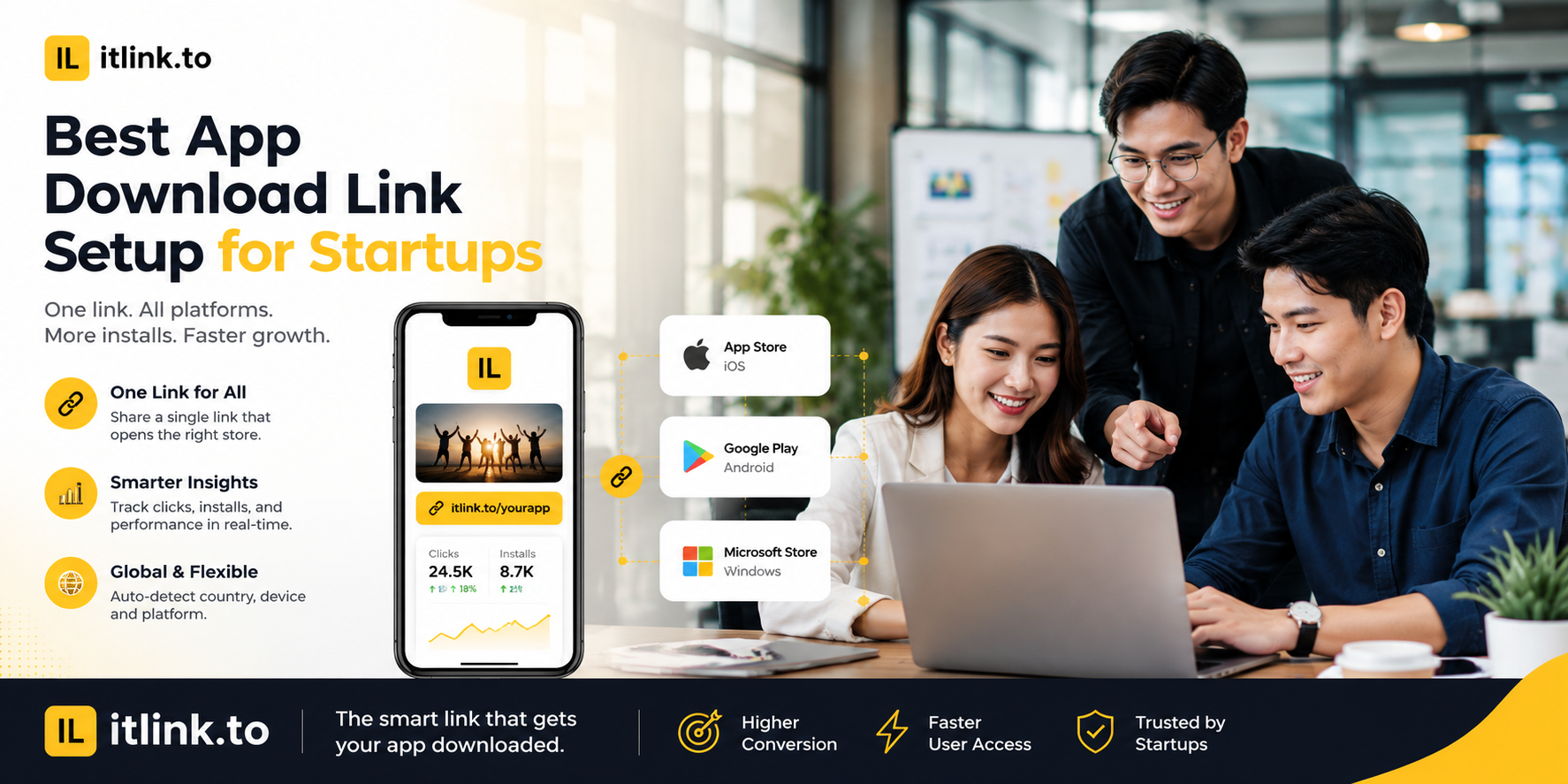
  • Best App Download Link Setup for Startups

    Best App Download Link Setup for Startups

    The best app download link setup for startups is not the most complicated one. It is the one that helps every user reach the right place with the least friction.

    A startup app campaign rarely has one clean audience. People may click from iPhone, Android, desktop, Product Hunt, Instagram, TikTok, email, creator posts, QR codes, pitch decks, investor updates, event booths, or paid ads. One raw App Store link cannot handle that. One Google Play link cannot handle that either.

    A strong setup gives your startup one clean public link, routes users to the correct destination, keeps campaign channels trackable, and stays editable when launch details change.

    Your Launch Link Should Not Choose iPhone Users Over Android Users
    Many startups accidentally build their first campaign around the device the team uses most. If the founders use iPhones, they share the App Store link everywhere. If the early user base is Android-heavy, they share the Google Play link everywhere. Both choices create a blind spot. A launch link should not force half the audience into the wrong store. The better setup is one app download link that routes iPhone users to the App Store, Android users to Google Play, and desktop visitors to a useful web fallback page.

    Product Hunt Traffic Needs a Desktop Plan

    Product Hunt launches often bring a lot of desktop traffic. The mistake is treating Product Hunt like a mobile-only campaign. If desktop visitors click your app link and land on a mobile store page with no context, the journey feels broken. A better setup sends desktop visitors to a focused app landing page with a short explanation, App Store and Google Play buttons, screenshots, and a QR code they can scan from their phone. The goal is to turn desktop curiosity into mobile installs without making users search for the app manually.

    Your QR Code Should Point to a Link You Can Still Control

    Startups use QR codes at events, booths, demo days, pitch nights, cafés, flyers, stickers, packaging, and slide decks. Once printed, the QR code is hard to change. That is why the QR should not point directly to one final store URL. It should point to an editable app download link. If your App Store listing changes, your Google Play page goes live late, or you decide to send desktop users to a different page, you can update the destination behind the link without reprinting everything.

    Do Not Use One Link Everywhere and Call It Tracking

    A single app download link is good for users, but bad for reporting if you reuse the same tracked URL in every channel. Your startup should create separate campaign links for major placements: Product Hunt, Instagram bio, TikTok profile, email newsletter, creator partner, event QR code, pitch deck, and paid ads. The routing can stay the same, but each channel should be measurable. Otherwise, you may know the campaign got clicks, but not which channel created them. That makes it harder to decide where to spend your next week.

    Keep the Public Link Clean Enough to Trust

    Your app download link may appear before users know your startup. If it looks random or suspicious, some people hesitate. Use a short, readable link name whenever possible. A slug like /app, /download, /try, or /launch is easier to trust than a random string. This matters for social posts, podcast mentions, QR code backup text, pitch decks, and creator captions. A clean link will not save a weak product, but it removes one unnecessary reason not to click.

    The Store Pages Must Be Ready Before the Link Goes Live

    A smart app download link cannot fix weak store pages. Before sending traffic, check your App Store and Google Play listings. Make sure the app name, icon, screenshots, description, category, availability, and install status are correct. If your app is not available in certain countries, decide what those users should see. If one store is not live yet, send those users to a waitlist or landing page instead of a dead end. The link is only as strong as the destination it sends people to.

    Build a Simple Startup Link Map Before Launch

    Before posting your campaign, create a simple link map:

    • Main smart app link: routes iOS, Android, and desktop users.
    • Product Hunt link: tracks launch-page traffic.
    • Instagram bio link: tracks profile visitors.
    • TikTok link: tracks creator or short-form traffic.
    • Email link: tracks newsletter clicks.
    • Event QR link: tracks offline scans.
    • Partner link: tracks creator or partner traffic.
    • Pitch deck link: tracks investor or demo traffic.
    • Fallback page: helps desktop users continue on mobile.
    • Emergency redirect: backup destination if a store page breaks.

    This map does not need to be complex. It only needs to prevent confusion before the launch gets attention.

    Avoid Heavy Attribution Before You Know Your Channels

    Some startups try to set up a full mobile attribution stack before they have repeatable acquisition. That can be useful later, but early-stage teams often need simpler answers first. Did Product Hunt drive real clicks? Did the QR code at the booth work? Did the creator campaign beat the founder’s LinkedIn post? Did Android traffic matter more than expected? A clean app download link setup with basic tracking can answer early questions without slowing the team down. Upgrade to heavier attribution when paid acquisition, retargeting, and in-app event measurement become real growth needs.

    Test the Link Like a User, Not Like a Developer

    Do not only test the link from your laptop browser. Open it on iPhone. Open it on Android. Open it on desktop. Tap it inside Instagram, TikTok, Gmail, LinkedIn, X, WhatsApp, and any platform where the campaign will run. Scan the QR code from real distance and normal lighting. Check whether the page loads quickly. Check whether the CTA matches the destination. If the campaign says “Download the app,” the user should not land on a generic homepage. A startup launch link should feel obvious in the exact environment where people click.

    The Best App Download Link Setup for Startups

    The best app download link setup for startups is simple, editable, trackable, and device-aware. Use one clean public link for the user, but separate tracking links for your important channels. Route iPhone users to the App Store, Android users to Google Play, and desktop users to a focused fallback page. Use editable links for QR codes and printed materials. Keep slugs readable. Test everything before launch. Do not overbuild attribution before you know which channels work.

    For startups that want clean short links and app download links without a heavy setup, itlink.to can help you create simple campaign links here: https://itlink.to/#short-link

    Start with one campaign. Create the link map. Test it on real devices. Then publish with confidence.

    References

  • Best Branch.io Alternative for Startups (No Enterprise Pricing)

    Best Branch.io Alternative for Startups (No Enterprise Pricing)

    Finding the right branch.io alternative is not always about replacing every advanced feature Branch.io offers. For many startups, the real problem is much simpler: you need one link that works correctly when someone clicks from an iPhone, Android device, desktop browser, social media app, email campaign, or QR code.

    Imagine you are launching a new mobile app. You add your App Store link to Instagram, but Android users cannot download the app from that link. Then you add a Google Play link too, but now your profile looks messy. You print a QR code for an event, but you are not sure whether it should point to the App Store, Google Play, or your website. This is the moment many teams start searching for Branch.io, deep links, smart links, and app routing tools.

    Branch.io is powerful, especially for larger companies that need deep linking, attribution, and enterprise-level mobile growth infrastructure. But if your startup mainly needs clean app download routing, you may not need a full enterprise platform yet. You may need a simpler, free tool that helps you send the right user to the right destination.

    Why Startups Search for a Branch.io Alternative

    Startups usually search for a Branch.io alternative when their marketing becomes more serious than a single app store link. At first, a founder may simply share the App Store URL with friends, early users, or beta testers. That works until the audience becomes mixed.

    A creator campaign may send traffic from both iPhone and Android users. A paid ad may be opened inside Instagram, TikTok, or a mobile browser. A QR code at a booth may be scanned by hundreds of people using different devices. A desktop visitor may click the same link from an email newsletter and expect to see a proper landing page instead of a mobile-only app store screen.

    The problem is not just link shortening. The problem is routing. A normal short link can make a long URL cleaner, but it does not automatically know whether the visitor should go to the App Store, Google Play, or a desktop page. That is why startups begin looking for smart routing tools.

    The best solution depends on the stage of the business. A funded growth team running advanced attribution may need an enterprise platform. A small startup trying to launch faster may need something simpler, easier, and more affordable.

    The Real Question: Do You Need Deep Linking or Smart Routing?

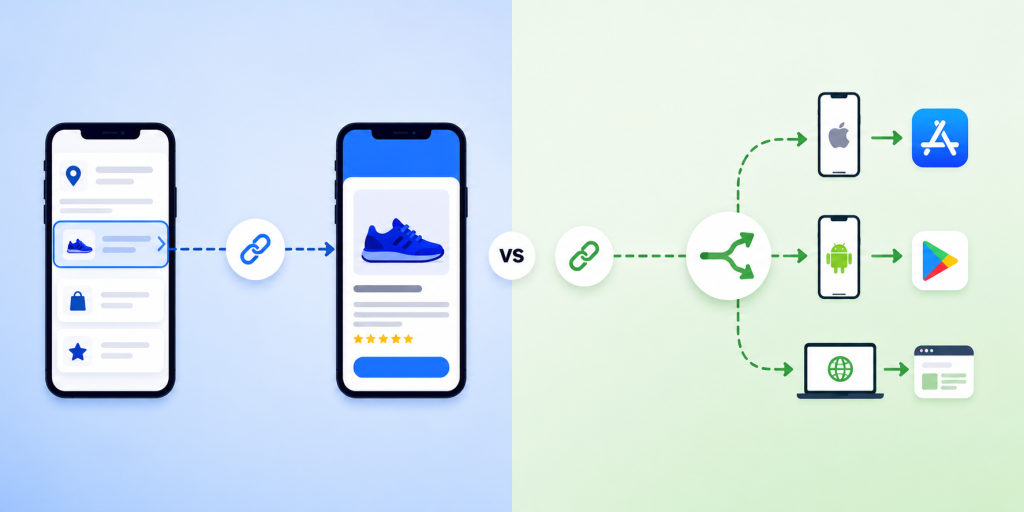
    Many startups use the word “deep linking” when they actually mean “send users to the correct download page.” These are related, but they are not the same problem.

    Deep linking is useful when the user already has your app installed and you want to open a specific place inside the app. For example, a travel app might open a hotel detail page, a fitness app might open a workout program, or a shopping app might open a product page.

    Smart routing is different. It is mainly about deciding where a visitor should go based on their device. If the visitor is on iPhone, send them to the Apple App Store. If they are on Android, send them to Google Play. If they are on desktop, send them to your website or landing page.

    For many startups, smart routing is the first real need. They are not yet trying to build complex in-app journeys. They are trying to stop wasting clicks. If someone is ready to download your app, the link should not send them to the wrong store.

    Choosing a full enterprise deep linking platform before you need it can slow down the team. It can create extra setup, extra technical decisions, and extra cost before the campaign has even proven itself.

    When Branch.io Makes Sense

    Branch.io can make sense for companies that need more than simple app download routing. If your team is running large paid acquisition campaigns, managing complex attribution, working across multiple product flows, or sending users into specific in-app screens, Branch.io may be a strong option.

    It is especially relevant when mobile attribution is a major part of your growth operation. Larger teams may need advanced analytics, integrations, campaign measurement, deferred deep linking, and more technical control over user journeys.

    That level of functionality is valuable, but it is not always necessary for a startup’s first app launch campaign. A small team may not have a dedicated growth engineer. The marketing owner may simply need to create one clean link for Instagram, QR codes, influencer campaigns, and ads.

    This is where the decision becomes practical. The question is not “Is Branch.io good?” The better question is “Do we need this level of platform right now?”

    If the answer is no, a lighter smart routing tool may be a better fit.

    Where Startups Often Overpay or Overcomplicate

    A common mistake is buying or implementing a tool based on what the company might need later, instead of what the campaign needs now. This can happen when a startup reads about deep linking, attribution, and mobile growth stacks, then assumes it must set everything up before launch.

    In reality, many early campaigns need only a few things: one clean link, correct device routing, a desktop fallback, basic analytics, and the ability to update destinations. That is enough for many app launch campaigns, event campaigns, creator promotions, and QR code tests.

    Overcomplication creates hidden costs. The team spends more time understanding settings. Developers may need to support setup. Marketers wait for implementation. Campaigns get delayed. In the worst case, the startup pays for a sophisticated system while still using only the most basic feature: sending people to the correct app store.

    A simple setup is not a weakness. For an early-stage team, speed is often more valuable than complexity. If you can launch a campaign today, test it, and see which channels bring clicks, that is already useful progress.

    What a Startup-Friendly Branch.io Alternative Should Include

    A good Branch.io alternative for startups should focus on the job your team is trying to complete. If the main job is app download routing, the tool should make that easy without forcing you into unnecessary enterprise workflows.

    Look for these essentials:

    • Device-based routing for iPhone, Android, and desktop visitors.
    • One clean short link for campaigns, bios, QR codes, and ads.
    • App Store, Google Play, and desktop fallback destinations.
    • Easy editing so you can update destinations without changing the shared link.
    • Basic analytics for clicks, devices, browsers, and locations.
    • QR code support for offline and event marketing.
    • Simple setup that a founder, marketer, or product manager can understand.
    • Free or startup-friendly pricing so you can test before committing budget.

    The most important point is usability. If the tool is technically impressive but your team avoids using it, it will not help your campaign. A good startup tool should make the next step obvious.

    Branch.io vs One Route by itlink.to: A Practical Comparison

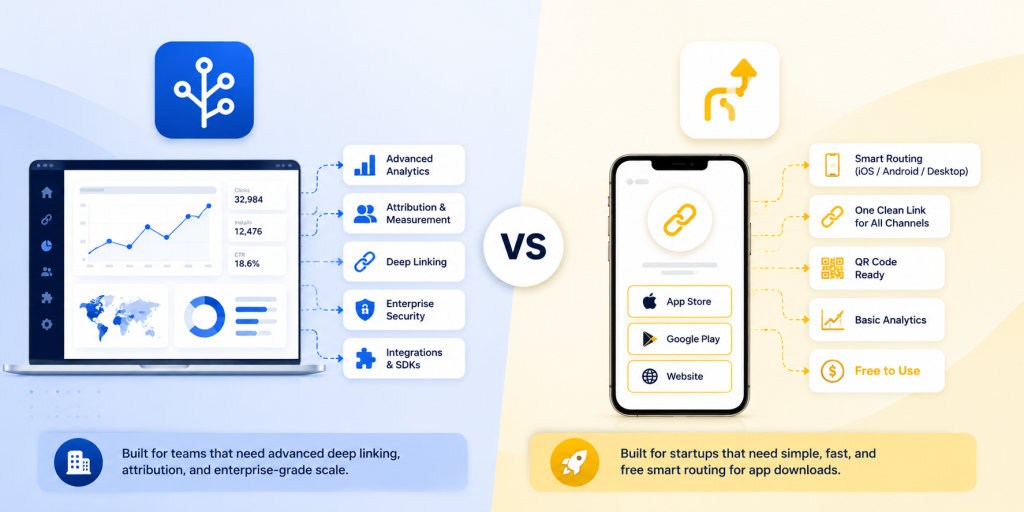
    Branch.io and One Route are not trying to solve the exact same level of problem. Branch.io is a broader mobile linking and attribution platform. One Route is focused on smart routing for app download and campaign links.

    For a large company, Branch.io may be the stronger choice if the team needs deep linking into app screens, advanced attribution, enterprise integrations, and detailed mobile growth infrastructure.

    For a startup, One Route may be the better choice if the immediate goal is simpler: create one link that sends iPhone users to the App Store, Android users to Google Play, and desktop users to a website or landing page.

    This distinction matters because many startups do not need every advanced feature on day one. They need a link that works, is easy to share, and does not confuse users.

    For example, if you are running a launch campaign with a small budget, you may only need to know whether people clicked, what device they used, and whether your link experience worked correctly. You do not necessarily need a full attribution system before your first real growth test.

    That is why itlink.to’s One Route can be a practical option. It gives startups a free way to create smart routing links without jumping straight into enterprise pricing or complex setup.

    Real Campaign Examples Where Smart Routing Wins

    Smart routing becomes most useful when one link needs to work across many environments. A startup rarely controls where people will open a link. The same campaign URL might appear in a social bio, a QR code, a newsletter, a pitch deck, a blog article, and a paid ad.

    Useful examples include:

    • An app launch page where the main CTA should work for both iPhone and Android users.
    • An Instagram bio link where there is only room for one clean download link.
    • A QR code on posters, flyers, event booths, receipts, packaging, or table cards.
    • An influencer campaign where each creator needs one simple trackable link.
    • A paid ad campaign where users may open the link inside mobile app browsers.
    • A newsletter where desktop users should see a landing page instead of a mobile store.
    • A product demo or pitch deck where investors, partners, and users may click from different devices.

    In each case, the user should not have to think. They should click once and land in the right place. That is the whole value of smart routing.

    Common Mistakes to Avoid Before Launching Your App Link

    The first mistake is using only the App Store link everywhere. This immediately creates a bad experience for Android users. The second mistake is adding both App Store and Google Play links everywhere, which makes campaigns look cluttered and forces users to choose manually.

    Another mistake is forgetting the desktop fallback. Not every click comes from a phone. If someone opens your app link from a laptop, they should land on a clear page that explains the app and gives them a way to continue.

    Startups should also test links inside social media apps. Instagram, TikTok, Facebook, LinkedIn, and X may open links inside in-app browsers. A link that works perfectly in Safari or Chrome should still be tested in the places where users will actually click.

    Finally, do not print QR codes until you have tested the routing. A broken printed QR code is painful because you cannot edit the paper after it is distributed. Use a smart link behind the QR code so the destination can be updated later if needed.

    One Route is a good fit if your startup needs smart app routing, not a full enterprise deep linking platform. It helps you use one clean link to send iPhone users to the App Store, Android users to Google Play, and desktop visitors to your website or landing page.

    This makes it useful for app launches, QR code campaigns, influencer promotions, paid ads, social media bios, and email marketing. The biggest advantage is that itlink.to is free, so you can test app download routing before committing to a larger platform.

    Branch.io may still be better for advanced deep linking, enterprise attribution, and complex mobile growth workflows. But if your main goal is simple app download routing, One Route is a faster and easier starting point.

    Create your first free smart routing link here: https://itlink.to/#one-route

    References

    • Apple Developer – Universal Links Official Apple documentation explaining how links can route users into apps and web destinations across Apple devices.
    • Android Developers – App Links Official Android documentation covering app links, deep linking behavior, and user routing on Android devices.
    • Branch – Deep Linking Explained A comprehensive guide breaking down the mechanics of mobile deep linking, deferred deep linking, and industry best practices.
    • itlink.to One Route A smart routing solution that detects device types to automatically redirect iPhone users to the App Store, Android users to Google Play, and desktop visitors to a custom landing page via a single link.