OneLink vs smart links is a confusing comparison because the two terms are not exactly equal. OneLink usually refers to AppsFlyer OneLink, a deep linking and mobile attribution product built for app marketers. Smart links are a broader type of marketing link that can route users based on device, location, browser, campaign source, or other rules.
The simple answer is this: OneLink is better when your team needs advanced mobile attribution, deferred deep linking, and SDK-based app measurement. Smart links are better when your team wants a simpler way to send users to the right destination across App Store, Google Play, desktop pages, QR codes, social campaigns, and short links.
Both can help app marketing. The better tool depends on how technical your campaign is, how much attribution you need, and whether your team is solving an install-tracking problem or a routing problem.
OneLink vs Smart Links: Quick Answer
| Feature | OneLink | Smart Links |
|---|---|---|
| Main use case | Mobile attribution and deep linking | Flexible routing and campaign links |
| Best for | Larger app growth teams | Marketers, creators, startups, small teams |
| App Store / Google Play routing | Yes | Yes |
| Desktop fallback | Yes | Yes |
| Deferred deep linking | Yes | Depends on setup |
| SDK required for full attribution | Usually yes | Usually no |
| QR code campaigns | Yes | Yes |
| Short campaign links | Yes | Yes |
| Easier for non-technical teams | Less simple | Usually easier |
| Best when you need install attribution | Strong | Limited |
| Best when you need fast campaign setup | More setup | Strong |
If your team needs attribution, install measurement, and post-install tracking, OneLink is usually stronger.
If your team needs clean campaign links, app store routing, QR codes, and simple analytics without a heavy setup, smart links are usually the better starting point.
What OneLink Is Actually Built For
OneLink is part of AppsFlyer’s mobile measurement and deep linking ecosystem. It is built for app companies that want to connect campaign clicks with installs, app opens, in-app events, and user journeys.
That makes it powerful for performance marketing. If you run paid user acquisition, influencer campaigns, referral campaigns, email-to-app flows, web-to-app journeys, or QR-to-app campaigns, OneLink can help measure where users came from and where they should go next.
A common OneLink use case looks like this: a user clicks a campaign link, gets routed to the correct app store, installs the app, opens it, and then lands on the intended in-app screen. This is deferred deep linking. It is useful because the user does not have to search for the same product, offer, booking, or invite again after installing.
The trade-off is setup. For full attribution and deep linking, your app usually needs the AppsFlyer SDK and proper configuration. That is normal for larger app teams, but it may be too much for a small team that only needs one clean download link.
What Smart Links Are Actually Built For
Smart links are built to make one link behave intelligently across different user contexts. Instead of sending every visitor to one fixed URL, a smart link can route users based on device, operating system, browser, country, language, or campaign source.
For app marketing, this is useful because one audience often contains many types of users. An iPhone user may need the App Store. An Android user may need Google Play. A desktop user may need a landing page with a QR code. A user from one country may need a localized page.
Smart links are also useful outside pure app campaigns. They can support QR codes, short links, link-in-bio pages, creator campaigns, event promotions, product launches, and offline marketing.
The strength of smart links is simplicity. You can often create one link, set the destinations, share it across channels, and read basic analytics. That makes them practical for marketers who care about cleaner routing but do not need enterprise-level attribution.
The Real Difference Is Attribution vs Routing

The biggest difference between OneLink and smart links is not the link itself. It is what your team needs to measure.
OneLink is built around attribution. It helps app teams understand which campaign, source, channel, or partner drove an install or post-install action. This matters when advertising budget, partner payouts, and growth reporting depend on accurate measurement.
Smart links are built around routing. They help users reach the correct destination with fewer steps. This matters when your campaign is spread across social media, QR codes, emails, websites, and offline material.
For example, if your problem is, “We do not know which paid channel drove app installs,” OneLink may be the better answer.
If your problem is, “Our users keep landing on the wrong store or wrong page,” smart links may solve the problem faster.
Many teams confuse these two problems. They buy attribution software when they only need routing. Or they use simple routing links when they actually need install measurement. The better choice starts with identifying the real bottleneck.
When OneLink Is the Better App Marketing Tool
OneLink is the better choice when your app marketing is already serious enough to require deeper measurement.
This usually applies when your team runs paid acquisition, creator partnerships, referral programs, retargeting campaigns, email-to-app campaigns, or web-to-app flows. In those cases, you may need to measure not just clicks, but installs, app opens, in-app actions, purchases, subscriptions, or retention.
OneLink is also useful when deferred deep linking is important. For example, a travel app may promote a specific hotel deal. A new user clicks the link, installs the app, and then lands on that hotel deal after opening the app. Without deferred deep linking, the user may land on the homepage and lose the context.
Choose OneLink when you need:
- Mobile attribution
- Deferred deep linking
- SDK-based measurement
- Install tracking
- Post-install event tracking
- Partner or channel reporting
- Advanced app growth workflows
For larger growth teams, these features can justify the extra setup.
When Smart Links Are the Better App Marketing Tool
Smart links are the better choice when your team mainly needs a cleaner path from click to destination.
This is common for early-stage apps, local businesses, creators, SaaS tools, marketplaces, event apps, and small marketing teams. You may need one campaign link that works across Instagram, TikTok, email, QR codes, ads, and desktop visitors.
A smart link can make the campaign easier to run without asking a developer to configure attribution logic. You can send iPhone users to the App Store, Android users to Google Play, and desktop users to a web page. You can also update destinations later if the campaign changes.
Choose smart links when you need:
- One app download link
- App Store and Google Play routing
- QR code campaigns
- Short links for social media
- Desktop fallback pages
- Simple click analytics
- Faster campaign setup
For many teams, this is enough to remove the biggest friction in app marketing.
Example: App Download Campaign
Imagine you are launching a new fitness app. Your team wants to promote it through Instagram ads, influencer posts, email, and QR codes at gyms.
If your main goal is to make sure every user reaches the right download destination, smart links may be the better first choice. You can use one clean campaign link, route iOS users to the App Store, route Android users to Google Play, and send desktop users to a landing page.
If your main goal is to know which influencer drove installs, which ad campaign created subscribers, and which users completed onboarding, OneLink becomes more valuable. It can connect the campaign journey to install and post-install behavior when the SDK and tracking setup are in place.
The campaign may start with smart links and later move into OneLink-style attribution. That is normal. The right tool changes as the app’s growth operation becomes more mature.
Example: QR Code Campaign
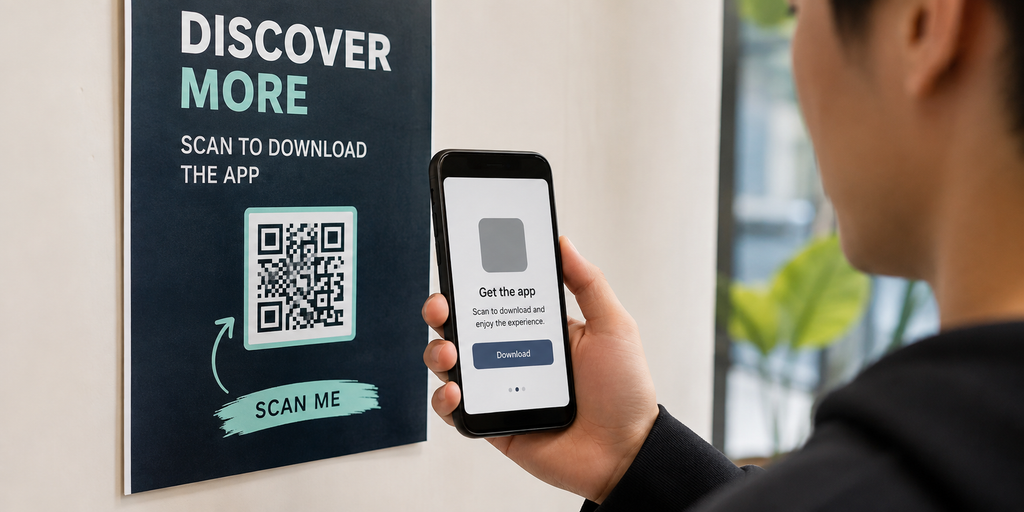
QR codes are one of the clearest cases where smart links are useful. Once a QR code is printed on posters, flyers, packaging, receipts, or table cards, changing the destination is difficult.
A smart link gives the QR code more flexibility. You can update the destination later without changing the printed code. You can also route people based on device, so iPhone and Android users do not need to choose manually.
OneLink can also support QR-to-app journeys, especially when the goal is attribution and deep linking. For example, a large retail app may want to know which store location drove installs and purchases after a QR scan.
For smaller campaigns, smart links usually provide enough flexibility. For larger app campaigns where QR scans must connect to installs and revenue, OneLink may be worth the setup.
Common Mistakes When Comparing OneLink and Smart Links
One common mistake is assuming OneLink and smart links are direct competitors. OneLink is a specific product with deep linking and attribution features. Smart links are a broader link type used by many platforms.
Another mistake is choosing the most advanced option too early. If your team does not yet need SDK-based attribution, conversion tracking, or deferred deep linking, a simpler smart link may be easier and faster.
The opposite mistake is staying too simple for too long. If you are spending heavily on paid acquisition and cannot connect campaigns to installs or revenue, basic smart link analytics may not be enough.
Teams also forget about internal workflow. A tool that requires developers for every campaign may slow down marketers. A tool that is easy for marketers but lacks attribution may slow down growth analysis. The right setup should match how your team actually works.
Final Verdict: OneLink vs Smart Links
OneLink vs smart links is not only a feature comparison. It is a question of marketing maturity.
OneLink is better for app teams that need advanced attribution, deferred deep linking, SDK-based measurement, install tracking, and post-install reporting. It is a strong choice for larger growth teams that already run complex acquisition campaigns.
Smart links are better for teams that need simple, flexible, and trackable campaign routing. They are useful for app download links, QR codes, social media campaigns, influencer promotions, email campaigns, and desktop fallbacks.
If your current problem is measurement after install, choose OneLink. If your current problem is getting users to the right place before install, choose smart links.
For many app marketers, the best starting point is a smart link. It solves the visible friction first: one link, correct destination, easier sharing, editable routing, and simple analytics.
If you want to create smarter app campaign links without a complex attribution setup, try itlink.to for short links, smart routing, QR codes, and campaign analytics in one place.
References
- AppsFlyer OneLink Documentation & Guides: Technical specifications and best practices for setting up unified, multi-platform deep links that handle user routing across OS ecosystems.
- AppsFlyer Glossary & Web-to-App Solutions: Educational resources covering core deep linking terminology and strategies for seamlessly transitioning web visitors to native mobile applications.
- itlink.to Smart Link & Short Link Product Pages: Official product overview detailing features for link shortening, intelligent device-based routing, and dynamic URL redirection.