Blog

  • Multiple Links in Instagram Bio Without Linktree

    Multiple Links in Instagram Bio Without Linktree

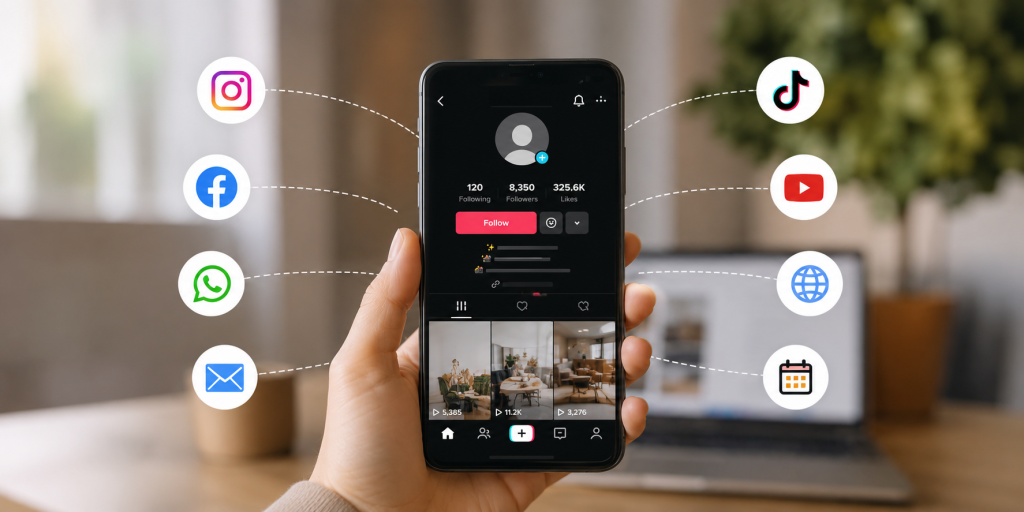
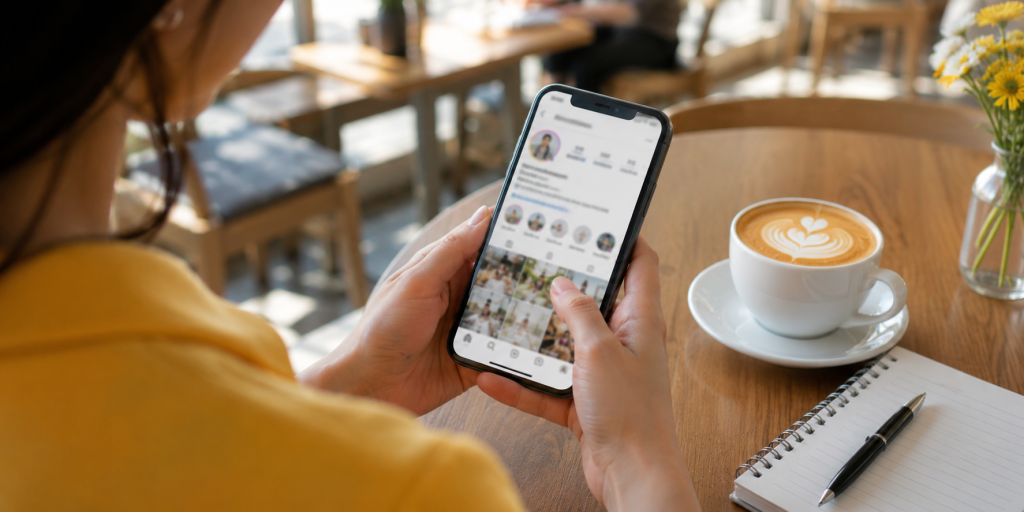
    If you are trying to add multiple links in Instagram bio, you are probably facing a simple but frustrating problem: one profile, many destinations. You may need to share your shop, latest post, booking page, YouTube video, WhatsApp contact, newsletter, app download page, or campaign landing page at the same time.

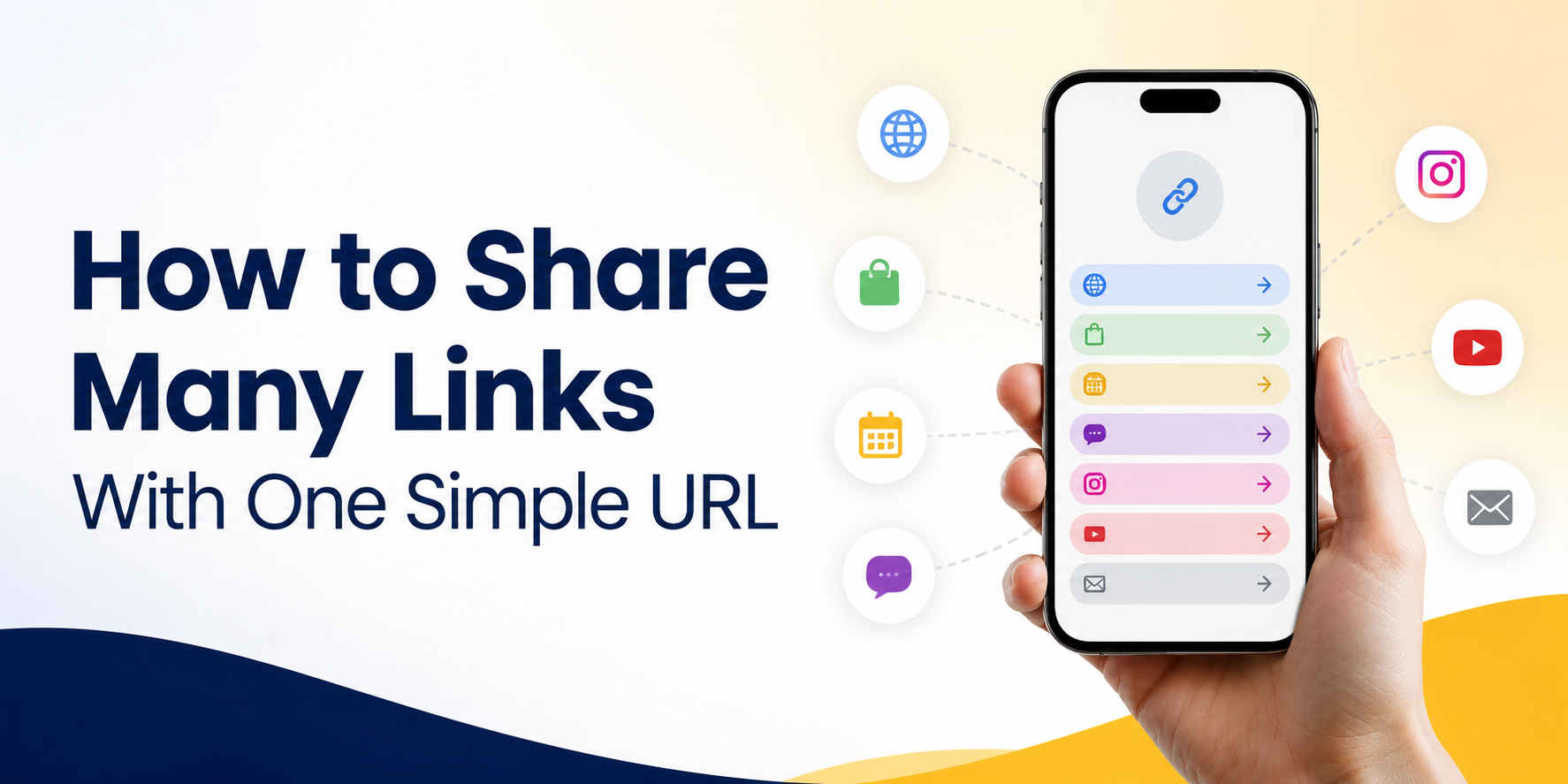
    Instagram gives creators and businesses more link flexibility than before, but a clean link-in-bio page is still often the better solution when you want control, clarity, and a more professional experience. Instead of changing your bio link every time you post something new, you can send people to one simple page that organizes all your important links in one place.

    Why Instagram Bio Links Matter More Than They Look

    Your Instagram bio link is small, but it often carries serious business value. It is the bridge between attention and action. Someone watches your Reel, reads your caption, checks your profile, and then decides whether to click.

    That click may lead to a sale, signup, download, booking, message, or content view. If the link is confusing, outdated, or too crowded, the visitor may leave before taking action. This is why your bio link should not be treated like a random URL. It should work like a simple landing page with a clear purpose.

    For creators, Instagram bio links can send followers to new content, affiliate offers, digital products, media kits, or community pages. For businesses, they can support campaigns, product launches, lead generation, and customer support. The goal is not just to show many links. The goal is to help people choose the right next step quickly.

    The Real Problem Is Not Linktree, It Is Link Clutter

    Many people search for a Linktree alternative because they think the tool is the problem. Sometimes it is. But often, the real problem is link clutter.

    A link-in-bio page can become messy when every link has the same importance. Visitors see too many buttons, vague labels, old promotions, and repeated destinations. Instead of helping people decide, the page creates more friction.

    For example, a creator might add “My Website,” “New Video,” “Shop,” “Course,” “Booking,” “Podcast,” “Newsletter,” “TikTok,” and “Contact Me” all at once. Technically, that is multiple links. Practically, it may be too much.

    A better approach is to organize links based on what your audience wants right now. If your latest Reel promotes a free guide, that guide should be near the top. If your main business goal is booking calls, the booking link should be obvious. If an old campaign is no longer active, remove it or move it lower.

    A Better Way to Share Multiple Links Without Linktree

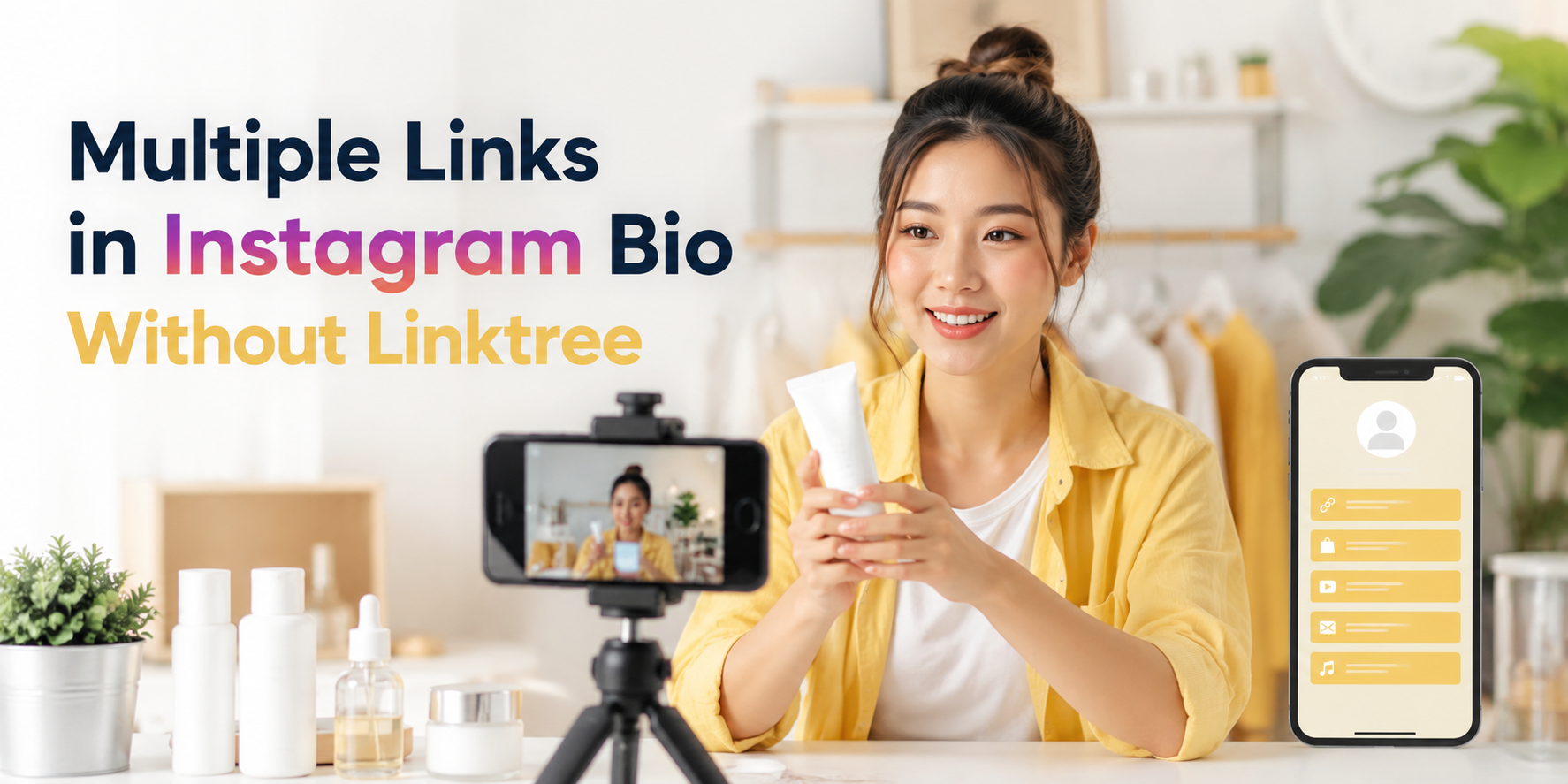
    You do not need to use Linktree specifically to share multiple links from Instagram. What you need is a simple link-in-bio page that acts as a clean menu for your audience.

    The best setup is usually one short bio link that opens a mobile-friendly page. That page should include your most important destinations, written in clear language. The visitor should immediately understand where to click.

    For example, instead of putting five separate URLs in captions or constantly changing your profile link, you can create one link-in-bio page with buttons such as “Book a Call,” “Shop New Products,” “Read the Latest Article,” “Download the App,” and “Contact on WhatsApp.”

    This keeps your Instagram profile clean while still giving your audience options. It also makes your content easier to manage because you only need to update one page instead of repeatedly editing your Instagram bio.

    What to Include on Your Link-in-Bio Page

    A good link-in-bio page should be simple, useful, and focused. It should not feel like a full website. It should feel like a clear shortcut to your most important actions.

    Include only links that support your current goals:

    • Main offer: product, service, course, app, booking page, or campaign page.
    • Contact option: WhatsApp, LINE, email, contact form, or booking link.
    • Fresh content: latest blog post, video, podcast episode, or campaign.
    • Trust link: portfolio, reviews, testimonials, case studies, or media kit.
    • Social or community link: newsletter, group, Discord, Telegram, or other platform.

    The order matters. Put the most important link first. If your audience came from a specific post or Reel, the page should match what they expected to find.

    Practical Examples for Creators, Businesses, and Campaigns

    A creator may use one Instagram bio link to share a new YouTube video, a brand collaboration, an affiliate product, and a media kit. In this case, the page should not look like a random list. The top link might be “Watch My Latest Video,” followed by “Shop My Favorite Tools,” then “Work With Me.”

    A small business may use a link-in-bio page for product categories, delivery information, customer chat, and promotions. For example, a café could link to its menu, Google Maps location, LINE order form, and latest seasonal offer.

    A mobile app team may use the bio link to send users to the correct app download destination, a feature page, a launch campaign, and support. If the app is being promoted through Instagram Reels, the first link should match the campaign message.

    A consultant or service provider may focus on booking calls, case studies, free resources, and testimonials. In this case, fewer links may perform better because the main goal is lead generation.

    Common Mistakes That Make Bio Links Perform Poorly

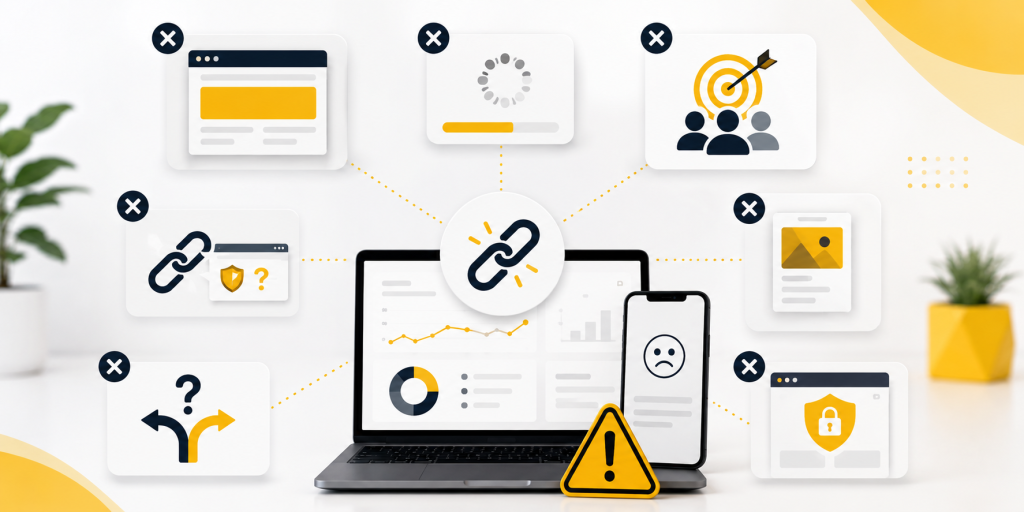
    A link-in-bio page should make decisions easier. When it creates confusion, users stop clicking. Many pages fail not because the offer is bad, but because the structure is unclear.

    Avoid these common mistakes:

    • Using vague button text like “Click Here” or “Learn More.”
    • Adding too many links with no clear priority.
    • Keeping expired campaigns or old offers near the top.
    • Sending users to pages that are slow, broken, or not mobile-friendly.
    • Making the first link different from what your latest Instagram content promised.
    • Using long URLs that look messy or unprofessional.
    • Forgetting to test the bio link after updating it.

    The fix is simple: keep the page clean, update it regularly, and write button labels that tell people exactly what they will get.

    When Instagram’s Native Links Are Enough

    Instagram allows users to add links directly to their profile, which can be enough for very simple needs. If you only need to share a website, one product page, or one contact link, you may not need a full link-in-bio page.

    However, native profile links can become limiting when you want better presentation, clearer grouping, campaign-specific organization, or a branded experience. A plain list of links may work, but it does not always guide users toward the action that matters most.

    If your Instagram profile supports real business goals, a dedicated link-in-bio page usually gives you more control. You can arrange links, update campaigns, create a cleaner visitor journey, and make the page feel more aligned with your brand.

    How to Organize Your Bio Links for More Clicks

    Start with the action you care about most. Do not begin by asking, “How many links can I add?” Ask, “What should people do first?”

    If your priority is sales, place your shop or product link first. If your priority is appointments, place your booking link first. If your priority is audience growth, place your newsletter or community link first. If your priority is content discovery, place your latest article or video first.

    Use clear labels. “Book a Free Consultation” is better than “Services.” “Download the App” is better than “Our Platform.” “Shop New Arrivals” is better than “Products.”

    You can also rotate the top link based on your latest campaign. For example, during a product launch, the launch page should be first. After the launch, you can move your evergreen shop or booking page back to the top.

    Create Multiple Links in Instagram Bio With a Cleaner Setup

    The best way to manage multiple links in Instagram bio is to use one clean page that organizes your most important destinations. It should be easy to scan, fast to open, and simple to update.

    This is where a link-in-bio tool becomes useful. Instead of sending people to a messy list or constantly editing your profile, you can create one page for your current offers, content, contact options, and campaigns.

    With HubLink by itlink.to, you can create a simple link-in-bio page for Instagram and send visitors to the right places from one clean link: https://itlink.to/#hub-link

    Use your Instagram bio link as a focused path, not a storage box for every URL you have. Start with your most important action, keep the page clean, and update it whenever your campaign changes.

    References

  • Best Firebase Dynamic Links Alternatives in 2026

    Best Firebase Dynamic Links Alternatives in 2026

    Firebase Dynamic Links alternatives are now important for any team that used Firebase links for app downloads, QR codes, referral links, social media campaigns, or mobile app routing. The shutdown created a practical problem: old link journeys need to be replaced, but not every team needs the same type of solution.

    Some teams need deep links that open a specific screen inside an app. Some need a simple app download link that sends iPhone users to the App Store and Android users to Google Play. Others need attribution, install tracking, paid campaign reporting, and advanced mobile measurement.

    This guide compares the best Firebase Dynamic Links alternatives in 2026 based on real use cases, so you can choose the right replacement without overpaying for features you do not need.

    Firebase Dynamic Links Shut Down. What Should You Replace First?

    The first mistake many teams make is looking for a tool before understanding what their Firebase Dynamic Links were actually doing. That creates confusion because Firebase Dynamic Links was used for several different jobs. A single team might have used it for app downloads, invite links, QR codes, referral campaigns, email buttons, social media links, and deep links into specific app screens.

    Before choosing a Firebase Dynamic Links replacement, start with your most visible and highest-risk links. These are usually the links placed in ads, QR codes, app landing pages, onboarding emails, influencer posts, and social media bios. If those links send users to the wrong destination, the impact is immediate. App downloads drop, users get confused, and campaign performance becomes harder to measure.

    For example, a QR code on a poster should not send every user to a generic homepage. An iPhone user should go to the Apple App Store, an Android user should go to Google Play, and a desktop user should probably see a landing page with app information. That is a routing problem, not necessarily an enterprise deep linking problem.

    So the first thing to replace is not always the most advanced feature. Replace the link journeys that directly affect user acquisition, app installs, and active campaigns. Once those are safe, you can plan deeper product-level linking and attribution later.

    What Your Firebase Links Were Actually Doing

    Not every Firebase Dynamic Link had the same purpose. Some links were simple app download links. Some were used for app-to-app sharing. Some opened a specific product, profile, booking, event, or invitation screen inside the app. Others were used mainly because they looked cleaner than long App Store and Google Play URLs.

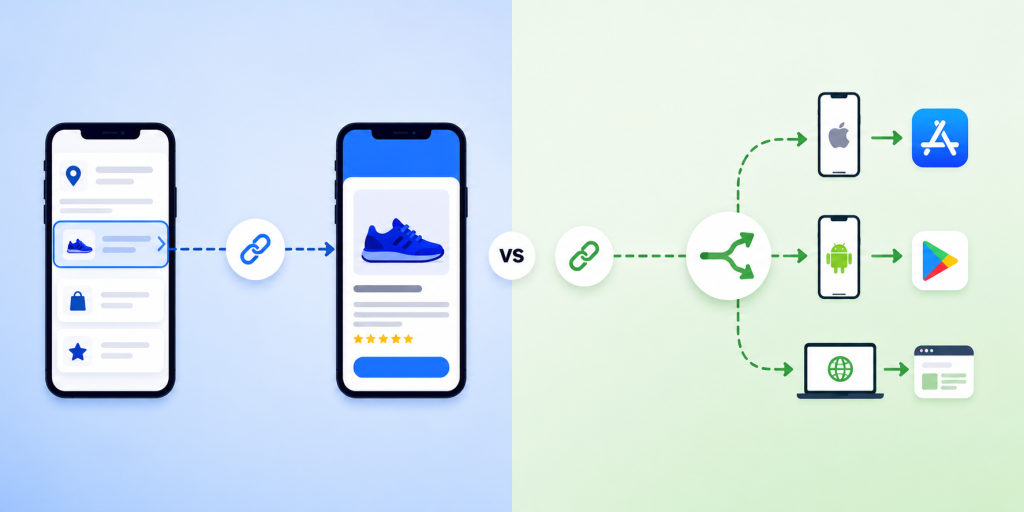
    This matters because different replacements solve different problems. Native App Links and Universal Links are useful when you want installed users to open the app from a web URL. Smart routing tools are useful when you want one link to send different users to different destinations based on device. Enterprise platforms are useful when you need deferred deep linking, install attribution, paid media reporting, and advanced growth analytics.

    A good audit should answer three questions for every important link. Where is the link used? What should happen on iPhone, Android, and desktop? Does the link need to open the app, send users to an app store, track campaign performance, or remember a destination after installation?

    Once you answer those questions, the replacement choice becomes much clearer. You stop asking, “What is the best Firebase Dynamic Links alternative?” and start asking, “Which tool solves this specific link journey?”

    Best Firebase Dynamic Links Alternatives in 2026

    The best Firebase Dynamic Links alternatives in 2026 are not all direct copies of Firebase Dynamic Links. They are different types of tools that solve different parts of the same problem.

    • itlink.to One Route: Best for simple app store routing where iPhone users go to the App Store, Android users go to Google Play, and desktop users go to a website or landing page.
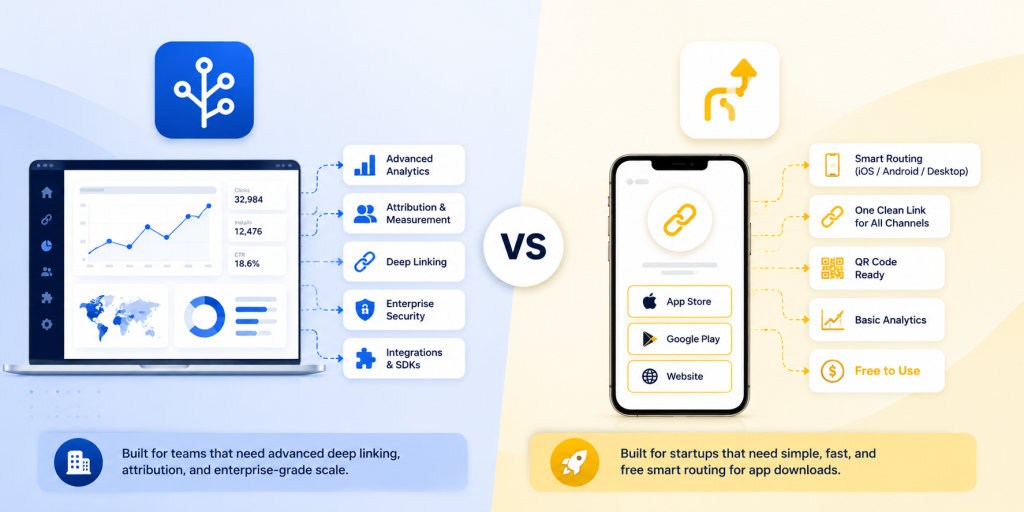
    • Branch: Best for advanced deep linking, deferred deep linking, enterprise growth journeys, and complex app referral flows.
    • AppsFlyer OneLink: Best for teams already using AppsFlyer for mobile attribution and paid user acquisition.
    • Adjust: Best for mobile measurement, attribution, and performance marketing teams that need campaign-level reporting.
    • Native App Links and Universal Links: Best for product teams that want app-owned deep links using their own domain.
    • Bitly: Best for branded short links and basic campaign link management.
    • Dub: Best for modern marketing links, short URLs, and link analytics.

    The right choice depends on what you lost when Firebase Dynamic Links shut down. If you lost a simple app download link, you probably do not need an enterprise attribution platform. If you lost deferred deep linking for referral flows, a basic short link tool will not be enough. If you lost branded short links with basic click analytics, you may not need mobile SDKs at all.

    itlink.to One Route: Best for App Store and Google Play Routing

    itlink.to One Route is a strong fit when your main need is simple, reliable device-based routing. This is one of the most common Firebase Dynamic Links replacement use cases. You want one clean link that works everywhere, but the destination should change depending on the user’s device.

    For example, a mobile app campaign might use one link in a TikTok bio, Instagram profile, printed QR code, email footer, or paid ad. When someone clicks from an iPhone, they should go to the Apple App Store. When someone clicks from Android, they should go to Google Play. When someone clicks from desktop, they should go to your app landing page. That is exactly the kind of journey smart routing is designed to solve.

    This is useful because many app download campaigns receive mixed traffic. A social media post does not know whether the next visitor is on iOS, Android, or desktop. A QR code on a restaurant table, event booth, flyer, receipt, or packaging also needs to work for everyone. Asking users to choose their platform manually adds friction and can reduce conversions.

    One Route is not trying to replace every advanced deep linking platform. Its value is that it solves a clear marketing problem without unnecessary complexity. If your team mainly needs one link for App Store, Google Play, and desktop routing, a smart routing tool can be faster and easier than implementing a full enterprise mobile attribution stack.

    Branch: Best for Advanced Deep Linking and App Growth

    Branch is one of the strongest options for teams that need advanced deep linking and app growth infrastructure. It is better suited for companies with complex user journeys, referral programs, content sharing flows, and post-install destinations. If your Firebase Dynamic Links were used to open specific in-app pages and continue the user journey after installation, Branch may be worth considering.

    For example, a marketplace app might need a link that opens a specific product page. A travel app might need to open a hotel, itinerary, or destination guide. A social app might need invite links that bring new users into a specific profile, group, or conversation. These use cases are more complex than simple app store routing because the link needs to preserve context.

    The tradeoff is complexity. Branch can be powerful, but it may require SDK integration, developer setup, testing, attribution configuration, and ongoing management. For a team that only needs a clean app download link, that may be more than necessary.

    Branch is best when deep linking is part of the product experience, not just a marketing link. If users frequently share app content, invite friends, or need to land on specific screens after installing the app, Branch becomes more relevant.

    AppsFlyer OneLink and Adjust: Best for Attribution and Paid Acquisition Teams

    AppsFlyer OneLink and Adjust are best for teams where the link is connected to mobile attribution, paid acquisition, and performance marketing. These platforms are usually not chosen only because a team needs a short link. They are chosen because the business needs to understand which campaigns, ad networks, channels, and sources are driving installs and user actions.

    This matters for companies spending serious money on mobile ads. If your team runs paid campaigns across Meta, Google, TikTok, influencer channels, and partner networks, you may need more than device routing. You may need install attribution, campaign reporting, fraud controls, SKAdNetwork support, and post-install event measurement.

    In that situation, the replacement question changes. You are not only replacing Firebase Dynamic Links. You are choosing part of your mobile growth analytics stack. AppsFlyer and Adjust are stronger fits when marketing performance data is just as important as the link destination.

    However, if you are not running complex paid acquisition, these tools may be too heavy. A startup launching its first app campaign may not need a full attribution platform just to send users to the correct app store. For simple app download journeys, a lightweight smart routing link may be easier to set up and maintain.

    Native App Links and Universal Links: Best for Product-Owned Deep Links

    Native App Links and Universal Links are important because they give your own domain the ability to open your app. Android App Links and iOS Universal Links are platform-level methods for connecting web URLs to app destinations. When configured properly, they allow supported links to open inside the app instead of staying in the browser.

    This is a good long-term foundation. It gives your product and engineering team more control because the link relationship is tied to your own domain and app configuration. It is especially useful for account verification links, shared content links, invite flows, product pages, booking pages, or any screen that should open directly in the installed app.

    The limitation is that native app links are not a full marketing link management system by themselves. They do not automatically give you a dashboard for short links, QR codes, campaign analytics, device routing, or easy destination changes. They also require careful technical setup. Your domain association files, app configuration, URL paths, and fallback behavior all need to be tested on real devices.

    For many teams, native App Links and Universal Links should be part of the replacement plan, but not the whole plan. They are excellent for product-owned deep links. For public marketing links, app download campaigns, and QR codes, you may still want a smart routing layer on top.

    Bitly and Dub: Best for Link Management and Short URLs

    Bitly and Dub are useful when your Firebase Dynamic Links use case was closer to link management than deep linking. If your team mainly wanted clean links, branded URLs, custom aliases, and click analytics, these tools may be enough for some campaigns.

    For example, a marketing team might need a short link for an email campaign, a LinkedIn post, a website button, or a downloadable PDF. In these cases, the most important features may be link branding, easy editing, analytics, and team management. Bitly is well known in this category, while Dub is popular with modern teams that want a simple link management experience.

    The key limitation is that short link tools are not automatically full Firebase Dynamic Links replacements. A short URL is not the same as app routing, deferred deep linking, or mobile attribution. If your link needs to decide between App Store, Google Play, and desktop destinations, make sure the tool supports that routing logic. If your link needs to open an exact in-app screen after installation, make sure your app and link setup support that journey.

    Bitly and Dub are best when your problem is managing links, not rebuilding mobile deep linking infrastructure. They can be part of your link stack, but they should not be chosen blindly just because they create short URLs.

    How to Choose the Right Firebase Dynamic Links Alternative

    Choosing the right replacement becomes easier when you match the tool to the use case. Do not start with the biggest platform. Start with the link behavior your users actually need.

    • If you need iPhone users to go to the App Store, Android users to go to Google Play, and desktop users to go to a landing page, choose a smart routing solution.
    • If you need installed users to open a specific app screen, implement Native App Links and Universal Links.
    • If you need deferred deep linking, referral flows, and complex post-install journeys, consider Branch.
    • If you need attribution, paid campaign reporting, and mobile measurement, consider AppsFlyer OneLink or Adjust.
    • If you need branded short URLs and basic analytics, consider Bitly or Dub.
    • If you need QR codes for app downloads, make sure the destination works correctly across iPhone, Android, and desktop.
    • If you need a fast Firebase Dynamic Links replacement for marketing campaigns, avoid overbuilding before you know your real requirements.

    The best choice is often a combination. Your app may use Universal Links for product-owned deep links, a smart routing tool for app download campaigns, and a separate analytics platform for paid acquisition. That is normal. Firebase Dynamic Links combined multiple jobs into one product, but your replacement does not always need to be one tool.

    The best Firebase Dynamic Links alternatives are the ones that match the link journey you need to replace. If your biggest problem is app store routing, use a smart routing solution. If your biggest problem is deep linking into app screens, use Native App Links, Universal Links, or a dedicated deep linking platform. If your biggest problem is attribution, look at mobile measurement tools like AppsFlyer or Adjust.

    For many teams, the practical answer is not to buy the most powerful platform immediately. The practical answer is to protect the links that affect users and campaigns first. Start with app download links, QR codes, social media bios, landing page buttons, referral links, and paid campaign URLs. Then decide which parts need smart routing, which parts need deep linking, and which parts need analytics.

    Firebase Dynamic Links alternatives are not all the same. A simple app download campaign, an enterprise referral system, and a paid attribution setup require different solutions. Once you understand that, migration becomes much easier. You can choose the right tool for the right job and keep users moving to the correct destination without unnecessary complexity.

    References

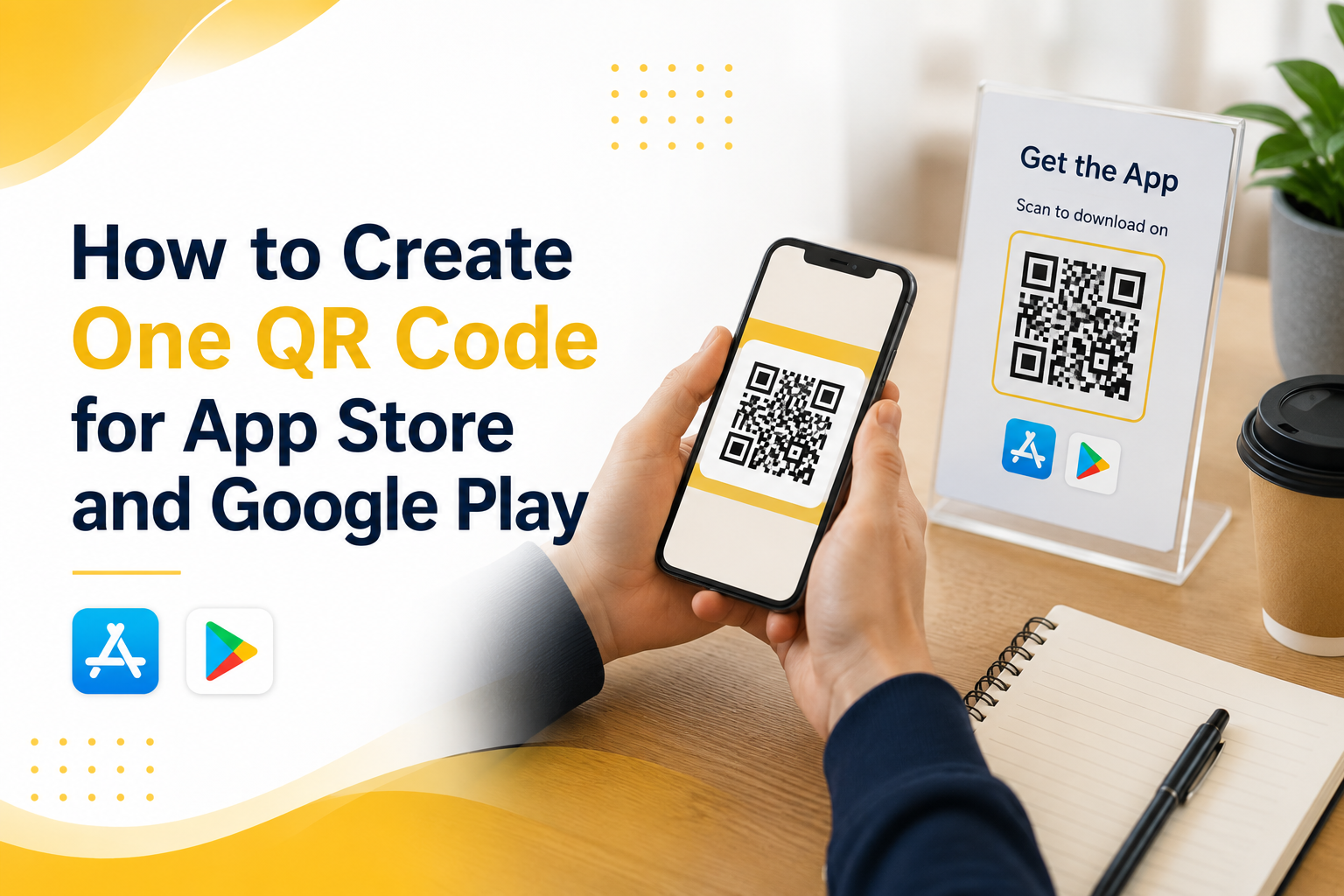
  • How to Create One Link for App Store and Google Play

    How to Create One Link for App Store and Google Play

    You launch an app, share the download link, and immediately run into a simple problem: iPhone users need the App Store, Android users need Google Play, and desktop users need somewhere useful to go. Posting two separate links works on a full landing page, but it gets messy fast in a social bio, QR code, email button, ad, or influencer caption. A one link for app store and google play setup fixes this by giving people one URL that sends them to the correct destination automatically. This guide shows how that setup works, where to use it, what to test before publishing, and how to avoid the small mistakes that can quietly hurt app downloads.

    The Real Problem Is the Click Path, Not the Store Link

    Most app teams think the problem is simple: “We have two store links.” But the real issue is the path between user interest and download. When someone sees your app in a TikTok bio, event poster, email campaign, or ad, they are usually making a quick decision. If they tap and land somewhere confusing, the moment is gone. If they see two links and have to choose, that is one more step. If they click from desktop and land on a page built only for mobile users, the journey breaks. A good app link should reduce thinking. The user should tap once and keep moving.

    Why Two Separate Links Work on Landing Pages but Fail in Campaigns

    Two store buttons are normal on a website because the page has space to explain them. The user can see the app name, screenshots, text, and both download options. In that context, two buttons are fine. Campaign links are different. A social bio gives you very little space. A QR code can only point to one destination. An email CTA should not ask the reader to choose between two buttons when one button is enough. Influencers also prefer one clean link because it is easier to say, paste, and remember. That is why the same link strategy does not work everywhere. On your website, two store buttons may be fine. In campaigns, one smart link is usually cleaner.

    How One App Link Decides Where Each User Should Go

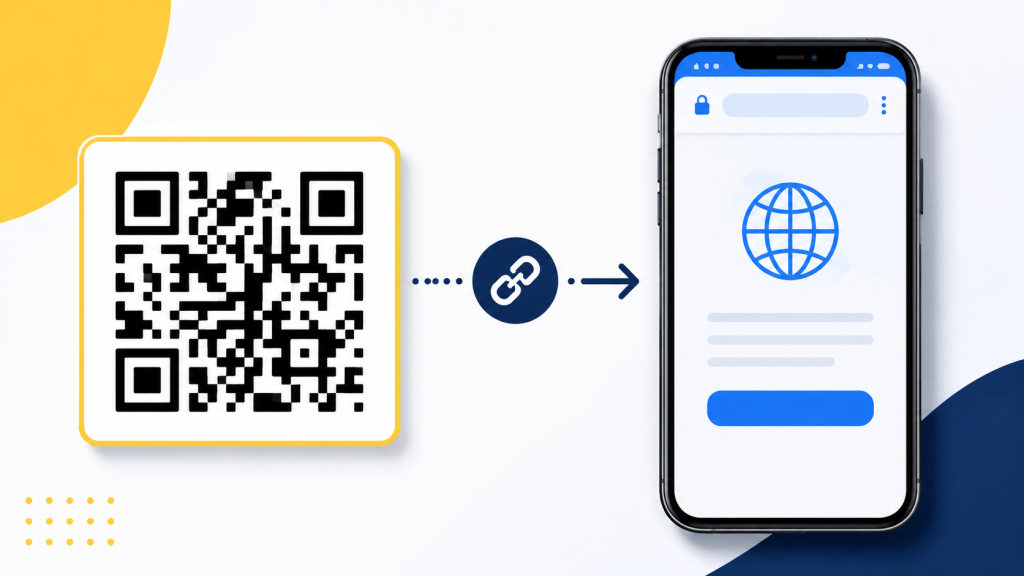
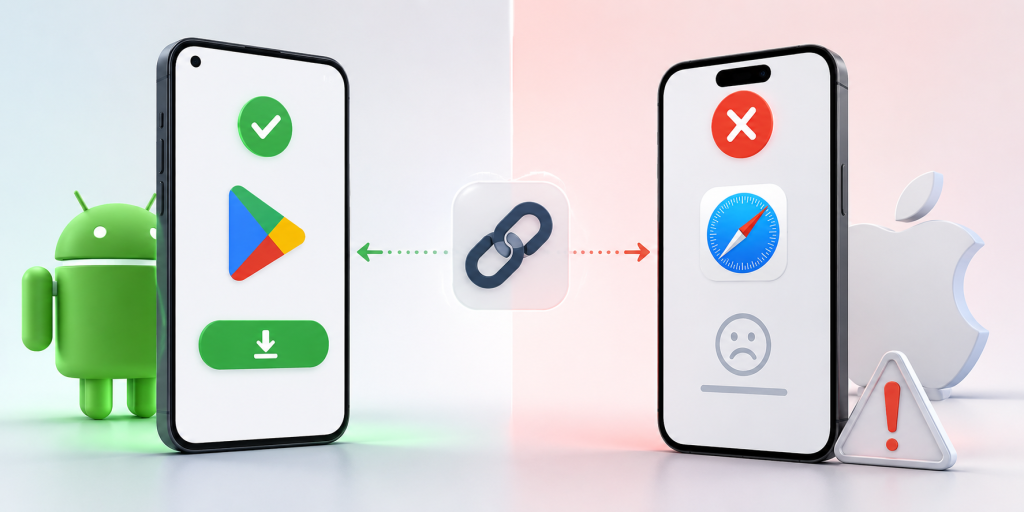
    A device-based app link checks the visitor’s device when the link opens. If the user is on iPhone or iPad, the link sends them to the App Store. If the user is on Android, it sends them to Google Play. If the user is on desktop, it sends them to a fallback page you choose. This is different from a normal short link. A regular short link usually sends everyone to the same destination. A routing link sends different users to different destinations from one shared URL. That difference is what makes one link useful for real campaigns. You can promote the same URL everywhere without asking users which phone they use.

    What to Prepare Before Creating Your Smart Link

    Before setting up the link, gather the destinations and campaign details first. This makes the setup easier and helps you avoid messy redirects later.

    • Apple App Store URL: For your iPhone and iPad users.
    • Google Play Store URL: For your Android users.
    • Desktop Fallback URL: Usually your dedicated app landing page.
    • Campaign Name: Crucial if the link is being used for ads, email tracking, or influencers.
    • Short Readable Slug: Something punchy and easy to type, such as /download or /app.
    • A Quick Test Plan: A checklist to verify iPhone, Android, desktop, and QR scan behavior.

    The fallback page is not optional if you care about desktop traffic. Many people still discover apps from blog posts, press pages, LinkedIn, newsletters, and work laptops.

    What Desktop Users Should See After Clicking

    Desktop visitors should not be treated as failed mobile users. They may still be interested; they are just not on the device where they can install the app immediately. The best fallback is usually a simple app landing page. It can explain what the app does, show App Store and Google Play buttons, include a QR code, and give the visitor a reason to continue. If the app is new, the fallback page can also include screenshots, pricing, a waitlist, or a short product demo. Avoid sending desktop users directly to a mobile store page without context. It often feels awkward and gives you less control over what happens next.

    Where One Link for App Store and Google Play Works Best

    One link for app store and google play is most useful when you cannot predict the device behind the click. That includes almost every public marketing channel.

    • Social Media Bios: Perfect for Instagram, TikTok, X, LinkedIn, and Facebook where character space is limited.
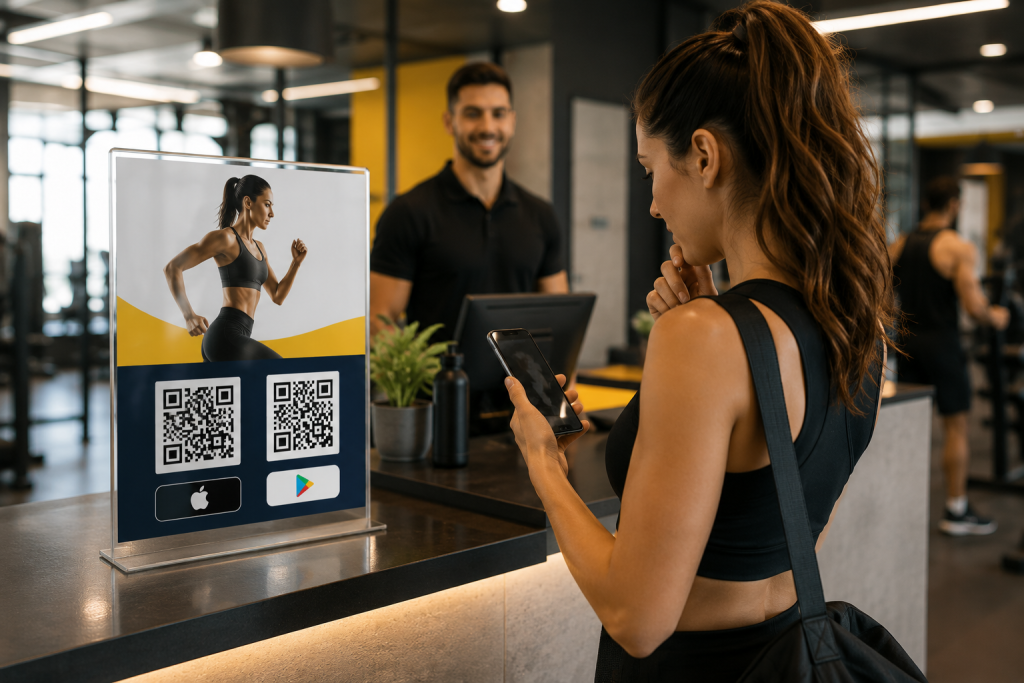
    • Physical Marketing: QR codes on posters, flyers, packaging, booths, tables, and receipts.
    • Paid Ad Campaigns: Ads that receive untargeted, mixed traffic from both iOS and Android users.
    • Email Marketing: Newsletters and campaigns that are opened fluidly across phones, tablets, and desktops.
    • Influencer Partnerships: Captions where a single, clean CTA performs better than a mess of multiple links.
    • PR & Media: Blog posts, launch announcements, and press mentions.
    • Customer Support: Quick replies where the team should not need to ask, “Are you on iPhone or Android?” before sending a link.

    The more places your link appears, the more valuable a single routing link becomes.

    Common Mistakes That Quietly Reduce Downloads

    The most common mistake is using a basic short link and assuming it solves the app store problem. Shortening a URL makes it look cleaner, but it does not automatically send iPhone and Android users to different places. Another mistake is only testing in Safari or Chrome. Many users open links inside Instagram, TikTok, Facebook, Gmail, Messenger, or Line. In-app browsers can behave differently, so your real campaign environment matters. Teams also forget about old placements. If a QR code is printed on a poster or packaging, the link needs to keep working long after the campaign is created. A good app download link should be easy to update without breaking the URL people already have.

    The Easier Way Is to Avoid Building Routing Logic Yourself

    You can build this system yourself, but most small teams do not need to. Custom routing means detecting devices, handling fallbacks, testing edge cases, maintaining redirects, and updating destinations when store links change. That is time your team could spend on the app, the launch, or the campaign itself. Instead of building device-detection logic yourself, you can set this up with itlink.to One Route and use one clean app download link across your campaigns. Set the iOS destination, set the Android destination, add a desktop fallback, then test the final URL before publishing.

    Create One Clean App Download Link Before Your Next Campaign

    Creating one link for app store and google play is a small setup task that can make your app promotion feel much cleaner. It removes the need for two public links, reduces wrong clicks, and gives desktop visitors a better path. Before your next launch, ad campaign, QR code, or influencer post, create one app download link and test it from the places users will actually click. Check iPhone, Android, desktop, email, social apps, and QR scans. Create one app download link with itlink.to One Route so every campaign has one clear URL that is easier to share, easier to manage, and easier for users to click.

  • สร้าง Short Link ฟรี ใช้งานง่าย สร้างลิงก์สั้นได้ทันที

    สร้าง Short Link ฟรี ใช้งานง่าย สร้างลิงก์สั้นได้ทันที

    ในยุคที่การแชร์ข้อมูลเกิดขึ้นตลอดเวลา ไม่ว่าจะเป็นการโพสต์บนโซเชียลมีเดีย ส่งลิงก์ผ่านแชท หรือใช้ลิงก์สำหรับโปรโมตธุรกิจ การมี URL ที่สั้น กระชับ และดูน่าเชื่อถือ กลายเป็นเรื่องสำคัญมากขึ้นเรื่อย ๆ เพราะลิงก์ที่ยาวเกินไปอาจดูไม่น่าสนใจ จำยาก และทำให้ผู้ใช้งานลังเลที่จะคลิก หลายคนจึงเริ่มมองหาเครื่องมือสำหรับสร้าง Short Link ฟรี เพื่อช่วยย่อลิงก์ให้สั้นลง ใช้งานง่าย แชร์สะดวก และยังช่วยติดตามจำนวนคลิกได้อีกด้วย ปัจจุบันระบบสร้างลิงก์สั้นไม่ได้มีประโยชน์แค่เรื่องความสวยงาม แต่ยังกลายเป็นเครื่องมือสำคัญสำหรับนักการตลาด เจ้าของธุรกิจ ครีเอเตอร์ และผู้ใช้งานทั่วไปที่ต้องการจัดการลิงก์อย่างมีประสิทธิภาพ บทความนี้จะพาคุณไปรู้จักกับ Short Link ว่าคืออะไร มีข้อดีอย่างไร เหมาะกับใครบ้าง และควรเลือกใช้งานแบบไหนให้ตอบโจทย์มากที่สุด

    Short Link คืออะไร และทำไมถึงได้รับความนิยม

    Short Link หรือ URL Shortener คือ ระบบที่ช่วยย่อลิงก์ยาว ๆ ให้กลายเป็นลิงก์สั้นที่ดูสะอาด อ่านง่าย และแชร์ได้สะดวกมากขึ้น ตัวอย่างเช่น ลิงก์เว็บไซต์ที่มีตัวอักษรยาวหลายบรรทัด สามารถถูกย่อให้เหลือเพียงไม่กี่ตัวอักษรได้ภายในไม่กี่วินาที เหตุผลที่ Short Link ได้รับความนิยมมากขึ้น เพราะผู้ใช้งานอินเทอร์เน็ตในปัจจุบันต้องแชร์ลิงก์ผ่านหลายช่องทาง ทั้ง Facebook, X, Instagram, TikTok, LINE หรืออีเมล ซึ่งบางแพลตฟอร์มมีข้อจำกัดด้านพื้นที่ข้อความ การมีลิงก์สั้นจึงช่วยให้โพสต์ดูเป็นระเบียบและน่าคลิกมากกว่าเดิม นอกจากนี้ Short Link ยังช่วยเพิ่มประสบการณ์ของผู้ใช้งาน เพราะลิงก์ที่สั้นและชัดเจนดูน่าเชื่อถือกว่าลิงก์ที่เต็มไปด้วยตัวอักษรและสัญลักษณ์จำนวนมาก จึงไม่แปลกที่ทั้งแบรนด์ ธุรกิจออนไลน์ อินฟลูเอนเซอร์ และผู้ใช้งานทั่วไป ต่างเริ่มหันมาใช้ระบบย่อลิงก์กันมากขึ้น

    ข้อดีของการใช้ Short Link ฟรี ในการแชร์ลิงก์ออนไลน์

    หนึ่งในข้อดีที่ชัดเจนที่สุดของการใช้ Short Link คือ ช่วยให้ลิงก์ดูสั้นและเป็นมืออาชีพมากขึ้น โดยเฉพาะเวลานำไปโพสต์บนโซเชียลมีเดียหรือใช้ในงานโปรโมตต่าง ๆ ลิงก์ที่สั้นจะช่วยให้ข้อความโดยรวมดูสะอาดและอ่านง่าย อีกข้อดีสำคัญคือการจดจำลิงก์ได้ง่ายขึ้น หากใช้ระบบที่สามารถปรับแต่งชื่อท้ายลิงก์ได้ ผู้ใช้งานจะสามารถสร้างลิงก์ที่เกี่ยวข้องกับแบรนด์ สินค้า หรือแคมเปญได้โดยตรง ซึ่งช่วยเพิ่มโอกาสในการคลิกและสร้างความน่าเชื่อถือ หลายแพลตฟอร์มยังมีระบบติดตามสถิติ เช่น จำนวนคลิก อุปกรณ์ที่ใช้งาน ประเทศของผู้เข้าชม หรือช่องทางที่มีคนคลิกมากที่สุด ทำให้เจ้าของลิงก์สามารถนำข้อมูลไปวิเคราะห์พฤติกรรมผู้ใช้งานและวางแผนการตลาดได้แม่นยำขึ้น สำหรับธุรกิจออนไลน์ การใช้ลิงก์สั้นยังช่วยให้สามารถจัดการลิงก์จำนวนมากได้ง่ายขึ้น ไม่ว่าจะเป็นลิงก์สินค้า ลิงก์โปรโมชั่น หรือลิงก์สำหรับแคมเปญโฆษณา

    Short Link เหมาะกับใครบ้าง

    Short Link เหมาะกับใครบ้าง

    ปัจจุบัน Short Link ไม่ได้จำกัดอยู่แค่กลุ่มนักการตลาดอีกต่อไป แต่เหมาะกับผู้ใช้งานหลากหลายประเภท ตั้งแต่เจ้าของธุรกิจ ครีเอเตอร์ ไปจนถึงผู้ใช้งานทั่วไป สำหรับธุรกิจออนไลน์ ลิงก์สั้นช่วยให้การแชร์สินค้าและบริการดูน่าเชื่อถือขึ้น สามารถนำไปใช้ในโฆษณา โพสต์โปรโมต หรือแคมเปญต่าง ๆ ได้อย่างสะดวก สำหรับอินฟลูเอนเซอร์และครีเอเตอร์ การใช้ Short Link ช่วยให้สามารถรวมลิงก์สำคัญไว้ในที่เดียว แชร์ง่าย และติดตามผลลัพธ์จากผู้ติดตามได้ชัดเจนขึ้น ส่วนผู้ใช้งานทั่วไปก็สามารถใช้ลิงก์สั้นเพื่อแชร์เว็บไซต์ วิดีโอ เอกสาร หรือข้อมูลต่าง ๆ ผ่านแชทและโซเชียลมีเดียได้สะดวกกว่าเดิม โดยไม่ต้องส่งลิงก์ยาว ๆ ที่ดูซับซ้อน

    ฟีเจอร์สำคัญที่ควรมีในระบบ Short Link ฟรี

    แม้ว่าหลายแพลตฟอร์มจะสามารถสร้างลิงก์สั้นได้เหมือนกัน แต่ฟีเจอร์เพิ่มเติมคือสิ่งที่ทำให้แต่ละบริการแตกต่างกัน หนึ่งในฟีเจอร์สำคัญคือระบบวิเคราะห์สถิติ เพราะช่วยให้ผู้ใช้งานรู้ว่ามีคนคลิกลิงก์มากน้อยแค่ไหน มาจากประเทศอะไร และใช้อุปกรณ์ประเภทใดในการเข้าชม

    อีกฟีเจอร์ที่ได้รับความนิยมคือการตั้งชื่อ URL เอง ซึ่งช่วยให้ลิงก์ดูเป็นแบรนด์มากขึ้นและจดจำง่ายกว่าเดิม บางแพลตฟอร์มยังรองรับการสร้าง QR Code อัตโนมัติ ทำให้สามารถนำลิงก์ไปใช้งานได้ทั้งออนไลน์และออฟไลน์ในเวลาเดียวกัน

    นอกจากนี้ ระบบจัดการลิงก์หลายรายการก็เป็นอีกสิ่งสำคัญ โดยเฉพาะสำหรับคนที่มีหลายแคมเปญหรือหลายช่องทาง เพราะช่วยให้สามารถจัดระเบียบลิงก์ได้ง่ายและค้นหาได้สะดวก

    Short Link ช่วยด้าน SEO หรือไม่

    หลายคนสงสัยว่าการใช้ Short Link มีผลต่อ SEO หรืออันดับบน Google หรือไม่ คำตอบคือโดยตรงอาจไม่ได้ช่วยเพิ่มอันดับเว็บไซต์ทันที แต่มีผลทางอ้อมต่อประสบการณ์ของผู้ใช้งานและการแชร์คอนเทนต์ ลิงก์ที่สั้นและดูน่าเชื่อถือมีโอกาสถูกคลิกมากกว่า ซึ่งอาจช่วยเพิ่ม Traffic ให้เว็บไซต์ได้ นอกจากนี้ยังช่วยให้การแชร์บนโซเชียลมีเดียทำได้ง่ายขึ้น เพิ่มโอกาสในการเข้าถึงผู้ชมจำนวนมาก

    อย่างไรก็ตาม ควรเลือกใช้บริการที่มีความน่าเชื่อถือและรองรับ Redirect อย่างเหมาะสม เพื่อไม่ให้ส่งผลเสียต่อประสบการณ์ของผู้ใช้งานหรือความน่าเชื่อถือของเว็บไซต์ สำหรับหลายธุรกิจ การใช้ Short Link ร่วมกับการวิเคราะห์ข้อมูล ยังช่วยให้สามารถวัดผลแคมเปญ SEO และการตลาดออนไลน์ได้แม่นยำขึ้น

    การใช้ Short Link กับโซเชียลมีเดีย

    โซเชียลมีเดียคือหนึ่งในช่องทางที่ทำให้ Short Link ได้รับความนิยมอย่างมาก เพราะผู้ใช้งานต้องแชร์ลิงก์อยู่ตลอดเวลา ไม่ว่าจะเป็นโพสต์สินค้า บทความ วิดีโอ หรือโปรโมชันต่าง ๆ ลิงก์สั้นช่วยให้โพสต์ดูสะอาด อ่านง่าย และดูเป็นมืออาชีพมากขึ้น โดยเฉพาะบนแพลตฟอร์มที่เน้นความกระชับของข้อความ สำหรับ Instagram หรือ TikTok ที่มีพื้นที่ใส่ลิงก์จำกัด การใช้ลิงก์สั้นหรือหน้า One Link กลายเป็นเครื่องมือสำคัญในการรวมช่องทางต่าง ๆ ไว้ในที่เดียว ผู้ใช้งานยังสามารถติดตามผลลัพธ์ของลิงก์ได้แบบเรียลไทม์ ช่วยให้รู้ว่าคอนเทนต์แบบใดได้รับความสนใจมากที่สุด และนำข้อมูลไปปรับกลยุทธ์การสื่อสารได้ต่อไป

    ทำไมลิงก์ยาวถึงส่งผลต่อผู้ใช้งาน

    ทำไมลิงก์ยาวถึงส่งผลต่อผู้ใช้งาน

    แม้ลิงก์ยาวจะยังสามารถใช้งานได้ตามปกติ แต่ในหลายกรณีลิงก์ที่ยาวเกินไปอาจส่งผลต่อความรู้สึกของผู้ใช้งานโดยตรง เพราะลิงก์ที่เต็มไปด้วยตัวอักษร ตัวเลข และสัญลักษณ์จำนวนมาก มักดูไม่น่าเชื่อถือและยากต่อการอ่าน ผู้ใช้งานจำนวนไม่น้อยหลีกเลี่ยงการคลิกลิงก์ที่ดูแปลกหรือยาวผิดปกติ เพราะกังวลเรื่องความปลอดภัย การใช้ Short Link จึงช่วยให้ลิงก์ดูสะอาดและน่าเชื่อถือมากขึ้น

    ในด้านการตลาด ลิงก์สั้นยังช่วยให้ข้อความโฆษณาดูสวยงามและกระชับ โดยเฉพาะในแพลตฟอร์มที่เน้นความรวดเร็ว เช่น X หรือข้อความโฆษณาบนมือถือ นอกจากนี้ ลิงก์สั้นยังเหมาะกับการใช้งานออฟไลน์ เช่น การพิมพ์บนโปสเตอร์ นามบัตร หรือสื่อสิ่งพิมพ์ เพราะผู้ใช้งานสามารถจำและพิมพ์ตามได้ง่ายกว่าลิงก์แบบเดิม

    ระบบ One Link คืออะไร และเกี่ยวข้องกับ Short Link อย่างไร

    นอกจากการสร้างลิงก์สั้น ปัจจุบันหลายแพลตฟอร์มยังมีฟีเจอร์ One Link หรือหน้า Bio Link ที่ช่วยรวมหลายลิงก์ไว้ในหน้าเดียว เหมาะสำหรับครีเอเตอร์ ร้านค้าออนไลน์ หรือผู้ที่มีหลายช่องทางให้ติดตาม

    ผู้ใช้งานสามารถเพิ่มลิงก์เว็บไซต์ ร้านค้า โซเชียลมีเดีย หรือช่องทางติดต่อทั้งหมดไว้ในหน้าเดียว แล้วแชร์ผ่านลิงก์เดียวได้ทันที ระบบแบบนี้ได้รับความนิยมมากขึ้นเรื่อย ๆ เพราะช่วยลดความซับซ้อนในการแชร์ข้อมูล และทำให้ผู้ติดตามเข้าถึงทุกช่องทางได้สะดวกกว่าเดิม

    ปัจจุบันมีหลายบริการที่รองรับทั้ง Short Link ฟรี และ One Link ภายในแพลตฟอร์มเดียว เช่น itlink.to ที่เน้นการจัดการลิงก์ให้ใช้งานง่ายและเหมาะกับการแชร์บนโซเชียลมีเดีย

    วิธีเลือกแพลตฟอร์ม Short Link ฟรี ให้เหมาะกับการใช้งาน

    การเลือกแพลตฟอร์มสร้างลิงก์สั้นควรพิจารณาจากความสะดวกในการใช้งาน ความเสถียร และฟีเจอร์ที่ตอบโจทย์ หากเป็นผู้ใช้งานทั่วไป อาจเน้นระบบที่สร้างลิงก์ได้รวดเร็ว ไม่ต้องตั้งค่าซับซ้อน และสามารถใช้งานฟรีได้ทันที แต่หากเป็นธุรกิจหรือครีเอเตอร์ ควรเลือกแพลตฟอร์มที่มีระบบวิเคราะห์ข้อมูล การจัดการหลายลิงก์ และการปรับแต่ง URL เพื่อช่วยสร้างแบรนด์และวัดผลการตลาดได้อย่างมีประสิทธิภาพ อีกเรื่องที่สำคัญคือความน่าเชื่อถือของระบบ เพราะลิงก์ที่สร้างขึ้นจะถูกนำไปใช้งานจริง หากระบบล่มหรือไม่เสถียร อาจส่งผลต่อการเข้าถึงเว็บไซต์และประสบการณ์ของผู้ใช้งานโดยตรง

    ความปลอดภัยของการใช้ Short Link ฟรี

    ความปลอดภัยของการใช้ Short Link ฟรี

    แม้ลิงก์สั้นจะมีข้อดีหลายด้าน แต่เรื่องความปลอดภัยก็เป็นสิ่งที่ผู้ใช้งานควรให้ความสำคัญ เพราะในบางกรณีอาจมีผู้ไม่หวังดีใช้ลิงก์สั้นเพื่อซ่อนปลายทางของเว็บไซต์อันตราย ดังนั้นควรเลือกใช้บริการจากแพลตฟอร์มที่น่าเชื่อถือ และหลีกเลี่ยงการคลิกลิงก์ที่ดูผิดปกติหรือส่งมาจากแหล่งที่ไม่น่าไว้ใจ สำหรับเจ้าของธุรกิจ การใช้โดเมนที่ดูเป็นทางการและปรับแต่งชื่อ URL ให้สอดคล้องกับแบรนด์ จะช่วยเพิ่มความเชื่อมั่นให้กับผู้ใช้งานและลดความกังวลในการคลิกลิงก์

    อนาคตของ Short Link และการจัดการลิงก์ออนไลน์

    แนวโน้มของการใช้งาน Short Link ยังเติบโตต่อเนื่อง เพราะโลกออนไลน์มีการแข่งขันด้านความเร็วและประสบการณ์ผู้ใช้งานมากขึ้น การจัดการลิงก์จึงไม่ได้เป็นเพียงเรื่องของการย่อ URL อีกต่อไป แต่กลายเป็นส่วนหนึ่งของกลยุทธ์การสื่อสารและการตลาดดิจิทัล ในอนาคต ระบบลิงก์สั้นอาจถูกพัฒนาให้เชื่อมต่อกับ AI ระบบวิเคราะห์ข้อมูล และระบบ Automation มากขึ้น เพื่อช่วยให้ผู้ใช้งานจัดการแคมเปญออนไลน์ได้ง่ายกว่าเดิม ธุรกิจจำนวนมากเริ่มให้ความสำคัญกับการสร้างประสบการณ์ที่ต่อเนื่อง ตั้งแต่การคลิกลิงก์ไปจนถึงการเข้าถึงเว็บไซต์หรือหน้าโปรโมชัน ซึ่งทำให้ระบบลิงก์สั้นกลายเป็นเครื่องมือที่มีบทบาทสำคัญมากขึ้นเรื่อย ๆ

    สรุป Short Link ฟรี ตัวช่วยสำคัญของการแชร์ลิงก์ยุคใหม่

    Short Link เครื่องมือที่ช่วยให้การแชร์ลิงก์ออนไลน์สะดวก รวดเร็ว และดูเป็นมืออาชีพมากขึ้น ไม่ว่าจะเป็นการใช้งานส่วนตัว การตลาดออนไลน์ ธุรกิจ หรือการสร้างแบรนด์ ลิงก์สั้นช่วยเพิ่มประสบการณ์ของผู้ใช้งาน ทำให้ข้อความดูสะอาด และเพิ่มโอกาสในการคลิก หากเลือกใช้งานแพลตฟอร์มที่เหมาะสม ผู้ใช้งานจะสามารถจัดการลิงก์ต่าง ๆ ได้ง่ายขึ้น พร้อมเพิ่มความน่าเชื่อถือให้กับการสื่อสารออนไลน์ในทุกช่องทาง