Smart links vs deep links is one of the most common questions in app marketing because both technologies influence what happens after a user clicks a link. However, they solve different problems.
A smart link decides where a user should go. A deep link decides what a user should see.
For example, a smart link may detect whether someone is using an iPhone, Android device, or desktop browser and send them to the correct destination automatically. A deep link may open a specific hotel listing, product page, booking screen, or user profile inside an app.
Many teams assume they need deep links when they actually need smart links. Others build smart routing but never create deep links, forcing users to navigate through multiple screens after opening the app. Understanding the difference can improve app downloads, campaign performance, user experience, and conversion rates.
Smart Links vs Deep Links: Quick Answer
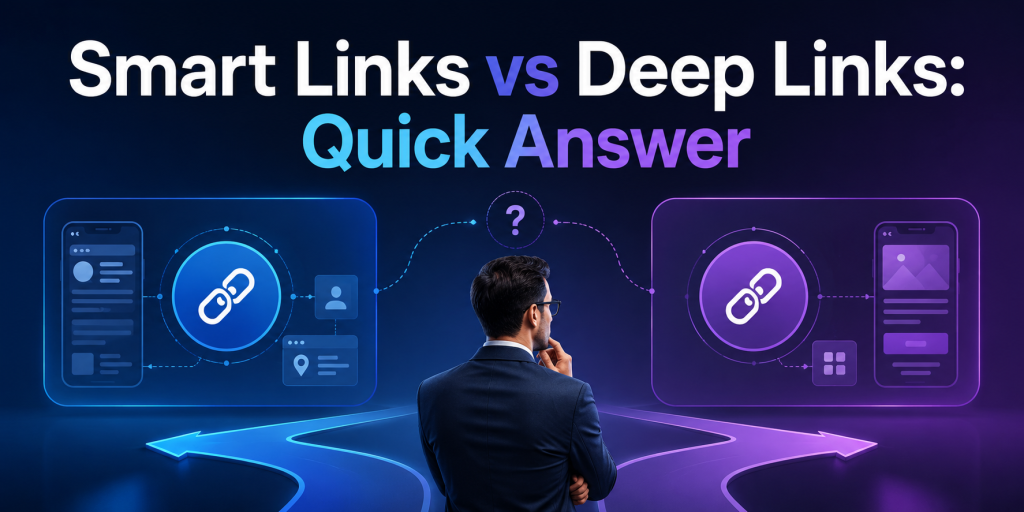
The easiest way to understand smart links vs deep links is to look at their primary purpose.
| Feature | Smart Links | Deep Links |
|---|---|---|
| Route users by device | Yes | No |
| Route users by country | Yes | No |
| Send users to App Store | Yes | No |
| Send users to Google Play | Yes | No |
| Open a specific app screen | No | Yes |
| Useful for app downloads | Excellent | Limited |
| Useful for user retention | Good | Excellent |
| Useful for QR code campaigns | Excellent | Limited |
| Works across web and mobile | Yes | Depends on implementation |
If your main goal is helping users reach the correct destination, smart links are usually the better choice.
If your main goal is helping users reach specific content inside an app, deep links are usually the better choice.
How Smart Links Work
A smart link acts like a decision engine between the click and the destination.
Instead of sending every visitor to the same URL, a smart link evaluates information such as device type, operating system, browser, location, language, or campaign source. Based on those signals, it sends the user to the most relevant destination.
For example:
- iPhone users go to the App Store
- Android users go to Google Play
- Desktop users go to a web landing page
- Users from different countries see localized content
- Existing customers go to one destination while new users go to another
This is why smart links are widely used in app marketing, QR code campaigns, social media bios, email campaigns, influencer marketing, and offline advertising.
Instead of creating multiple URLs, marketers can use one link that automatically handles routing.
How Deep Links Work
Deep links are designed to open a specific location inside an app.
Rather than opening the app homepage, a deep link can open:
- A product page
- A booking confirmation
- A travel itinerary
- A specific hotel listing
- A payment request
- A user profile
- A promotional offer
For example, if a travel app sends an email promoting discounted flights to Tokyo, a deep link can open the Tokyo flight results screen directly inside the app.
Without deep linking, users might land on the app home screen and search for the offer manually.
This additional step often reduces conversion rates and increases abandonment.
Universal Links, App Links, and Deferred Deep Linking
One reason smart links vs deep links becomes confusing is because other technologies are involved.
Apple Universal Links and Android App Links are technologies that allow web URLs to open apps directly when the app is installed.
Deferred deep linking extends the experience further. If the app is not installed, the user first visits the App Store or Google Play. After installation, the user is taken to the intended content instead of the app homepage.
For example:
A user clicks a hotel promotion.
Without deferred deep linking:
- User goes to App Store
- User installs app
- User opens homepage
- User searches again
With deferred deep linking:
- User goes to App Store
- User installs app
- Hotel promotion opens automatically
This creates a much smoother onboarding experience.
When Smart Links Are Better
Smart links are usually the best choice when your audience is unknown.
Examples include:
- Instagram bio links
- TikTok profile links
- QR codes
- Podcast promotions
- Creator campaigns
- Offline advertising
- Email newsletters
- App install campaigns
In these situations, you do not know which device or operating system the user is using.
A smart link removes that uncertainty and routes users automatically.
For many companies, improving routing creates a bigger performance improvement than implementing deep links.
When Deep Links Are Better
Deep links become more valuable after users already have the app installed.
Common examples include:
- Push notifications
- Referral invitations
- Account verification
- Product recommendations
- Cart recovery emails
- Loyalty rewards
- Booking reminders
- Shared content
In each case, the goal is not choosing the destination platform. The goal is opening the correct screen immediately.
This reduces friction and helps users complete the intended action faster.
Why Most Apps Need Both
The highest-performing mobile apps rarely choose between smart links and deep links.
They combine both.
A smart link handles routing outside the app.
A deep link handles navigation inside the app.
Imagine a hotel booking campaign.
A new user clicks the campaign:
- Smart link sends them to the correct app store.
- Deferred deep link opens the hotel offer after installation.
An existing user clicks the same campaign:
- Smart link detects the app environment.
- Deep link opens the hotel offer immediately.
The user experiences one seamless journey even though multiple technologies are working behind the scenes.
Common Mistakes That Hurt Campaign Performance
Several mistakes appear repeatedly in app marketing campaigns.
- Sending all users to the homepage instead of relevant content
- Using separate links for iOS and Android
- Ignoring desktop visitors
- Creating QR codes with non-editable destinations
- Building deep links without app-install fallbacks
- Using multiple link tools that fragment analytics
These issues create unnecessary friction and make campaign performance harder to measure.
A cleaner link structure often improves results before any additional advertising budget is spent.
Which One Should You Use?

The answer depends on the stage of the user journey.
Choose smart links when:
- Your goal is app downloads
- Users may come from different devices
- You need QR code campaigns
- You want one shareable campaign URL
- You need routing flexibility
Choose deep links when:
- Users already have the app
- You want to open specific screens
- You are focused on retention
- You send push notifications
- You share content inside the app
For most businesses, smart links solve more immediate problems because acquisition campaigns usually involve multiple devices and destinations.
Once acquisition is working smoothly, deep links help optimize the experience after users enter the app.
Final Verdict: Smart Links vs Deep Links
Smart links vs deep links is not really a choice between two competing technologies.
They solve different parts of the same user journey.
Smart links determine where users should go based on device, platform, and context. Deep links determine what users should see once they arrive.
If your primary goal is app downloads, QR code campaigns, social media marketing, or app store routing, start with smart links.
If your primary goal is improving user engagement, retention, and in-app navigation, implement deep links.
Most successful apps eventually use both.
If you need a practical way to manage smart links, app routing, short links, QR codes, and campaign analytics from one place, itlink.to provides a simpler starting point without requiring a complex deep-linking setup from day one.
References
- Google Analytics — Campaign URL Builder Official production utility designed to systematically append custom UTM parameters to destination paths to isolate specific marketing attribution traffic.
- Meta Business Help Center — Ad Campaigns and Conversion Tracking Centralized operational repository providing technical configuration frameworks, pixel implementation rules, and attribution metrics for optimizing paid advertising performance across Meta technologies.
- YouTube Creator Academy — Channel Optimization and Audience Development Official educational curriculum detailing algorithmic discovery mechanics, structural formatting strategies, and advanced analytics interpretation to scale viewer engagement and community building.
- TikTok Creator Academy — Content Strategy and Ecosystem Dynamics Platform training architecture covering video delivery algorithms, programmatic commercial integrations, and native reporting suite utilization to maximize organic trend acceleration.