If you’ve ever needed a URL shortener, a smart app link, or a link in bio page, you’ve probably discovered that most tools only solve one of those problems. One platform shortens URLs, another handles app downloads, and another creates link in bio pages. itlink.to was built to bring those common use cases together in one place.
Whether you’re a creator sharing content, a business running campaigns, or an app developer trying to increase downloads, itlink.to gives you tools to create short links, smart links, and bio pages from a single account. At the moment, all features are available for free, making it easy to get started without worrying about usage limits.
Why Most People End Up Using Multiple Link Tools
Many people start with a simple need. Maybe they want a shorter URL for social media. Later they need a bio page for Instagram or TikTok. Then they launch a mobile app and need one link that sends iPhone users to the App Store and Android users to Google Play. Instead of managing everything in one place, they often end up juggling several services. This creates unnecessary complexity and makes campaign tracking harder. itlink.to was designed to simplify that process by combining the most common link management tools into a single platform.
What Can You Do With itlink.to?
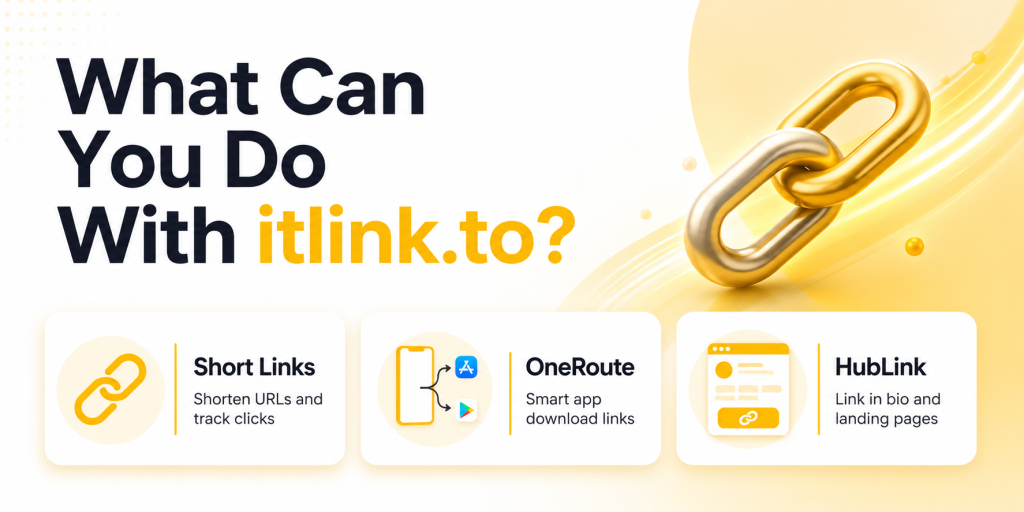
The platform currently focuses on three core products: Short Links, OneRoute Smart Links, and HubLink bio pages. Each tool solves a different problem, but they can also work together.
| Product | Primary Use Case |
|---|---|
| Short Links | Shorten URLs and track clicks |
| OneRoute | Smart app download links |
| HubLink | Link in bio and landing pages |
Most users start with one feature and later discover that the others fit naturally into their marketing workflow.
How Short Links Work
Short Links turn long URLs into clean, shareable links. Instead of sending someone a URL filled with tracking parameters, referral codes, or campaign tags, you can create a simple link that’s easier to read and share. Every short link includes analytics, allowing you to track clicks, unique visitors, countries, devices, referrers, and campaign performance.
For example, instead of sharing a long ecommerce URL with multiple parameters, you can create a short branded link that looks cleaner in social media posts, WhatsApp messages, emails, QR codes, and marketing campaigns.
How OneRoute Smart Links Work
OneRoute was created for app marketers. The problem it solves is simple: iPhone users need the App Store, Android users need Google Play, and desktop visitors often need a website or landing page. Sharing separate store links creates friction because users must choose the correct destination themselves.
OneRoute uses a single smart link. When someone clicks it, the platform automatically routes them to the correct destination based on their device.
| Visitor Device | Destination |
|---|---|
| iPhone | Apple App Store |
| Android | Google Play Store |
| Desktop | Fallback website |
| Other Devices | Custom fallback page |
This makes app promotion easier across social media, influencer campaigns, newsletters, QR codes, and paid advertising.
How HubLink Works
HubLink is itlink.to’s link in bio solution. Instead of choosing a single destination, you can create a page containing multiple links and share one URL everywhere. This is especially useful for creators, businesses, podcasts, ecommerce brands, and startups that need to send visitors to several different places.
You can add multiple links, choose your own page alias, customize your profile, and organize important destinations into a single page. Many users place their HubLink URL in Instagram, TikTok, YouTube, X, LinkedIn, and email signatures.
Which Product Should You Use?
The answer depends on your goal. If you simply need a shorter URL and click tracking, use Short Links. If you’re promoting a mobile app, use OneRoute. If you need one page containing multiple destinations, use HubLink.
| Your Goal | Recommended Tool |
|---|---|
| Share a clean URL | Short Links |
| Promote a mobile app | OneRoute |
| Create a link in bio page | HubLink |
| Run influencer campaigns | Short Links or OneRoute |
| Manage multiple business links | HubLink |
Many users eventually use all three products together.
Example: Mobile App Marketing
Imagine you’re launching a new app. You create a OneRoute link for app downloads. Then you create separate OneRoute links for Instagram, TikTok, YouTube, and influencer campaigns so you can compare traffic sources. Finally, you create a HubLink page containing your app download button, website, support page, and social channels. This setup gives you cleaner marketing campaigns while keeping everything organized.
Example: Creator or Influencer Setup
A creator might use HubLink as their main profile URL. Inside that page, they can add links to YouTube videos, affiliate products, newsletters, sponsors, and online courses. For individual campaigns, they can create Short Links to track clicks separately. This makes it easier to understand which content and promotions generate the most engagement.
Example: Small Business Setup
A local business could create a HubLink page containing booking links, menus, locations, contact information, and special offers. They can then create Short Links for email campaigns, QR codes, WhatsApp promotions, and seasonal marketing. If they launch an app in the future, OneRoute can handle app downloads without changing the rest of their setup.
What Analytics Are Available?
Every link should tell a story. That’s why itlink.to includes analytics across its products. Users can currently track total clicks, unique clicks, devices, countries, referrers, and campaign activity. This helps marketers understand where visitors come from and which campaigns generate the most interest.
| Analytics Available |
|---|
| Total Clicks |
| Unique Clicks |
| Devices |
| Countries |
| Referrers |
| Campaign Performance |
Good analytics make it easier to improve future campaigns instead of relying on guesswork.
Why Some Teams Use All Three Together
The products are designed to complement each other. A business might use HubLink as its main profile page, OneRoute for app downloads, and Short Links for campaign tracking. This creates a flexible setup without requiring multiple accounts across different platforms. Because everything lives under one service, managing links becomes simpler as campaigns grow.
Getting Started With itlink.to
The easiest way to understand itlink.to is to use it. Create an account, choose the tool that matches your goal, and start building links. Whether you need a URL shortener, a smart app link, or a link in bio page, the platform is designed to help you get started quickly.
At the time of writing, Short Links, OneRoute, HubLink, analytics, and custom aliases are available for free. That makes it a practical choice for creators, startups, marketers, app developers, and businesses that want professional link tools without upfront costs.
Create your free account and start using Short Links, OneRoute, and HubLink today
References
- Meta Business Help Center — Ad Campaigns and Conversion Tracking Centralized operational repository providing technical configuration frameworks, pixel implementation rules, and attribution metrics for optimizing paid advertising performance across Meta technologies.
- Apple Developer — Supporting Universal Links in Your App Core architectural guide outlining the configuration of Universal Links to securely route inbound web traffic directly to specific, deep-linked views within native iOS applications.
- Android Developers — App Links Implementation Guide Google’s core platform documentation explaining how to build, verify, and deploy Android App Links to ensure reliable, non-ambiguous web-to-app routing behaviors.
- Google Analytics — Campaign URL Builder Official production utility designed to systematically append custom UTM parameters to destination paths to isolate and track specific marketing attribution traffic.