ป้ายกำกับ: smart links

  • What is itlink.to? URL Shortener, Smart Links, and Link in Bio Explained

    What is itlink.to? URL Shortener, Smart Links, and Link in Bio Explained

    If you’ve ever needed a URL shortener, a smart app link, or a link in bio page, you’ve probably discovered that most tools only solve one of those problems. One platform shortens URLs, another handles app downloads, and another creates link in bio pages. itlink.to was built to bring those common use cases together in one place.

    Whether you’re a creator sharing content, a business running campaigns, or an app developer trying to increase downloads, itlink.to gives you tools to create short links, smart links, and bio pages from a single account. At the moment, all features are available for free, making it easy to get started without worrying about usage limits.

    Why Most People End Up Using Multiple Link Tools

    Many people start with a simple need. Maybe they want a shorter URL for social media. Later they need a bio page for Instagram or TikTok. Then they launch a mobile app and need one link that sends iPhone users to the App Store and Android users to Google Play. Instead of managing everything in one place, they often end up juggling several services. This creates unnecessary complexity and makes campaign tracking harder. itlink.to was designed to simplify that process by combining the most common link management tools into a single platform.

    What Can You Do With itlink.to?

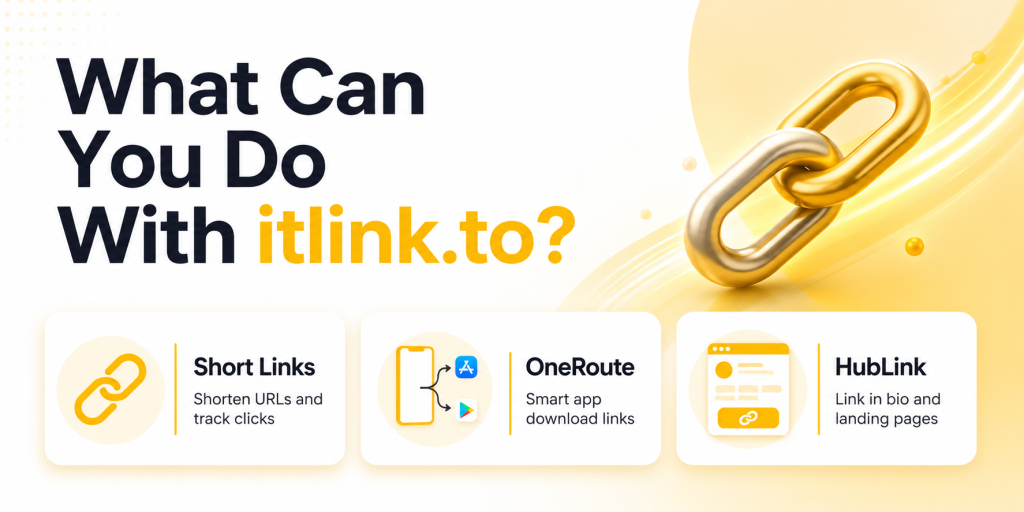
    The platform currently focuses on three core products: Short Links, OneRoute Smart Links, and HubLink bio pages. Each tool solves a different problem, but they can also work together.

    ProductPrimary Use Case
    Short LinksShorten URLs and track clicks
    OneRouteSmart app download links
    HubLinkLink in bio and landing pages

    Most users start with one feature and later discover that the others fit naturally into their marketing workflow.

    How Short Links Work

    Short Links turn long URLs into clean, shareable links. Instead of sending someone a URL filled with tracking parameters, referral codes, or campaign tags, you can create a simple link that’s easier to read and share. Every short link includes analytics, allowing you to track clicks, unique visitors, countries, devices, referrers, and campaign performance.

    For example, instead of sharing a long ecommerce URL with multiple parameters, you can create a short branded link that looks cleaner in social media posts, WhatsApp messages, emails, QR codes, and marketing campaigns.

    How OneRoute Smart Links Work

    OneRoute was created for app marketers. The problem it solves is simple: iPhone users need the App Store, Android users need Google Play, and desktop visitors often need a website or landing page. Sharing separate store links creates friction because users must choose the correct destination themselves.

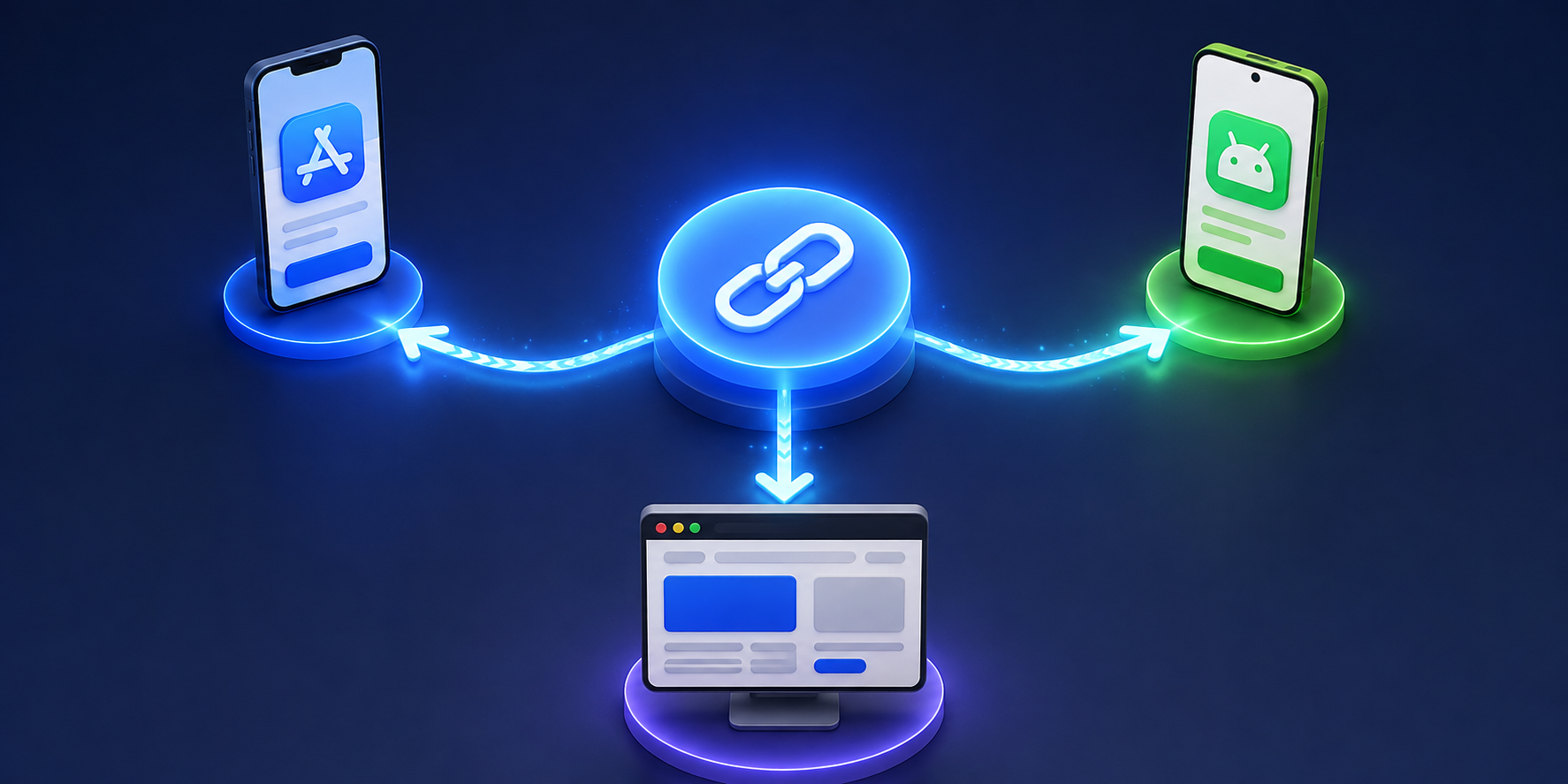
    OneRoute uses a single smart link. When someone clicks it, the platform automatically routes them to the correct destination based on their device.

    Visitor DeviceDestination
    iPhoneApple App Store
    AndroidGoogle Play Store
    DesktopFallback website
    Other DevicesCustom fallback page

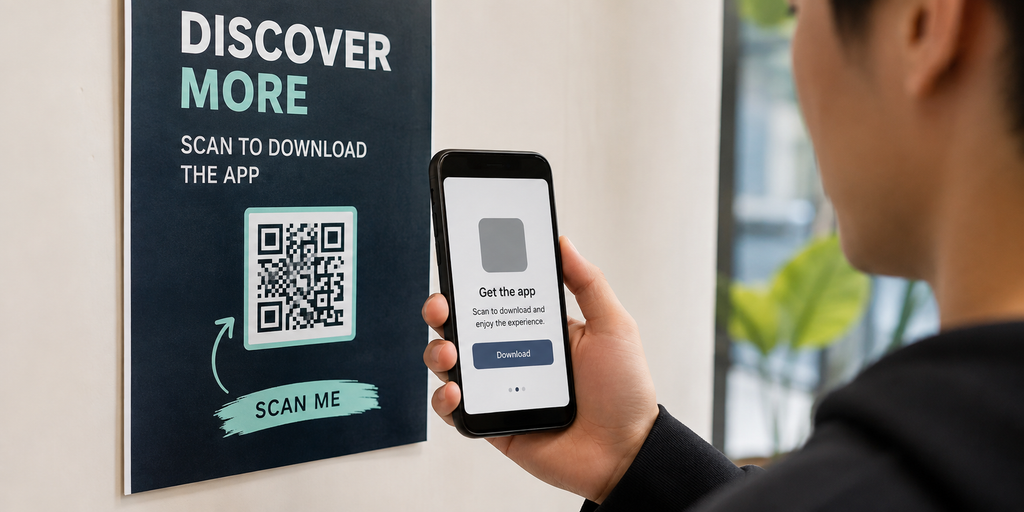
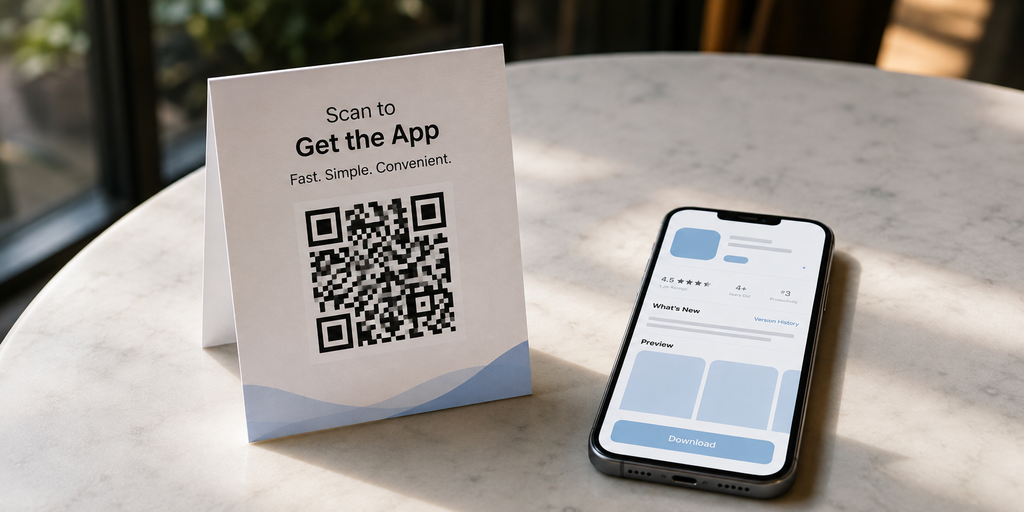
    This makes app promotion easier across social media, influencer campaigns, newsletters, QR codes, and paid advertising.

    How HubLink Works

    HubLink is itlink.to’s link in bio solution. Instead of choosing a single destination, you can create a page containing multiple links and share one URL everywhere. This is especially useful for creators, businesses, podcasts, ecommerce brands, and startups that need to send visitors to several different places.

    You can add multiple links, choose your own page alias, customize your profile, and organize important destinations into a single page. Many users place their HubLink URL in Instagram, TikTok, YouTube, X, LinkedIn, and email signatures.

    Which Product Should You Use?

    The answer depends on your goal. If you simply need a shorter URL and click tracking, use Short Links. If you’re promoting a mobile app, use OneRoute. If you need one page containing multiple destinations, use HubLink.

    Your GoalRecommended Tool
    Share a clean URLShort Links
    Promote a mobile appOneRoute
    Create a link in bio pageHubLink
    Run influencer campaignsShort Links or OneRoute
    Manage multiple business linksHubLink

    Many users eventually use all three products together.

    Example: Mobile App Marketing

    Imagine you’re launching a new app. You create a OneRoute link for app downloads. Then you create separate OneRoute links for Instagram, TikTok, YouTube, and influencer campaigns so you can compare traffic sources. Finally, you create a HubLink page containing your app download button, website, support page, and social channels. This setup gives you cleaner marketing campaigns while keeping everything organized.

    Example: Creator or Influencer Setup

    A creator might use HubLink as their main profile URL. Inside that page, they can add links to YouTube videos, affiliate products, newsletters, sponsors, and online courses. For individual campaigns, they can create Short Links to track clicks separately. This makes it easier to understand which content and promotions generate the most engagement.

    Example: Small Business Setup

    A local business could create a HubLink page containing booking links, menus, locations, contact information, and special offers. They can then create Short Links for email campaigns, QR codes, WhatsApp promotions, and seasonal marketing. If they launch an app in the future, OneRoute can handle app downloads without changing the rest of their setup.

    What Analytics Are Available?

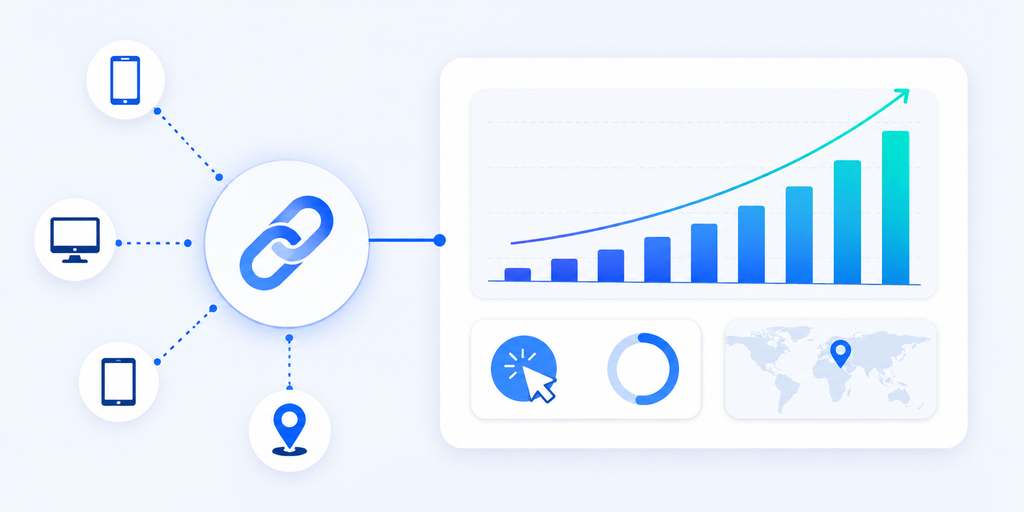
    Every link should tell a story. That’s why itlink.to includes analytics across its products. Users can currently track total clicks, unique clicks, devices, countries, referrers, and campaign activity. This helps marketers understand where visitors come from and which campaigns generate the most interest.

    Analytics Available
    Total Clicks
    Unique Clicks
    Devices
    Countries
    Referrers
    Campaign Performance

    Good analytics make it easier to improve future campaigns instead of relying on guesswork.

    Why Some Teams Use All Three Together

    The products are designed to complement each other. A business might use HubLink as its main profile page, OneRoute for app downloads, and Short Links for campaign tracking. This creates a flexible setup without requiring multiple accounts across different platforms. Because everything lives under one service, managing links becomes simpler as campaigns grow.

    Getting Started With itlink.to

    The easiest way to understand itlink.to is to use it. Create an account, choose the tool that matches your goal, and start building links. Whether you need a URL shortener, a smart app link, or a link in bio page, the platform is designed to help you get started quickly.

    At the time of writing, Short Links, OneRoute, HubLink, analytics, and custom aliases are available for free. That makes it a practical choice for creators, startups, marketers, app developers, and businesses that want professional link tools without upfront costs.

    Create your free account and start using Short Links, OneRoute, and HubLink today

    References

  • Smart Links vs Deep Links: Which One Do You Actually Need?

    Smart Links vs Deep Links: Which One Do You Actually Need?

    Smart links vs deep links is one of the most common questions in app marketing because both technologies influence what happens after a user clicks a link. However, they solve different problems.

    A smart link decides where a user should go. A deep link decides what a user should see.

    For example, a smart link may detect whether someone is using an iPhone, Android device, or desktop browser and send them to the correct destination automatically. A deep link may open a specific hotel listing, product page, booking screen, or user profile inside an app.

    Many teams assume they need deep links when they actually need smart links. Others build smart routing but never create deep links, forcing users to navigate through multiple screens after opening the app. Understanding the difference can improve app downloads, campaign performance, user experience, and conversion rates.

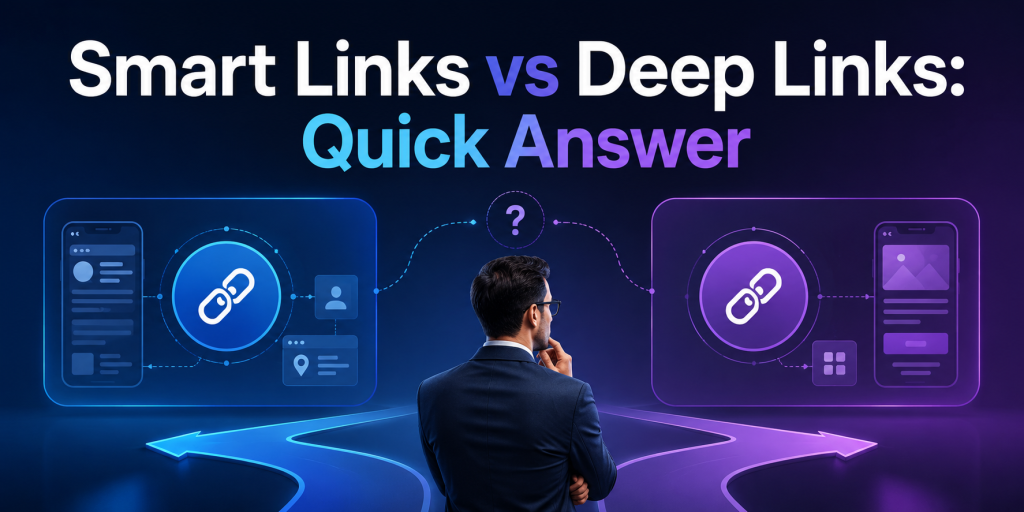
    Smart Links vs Deep Links: Quick Answer

    The easiest way to understand smart links vs deep links is to look at their primary purpose.

    FeatureSmart LinksDeep Links
    Route users by deviceYesNo
    Route users by countryYesNo
    Send users to App StoreYesNo
    Send users to Google PlayYesNo
    Open a specific app screenNoYes
    Useful for app downloadsExcellentLimited
    Useful for user retentionGoodExcellent
    Useful for QR code campaignsExcellentLimited
    Works across web and mobileYesDepends on implementation

    If your main goal is helping users reach the correct destination, smart links are usually the better choice.

    If your main goal is helping users reach specific content inside an app, deep links are usually the better choice.

    How Smart Links Work

    A smart link acts like a decision engine between the click and the destination.

    Instead of sending every visitor to the same URL, a smart link evaluates information such as device type, operating system, browser, location, language, or campaign source. Based on those signals, it sends the user to the most relevant destination.

    For example:

    • iPhone users go to the App Store
    • Android users go to Google Play
    • Desktop users go to a web landing page
    • Users from different countries see localized content
    • Existing customers go to one destination while new users go to another

    This is why smart links are widely used in app marketing, QR code campaigns, social media bios, email campaigns, influencer marketing, and offline advertising.

    Instead of creating multiple URLs, marketers can use one link that automatically handles routing.

    How Deep Links Work

    Deep links are designed to open a specific location inside an app.

    Rather than opening the app homepage, a deep link can open:

    • A product page
    • A booking confirmation
    • A travel itinerary
    • A specific hotel listing
    • A payment request
    • A user profile
    • A promotional offer

    For example, if a travel app sends an email promoting discounted flights to Tokyo, a deep link can open the Tokyo flight results screen directly inside the app.

    Without deep linking, users might land on the app home screen and search for the offer manually.

    This additional step often reduces conversion rates and increases abandonment.

    Universal Links, App Links, and Deferred Deep Linking

    One reason smart links vs deep links becomes confusing is because other technologies are involved.

    Apple Universal Links and Android App Links are technologies that allow web URLs to open apps directly when the app is installed.

    Deferred deep linking extends the experience further. If the app is not installed, the user first visits the App Store or Google Play. After installation, the user is taken to the intended content instead of the app homepage.

    For example:

    A user clicks a hotel promotion.

    Without deferred deep linking:

    1. User goes to App Store
    2. User installs app
    3. User opens homepage
    4. User searches again

    With deferred deep linking:

    1. User goes to App Store
    2. User installs app
    3. Hotel promotion opens automatically

    This creates a much smoother onboarding experience.

    When Smart Links Are Better

    Smart links are usually the best choice when your audience is unknown.

    Examples include:

    • Instagram bio links
    • TikTok profile links
    • QR codes
    • Podcast promotions
    • Creator campaigns
    • Offline advertising
    • Email newsletters
    • App install campaigns

    In these situations, you do not know which device or operating system the user is using.

    A smart link removes that uncertainty and routes users automatically.

    For many companies, improving routing creates a bigger performance improvement than implementing deep links.

    When Deep Links Are Better

    Deep links become more valuable after users already have the app installed.

    Common examples include:

    • Push notifications
    • Referral invitations
    • Account verification
    • Product recommendations
    • Cart recovery emails
    • Loyalty rewards
    • Booking reminders
    • Shared content

    In each case, the goal is not choosing the destination platform. The goal is opening the correct screen immediately.

    This reduces friction and helps users complete the intended action faster.

    Why Most Apps Need Both

    The highest-performing mobile apps rarely choose between smart links and deep links.

    They combine both.

    A smart link handles routing outside the app.

    A deep link handles navigation inside the app.

    Imagine a hotel booking campaign.

    A new user clicks the campaign:

    • Smart link sends them to the correct app store.
    • Deferred deep link opens the hotel offer after installation.

    An existing user clicks the same campaign:

    • Smart link detects the app environment.
    • Deep link opens the hotel offer immediately.

    The user experiences one seamless journey even though multiple technologies are working behind the scenes.

    Common Mistakes That Hurt Campaign Performance

    Several mistakes appear repeatedly in app marketing campaigns.

    • Sending all users to the homepage instead of relevant content
    • Using separate links for iOS and Android
    • Ignoring desktop visitors
    • Creating QR codes with non-editable destinations
    • Building deep links without app-install fallbacks
    • Using multiple link tools that fragment analytics

    These issues create unnecessary friction and make campaign performance harder to measure.

    A cleaner link structure often improves results before any additional advertising budget is spent.

    Which One Should You Use?

    The answer depends on the stage of the user journey.

    Choose smart links when:

    • Your goal is app downloads
    • Users may come from different devices
    • You need QR code campaigns
    • You want one shareable campaign URL
    • You need routing flexibility

    Choose deep links when:

    • Users already have the app
    • You want to open specific screens
    • You are focused on retention
    • You send push notifications
    • You share content inside the app

    For most businesses, smart links solve more immediate problems because acquisition campaigns usually involve multiple devices and destinations.

    Once acquisition is working smoothly, deep links help optimize the experience after users enter the app.

    Final Verdict: Smart Links vs Deep Links

    Smart links vs deep links is not really a choice between two competing technologies.

    They solve different parts of the same user journey.

    Smart links determine where users should go based on device, platform, and context. Deep links determine what users should see once they arrive.

    If your primary goal is app downloads, QR code campaigns, social media marketing, or app store routing, start with smart links.

    If your primary goal is improving user engagement, retention, and in-app navigation, implement deep links.

    Most successful apps eventually use both.

    If you need a practical way to manage smart links, app routing, short links, QR codes, and campaign analytics from one place, itlink.to provides a simpler starting point without requiring a complex deep-linking setup from day one.

    References

  • Best Smart Link Tools for Mobile Apps in 2026

    Best Smart Link Tools for Mobile Apps in 2026

    When mobile app teams search for smart link tools, they often discover dozens of products that appear to do the same thing. Some focus on app downloads. Some focus on attribution. Some focus on deep linking. Others focus on social media traffic. The challenge is not finding a smart link tool. The challenge is choosing the right type of smart link for the stage your app is currently in.

    A startup trying to get its first thousand installs has very different needs from a mature app running global acquisition campaigns. Understanding these differences can save time, money, and engineering effort.

    Most App Teams Are Solving Different Problems

    The phrase “smart link” means different things depending on who you ask. A growth marketer may think about campaign tracking. A mobile developer may think about deep linking. A product manager may think about onboarding flows. In practice, smart links usually fall into three categories: app routing links, deep links, and attribution links.

    The mistake many teams make is choosing an enterprise solution before they have clearly identified which problem needs solving.

    Smart App Routing Is the Most Common Use Case

    For most mobile apps, the biggest challenge is getting users to the correct app store. Someone clicks a link from Instagram, TikTok, YouTube, a QR code, or an email campaign. The user should arrive at the App Store if they are on iPhone and Google Play if they are on Android.

    This sounds simple, but many teams still share separate store links or send visitors to a generic landing page. Smart app routing removes that friction and creates a cleaner download experience.

    Different Types of Smart Link Tools

    Not every smart link platform serves the same purpose.

    Smart Link TypePrimary GoalBest For
    App RoutingApp downloadsAcquisition campaigns
    Deep LinkingIn-app navigationExisting users
    Attribution LinksMarketing measurementGrowth teams
    Link-in-Bio LinksSocial trafficCreators and brands
    QR Smart LinksOffline campaignsEvents and print marketing

    Understanding these categories makes it easier to choose a platform that fits your goals instead of paying for features you may never use.

    Why App Download Campaigns Need Smart Routing

    Many app campaigns fail because users encounter unnecessary decisions. A social media visitor clicks a link and sees separate App Store and Google Play buttons. Some users choose the wrong option. Others abandon the process entirely.

    Smart routing eliminates this step. The link automatically detects the user’s device and sends them to the correct destination. This creates a smoother experience and helps marketers maintain a single link across all campaigns.

    Smart Links Become More Valuable as Channels Grow

    The more marketing channels you use, the more valuable smart links become. A startup may begin with one Instagram profile, but later add TikTok, YouTube, newsletters, influencers, QR codes, and paid advertising. Managing separate store URLs across all these channels quickly becomes difficult.

    A smart link creates consistency. Every campaign can use a clean destination while still allowing marketers to track traffic separately when needed.

    Deep Linking and Smart Routing Are Not the Same Thing

    Many marketers use the terms interchangeably, but they solve different problems. Smart routing focuses on helping users reach the correct store or destination. Deep linking focuses on taking users to a specific screen inside the app.

    For example, a food delivery app may use smart routing to acquire new users and deep links to send existing users directly to a restaurant page. Most apps need both eventually, but acquisition usually comes first.

    What Startups Should Look For

    Most startups do not need enterprise-level attribution platforms on day one. Instead, they should focus on simplicity, reliability, and ease of implementation.

    Useful features include:

    • One link for both app stores
    • Device detection
    • Campaign tracking
    • QR code compatibility
    • Fast setup
    • No SDK requirement
    • Simple analytics

    A smart link should reduce complexity, not introduce more of it.

    Where OneRoute Fits

    OneRoute from itlink.to focuses on one of the most common mobile app marketing problems: app downloads. Instead of sharing separate App Store and Google Play URLs, marketers can create one smart link that automatically routes users based on device.

    This approach works well for social media bios, influencer campaigns, newsletters, paid ads, QR codes, and app launch promotions. Because marketers only need one link, campaigns become easier to manage while creating a cleaner experience for users.

    When HubLink Makes More Sense

    Sometimes visitors need more than an app download button. A startup may want to share its app, waitlist, pricing page, help center, investor deck, and social profiles from one destination. In these situations, a link-in-bio style solution is often more appropriate.

    HubLink from itlink.to allows brands to create a single page that organizes multiple destinations. Many app companies use HubLink as their social profile destination while using OneRoute as the primary app download CTA inside that page.

    Choosing the Best Smart Link Tool for Mobile Apps

    The best smart link tools for mobile apps are not necessarily the most advanced. They are the tools that solve your current growth problem with the least amount of friction.

    If your goal is increasing app installs, smart routing should be the priority. If your goal is improving in-app experiences, deep linking becomes more important. If your goal is measuring complex acquisition funnels, attribution tools may be worth exploring.

    For many mobile apps in 2026, a combination of smart app routing and simple campaign tracking delivers the highest value. With free tools like OneRoute and HubLink from itlink.to, teams can improve app acquisition without investing in unnecessary complexity before they need it.

    References

  • Dub.co vs itlink.to: Which URL Shortener Is Better for App Marketing?

    Dub.co vs itlink.to: Which URL Shortener Is Better for App Marketing?

    A URL shortener for app marketing should not only make your link shorter. It should help the right user reach the right place without extra thinking. That sounds simple, but app campaigns often break in small ways. An iPhone user lands on a generic website. An Android user sees an App Store button first. A QR code points to an old landing page. A creator campaign gets clicks, but nobody knows which creator actually drove installs.

    That is the real reason teams compare Dub.co vs itlink.to. They are not only asking which tool makes cleaner links. They are asking which one helps an app campaign perform better after someone clicks.

    Dub.co is strong when your team needs advanced link management, attribution, conversion tracking, deep links, A/B testing, and partner campaign workflows. itlink.to is more practical for teams that want short links, QR codes, app store routing, hub links, and simple analytics in one place. Both can be useful, but they solve different levels of the same problem.

    Start With the App Click Journey, Not the Link

    The biggest mistake in app marketing is treating the short link as the campaign. A short link is only the door. The real question is what happens after someone opens it.

    Imagine someone sees your app on TikTok. They tap the link from your bio. If they are on iPhone, they expect the App Store. If they are on Android, they expect Google Play. If they are on desktop, they may need a web page, email capture, or QR code to continue later on mobile.

    A basic short link can make the URL look better, but it may still send everyone to the same destination. That creates unnecessary friction. Users may need to choose their device, scroll through a landing page, or search for the right button. Every extra step gives them a reason to stop.

    For app marketing, the better short link is not always the shortest one. It is the one that keeps the user moving. If the link understands the campaign context, the device, and the destination, it becomes part of the conversion journey instead of just a neat-looking URL.

    Dub.co vs itlink.to for URL Shortener for App Marketing

    When comparing Dub.co vs itlink.to for a URL shortener for app marketing, the main difference is complexity. Dub.co is built for teams that want more control over link performance. It is a good fit when clicks need to connect with conversions, customers, partners, or revenue.

    itlink.to is built for teams that want to launch cleaner app marketing links without building a complicated tracking system first. It works well when your campaign needs short links, QR codes, app store routing, bio links, and analytics, but your team still wants the workflow to feel simple.

    For example, a growth team running paid partnerships may prefer Dub.co because attribution depth matters. They may need to know which creator drove signups, which link created revenue, or which campaign version performed better.

    A smaller app team may care about a different problem. They may need one clean campaign link for Instagram, one QR code for print material, one app download link for paid ads, and one link page for a bio. In that situation, itlink.to may feel more direct because the everyday link jobs are easier to manage together.

    The right choice depends less on brand name and more on campaign maturity. If your app marketing is already attribution-heavy, Dub.co makes sense. If your app marketing still needs cleaner links and smoother routing, itlink.to may be the more useful starting point.

    Where Dub.co Is Strong

    Dub.co is strongest when links are part of a serious growth system. If your team already tracks campaigns deeply, tests landing pages, manages partners, or connects clicks to conversions, Dub.co gives you more advanced tools.

    This matters for apps with multiple acquisition channels. A SaaS app may run paid ads, influencer campaigns, newsletter sponsorships, product launches, and referral programs at the same time. In that case, the team may not only ask, “How many clicks did we get?” They may ask, “Which link drove signups?” or “Which partner created paying users?”

    Dub.co is also useful for teams with technical resources. Developers and technical marketers can use more advanced link workflows, custom domains, APIs, and deeper tracking setups. That flexibility can be valuable when link creation is part of a larger marketing system.

    But this strength can also be too much for some teams. If you only need clean app campaign links, simple click data, QR codes, and device routing, a larger attribution setup may feel heavier than necessary. The tool is powerful, but power only matters if your team will actually use it.

    Where itlink.to Fits Better

    itlink.to fits teams that want links to be practical, fast, and easy to understand. This is especially useful for app teams that do not want to manage one tool for short links, another for QR codes, another for app routing, and another for a link-in-bio page.

    A common app campaign may need several link types at once. You might need a short link for social ads, a QR code for a booth poster, a one-link app download route for iOS and Android users, and a hub page for people who want to explore before downloading. itlink.to makes sense when these are everyday needs, not advanced side cases.

    The value is in reducing tool switching. A marketer should not need a technical setup every time they want to promote a new feature, app update, launch campaign, or seasonal offer. They should be able to create the link, share it, update it if needed, and check the results.

    That is why itlink.to Short Link works well as a soft starting point for app campaigns. You can create a clean, trackable campaign URL, then connect it with app routing, QR code sharing, or a hub link when the campaign needs more context.

    The App Download Problem Most Teams Ignore

    Many app teams think the download journey is obvious. Put the App Store button and Google Play button on a page, then send people there. But users do not always behave that neatly.

    Someone on Instagram may not want to read a landing page. They may just want the store. Someone scanning a QR code from a poster may be standing in a busy place. Someone clicking from an email on desktop may not be ready to install immediately, but they might scan a QR code or send the link to their phone.

    This is where one destination is rarely enough. A strong app marketing link should handle different situations without making the campaign messy. It should help mobile users get to the right store and help desktop users continue the journey in a useful way.

    Dub.co can support more advanced link behavior depending on setup. itlink.to is easier to understand for this specific app download use case because One Route is built around sending users to the right destination based on device. That is a practical advantage for teams that care more about reducing download friction than building a complex attribution model.

    If your campaign loses users between click and store visit, improving the route may matter more than adding another analytics dashboard.

    What App Marketers Should Compare Before Choosing

    Do not compare Dub.co and itlink.to only by counting features. Compare them by the moments where your app campaign can lose users or lose data.

    • Device routing: Can iOS, Android, and desktop users land in the right place without extra steps?
    • QR code usage: Can you create and track QR codes for offline campaigns, events, flyers, packaging, or table cards?
    • Editable destinations: Can you change the destination after the link or QR code has already been shared?
    • Campaign analytics: Can you see enough data to understand which channel, device, or location is getting attention?
    • Branded links: Can your campaign use a clean domain and readable slug that looks trustworthy?
    • Team workflow: Can non-technical teammates create and manage links without asking a developer every time?
    • Advanced attribution: Do you need conversion tracking, partner tracking, affiliate links, or revenue-level reporting?

    The last point is important. If you need attribution, Dub.co may be the stronger choice. If you need cleaner execution across short links, QR codes, app routing, and bio links, itlink.to may be easier to use day to day.

    Practical Campaign Scenarios

    For a simple app launch, itlink.to is often enough. You can create a clean short link for the launch announcement, use a QR code for offline material, and route users to the right app store. The team can check click performance without setting up a complicated system.

    For an influencer campaign, the answer depends on depth. If you only need a different short link for each influencer and basic click tracking, itlink.to can work well. If you need to track conversions, reward partners, or connect each creator to revenue, Dub.co becomes more attractive.

    For a restaurant, hotel, travel, fitness, or booking app, the link journey usually needs to be simple. People are often clicking from social media, scanning a QR code, or opening a message from a friend. In these cases, the best link is the one that gets them to the app or booking page quickly.

    For a SaaS or fintech app, attribution may be more important. Teams may need to understand which campaign created signups, trials, subscriptions, or paid customers. In that case, Dub.co’s deeper marketing features can justify the extra setup.

    For a printed QR code campaign, editable destinations are critical. If you print a QR code on posters, receipts, brochures, or packaging, you do not want to reprint everything when the app page changes. Both tools can support link management, but the better choice depends on whether you need simple updating or deeper attribution after the scan.

    Common Mistakes That Make Short Links Underperform

    A short link can still fail if the campaign behind it is weak. Many teams create clean links but forget to make the journey clear.

    One mistake is using the same destination for every user. This is common in app campaigns. Everyone gets sent to the homepage, then users must find the correct store button. That may seem acceptable, but it adds friction at the exact moment when interest is highest.

    Another mistake is creating campaign links with unclear names. A team may create links like /summer, /launch, /ad1, and /test without a naming system. After a few weeks, nobody remembers which link belongs to which campaign. Analytics becomes harder to trust.

    Some teams also forget offline tracking. If your app is promoted at events, restaurants, retail locations, coworking spaces, or hotels, QR codes should not be treated as decoration. They should be tracked like any other campaign link.

    The biggest mistake is choosing the wrong level of tool. A small app team may buy a complex attribution platform and use only basic short links. A larger growth team may stay with a basic shortener and miss conversion data. Both situations create waste. The right tool should match the team’s current marketing stage.

    Which One Should You Choose?

    Choose Dub.co if your team needs a more advanced link management system. It is the better fit when your app marketing depends on conversion tracking, affiliate campaigns, partner links, deep links, A/B testing, APIs, custom domains, and detailed attribution.

    Choose itlink.to if your team needs a simpler way to manage practical app marketing links. It is the better fit when your main needs are clean short links, app store routing, QR codes, hub links, and clear click analytics in one dashboard.

    • Choose Dub.co when you need attribution depth.
    • Choose itlink.to when you need campaign simplicity.
    • Choose Dub.co when partner or affiliate tracking is central.
    • Choose itlink.to when short links, QR codes, and app routing are the daily workflow.
    • Choose Dub.co when your team has technical marketing resources.
    • Choose itlink.to when marketers, founders, or small teams need to move quickly.

    The choice should come from your real bottleneck. If you already get plenty of clicks but cannot connect them to conversions, Dub.co may solve the bigger problem. If users are landing in the wrong place, your QR campaigns are hard to manage, or your app links are spread across too many tools, itlink.to may be the more practical answer.

    Final Verdict: The Better URL Shortener for App Marketing

    The better URL shortener for app marketing is the one that improves the full click journey, not just the appearance of the URL. Dub.co is a strong choice for advanced growth teams that need attribution, conversion tracking, partner workflows, deep links, and more technical control.

    itlink.to is a strong choice for app teams that want cleaner campaign execution. It helps with the practical link problems app marketers face every day: short links that look better, QR codes that are easier to share, app routing that reduces friction, hub links that organize destinations, and analytics that are simple enough to use.

    If your campaign is built around advanced attribution, Dub.co may be the better fit. If your campaign is built around getting users from click to download with less confusion, itlink.to may be the better fit.

    Start with the problem closest to the user. If people click but do not reach the right destination, fix the route. If your team cannot understand which campaign is working, improve tracking. If your links are messy across social, ads, QR codes, and app stores, simplify the system.

    Create a cleaner app campaign link with itlink.to Short Link and make every click easier to track, share, and route.

    References

  • Best App Download Link Setup for Startups

    Best App Download Link Setup for Startups

    The best app download link setup for startups is not the most complicated one. It is the one that helps every user reach the right place with the least friction.

    A startup app campaign rarely has one clean audience. People may click from iPhone, Android, desktop, Product Hunt, Instagram, TikTok, email, creator posts, QR codes, pitch decks, investor updates, event booths, or paid ads. One raw App Store link cannot handle that. One Google Play link cannot handle that either.

    A strong setup gives your startup one clean public link, routes users to the correct destination, keeps campaign channels trackable, and stays editable when launch details change.

    Your Launch Link Should Not Choose iPhone Users Over Android Users

    Many startups accidentally build their first campaign around the device the team uses most. If the founders use iPhones, they share the App Store link everywhere. If the early user base is Android-heavy, they share the Google Play link everywhere. Both choices create a blind spot. A launch link should not force half the audience into the wrong store. The better setup is one app download link that routes iPhone users to the App Store, Android users to Google Play, and desktop visitors to a useful web fallback page.

    Product Hunt Traffic Needs a Desktop Plan

    Product Hunt launches often bring a lot of desktop traffic. The mistake is treating Product Hunt like a mobile-only campaign. If desktop visitors click your app link and land on a mobile store page with no context, the journey feels broken. A better setup sends desktop visitors to a focused app landing page with a short explanation, App Store and Google Play buttons, screenshots, and a QR code they can scan from their phone. The goal is to turn desktop curiosity into mobile installs without making users search for the app manually.

    Your QR Code Should Point to a Link You Can Still Control

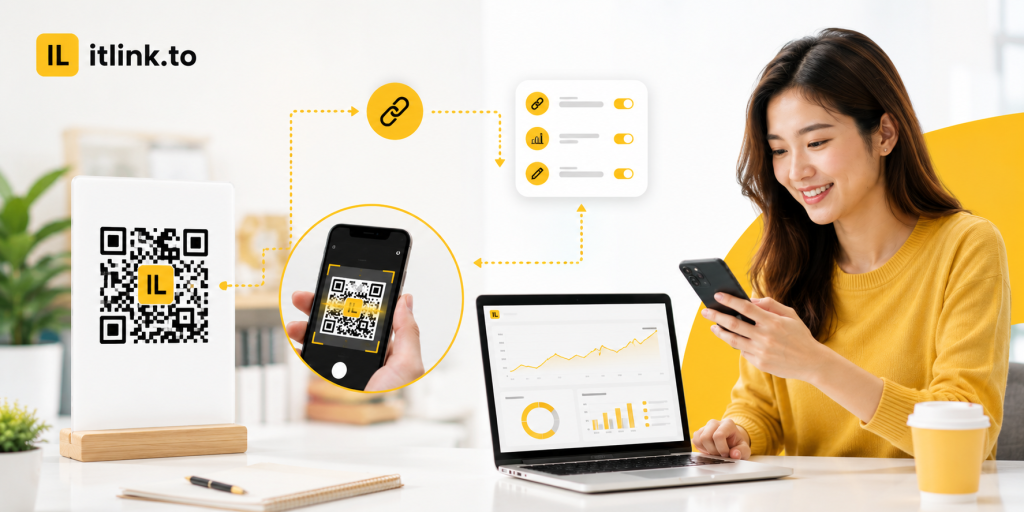
    Startups use QR codes at events, booths, demo days, pitch nights, cafés, flyers, stickers, packaging, and slide decks. Once printed, the QR code is hard to change. That is why the QR should not point directly to one final store URL. It should point to an editable app download link. If your App Store listing changes, your Google Play page goes live late, or you decide to send desktop users to a different page, you can update the destination behind the link without reprinting everything.

    Do Not Use One Link Everywhere and Call It Tracking

    A single app download link is good for users, but bad for reporting if you reuse the same tracked URL in every channel. Your startup should create separate campaign links for major placements: Product Hunt, Instagram bio, TikTok profile, email newsletter, creator partner, event QR code, pitch deck, and paid ads. The routing can stay the same, but each channel should be measurable. Otherwise, you may know the campaign got clicks, but not which channel created them. That makes it harder to decide where to spend your next week.

    Keep the Public Link Clean Enough to Trust

    Your app download link may appear before users know your startup. If it looks random or suspicious, some people hesitate. Use a short, readable link name whenever possible. A slug like /app, /download, /try, or /launch is easier to trust than a random string. This matters for social posts, podcast mentions, QR code backup text, pitch decks, and creator captions. A clean link will not save a weak product, but it removes one unnecessary reason not to click.

    The Store Pages Must Be Ready Before the Link Goes Live

    A smart app download link cannot fix weak store pages. Before sending traffic, check your App Store and Google Play listings. Make sure the app name, icon, screenshots, description, category, availability, and install status are correct. If your app is not available in certain countries, decide what those users should see. If one store is not live yet, send those users to a waitlist or landing page instead of a dead end. The link is only as strong as the destination it sends people to.

    Build a Simple Startup Link Map Before Launch

    Before posting your campaign, create a simple link map:

    • Main smart app link: routes iOS, Android, and desktop users.
    • Product Hunt link: tracks launch-page traffic.
    • Instagram bio link: tracks profile visitors.
    • TikTok link: tracks creator or short-form traffic.
    • Email link: tracks newsletter clicks.
    • Event QR link: tracks offline scans.
    • Partner link: tracks creator or partner traffic.
    • Pitch deck link: tracks investor or demo traffic.
    • Fallback page: helps desktop users continue on mobile.
    • Emergency redirect: backup destination if a store page breaks.

    This map does not need to be complex. It only needs to prevent confusion before the launch gets attention.

    Avoid Heavy Attribution Before You Know Your Channels

    Some startups try to set up a full mobile attribution stack before they have repeatable acquisition. That can be useful later, but early-stage teams often need simpler answers first. Did Product Hunt drive real clicks? Did the QR code at the booth work? Did the creator campaign beat the founder’s LinkedIn post? Did Android traffic matter more than expected? A clean app download link setup with basic tracking can answer early questions without slowing the team down. Upgrade to heavier attribution when paid acquisition, retargeting, and in-app event measurement become real growth needs.

    Test the Link Like a User, Not Like a Developer

    Do not only test the link from your laptop browser. Open it on iPhone. Open it on Android. Open it on desktop. Tap it inside Instagram, TikTok, Gmail, LinkedIn, X, WhatsApp, and any platform where the campaign will run. Scan the QR code from real distance and normal lighting. Check whether the page loads quickly. Check whether the CTA matches the destination. If the campaign says “Download the app,” the user should not land on a generic homepage. A startup launch link should feel obvious in the exact environment where people click.

    The Best App Download Link Setup for Startups

    The best app download link setup for startups is simple, editable, trackable, and device-aware. Use one clean public link for the user, but separate tracking links for your important channels. Route iPhone users to the App Store, Android users to Google Play, and desktop users to a focused fallback page. Use editable links for QR codes and printed materials. Keep slugs readable. Test everything before launch. Do not overbuild attribution before you know which channels work.

    For startups that want clean short links and app download links without a heavy setup, itlink.to can help you create simple campaign links here: https://itlink.to/#short-link

    Start with one campaign. Create the link map. Test it on real devices. Then publish with confidence.

    References

  • Bitly vs itlink.to: Which Is Better for Smart Links and Analytics?

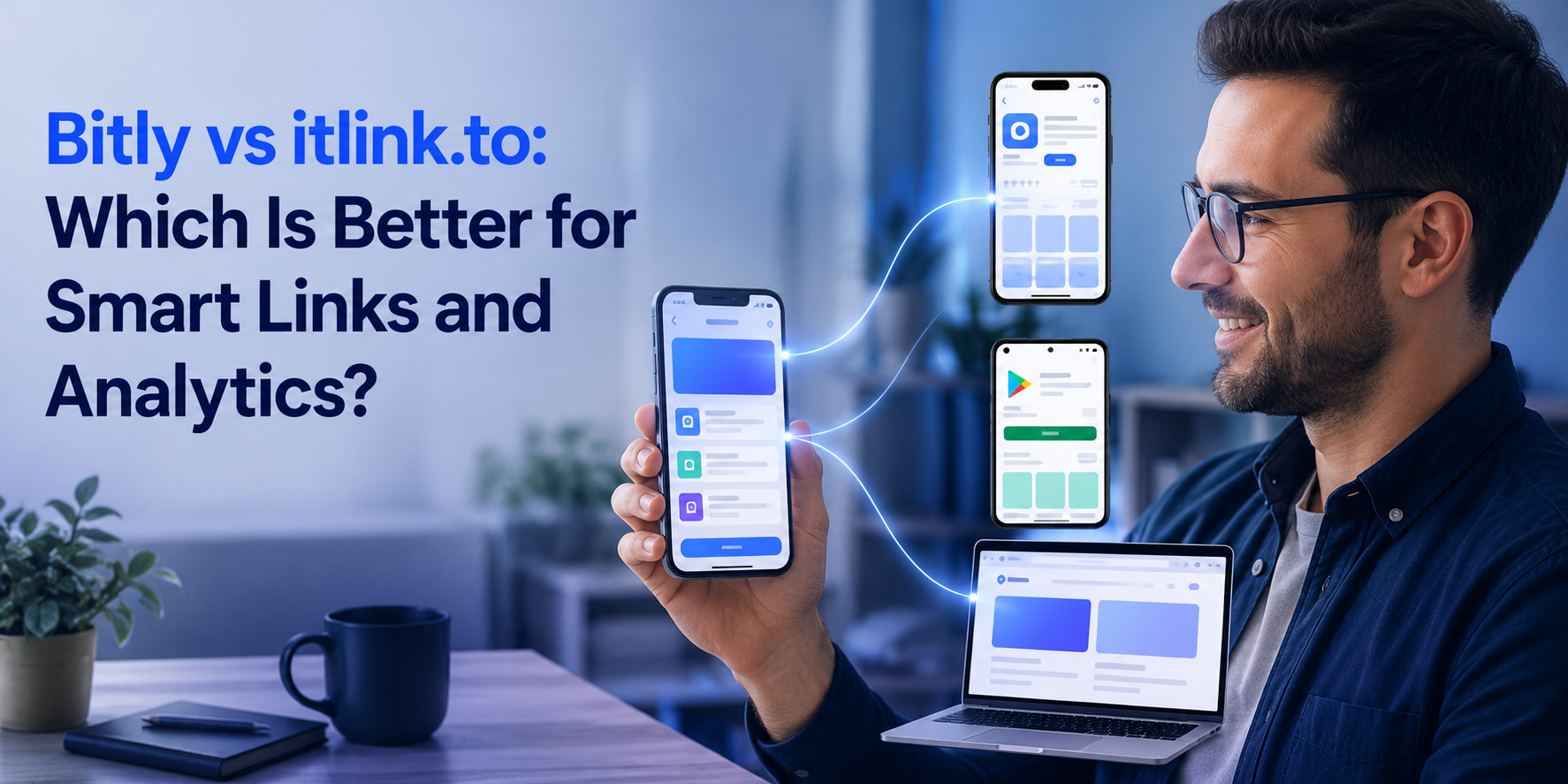
    Bitly vs itlink.to: Which Is Better for Smart Links and Analytics?

    People compare Bitly vs itlink.to for more than short links. They want to know which tool helps their campaign work better after the click. They want to know which tool will help their campaign work better after someone clicks. A short link is useful, but today’s campaigns often need more than that. You may need one link for different devices, one QR code for offline marketing, one bio link for several destinations, or simple analytics that show which channel is actually getting attention. Bitly is already a well-known name in link management, while itlink.to focuses on practical smart routing, clean link pages, QR code use cases, and easy tracking for businesses, creators, and app campaigns. The better choice depends on whether you mainly need a general link shortener or a smarter link experience that helps people reach the right place with less friction.

    Bitly vs itlink.to: Start With the Click Journey

    The best way to compare Bitly vs itlink.to is to look at the full click journey. Do not judge only the short link. What happens after someone taps your Instagram bio link? What happens after they scan your QR code? What happens after they click your campaign URL? If they land on the wrong app store, the campaign loses momentum. The same thing happens with a messy landing page or outdated link list. Bitly works well when you need a trusted short link and tracking system. itlink.to makes more sense when the link needs to guide users more clearly.

    A Short Link Is Not Always a Smart Link

    A short link mainly makes a URL cleaner and easier to share, but a smart link helps decide where the user should go. That difference matters when your audience comes from different devices, platforms, and campaign sources. For example, a mobile app campaign should not make users choose between two separate app store links. A creator should not need to change their bio link every time they post a new product, booking page, or promotion. A small business should not print several QR codes when one smart QR journey can feel easier for the customer. If the link only looks clean but still creates confusion after the click, it is not solving the real problem.

    Analytics Should Make the Next Campaign Easier

    Analytics are not valuable just because they show numbers. They are valuable when they help you understand what to do next. A dashboard full of clicks, locations, referrers, and devices can look impressive, but the real question is simple: which link worked, where did traffic come from, and did users reach the right destination? Bitly is strong for teams that want established link analytics across many campaigns. itlink.to is useful when you want straightforward tracking connected to practical actions, such as seeing how a QR campaign performs, checking whether a short link gets clicks, or understanding which smart route is being used most.

    Where Bitly Is Strongest

    Bitly is strongest when you want a familiar link management platform with a long-standing reputation. It is a good fit for teams that already manage many short links, need branded domains, want QR code creation, and prefer a platform that many marketers already know. For larger teams, Bitly can feel safe because it is widely recognized and built around structured link management. The possible downside is that a broad platform can sometimes feel heavier than necessary if your main goal is simple smart routing, app store redirection, or a clean campaign link that non-technical people can manage easily.

    Where itlink.to Makes More Sense

    itlink.to makes more sense when your campaign needs a clear destination flow instead of just a shorter URL. For example, a startup promoting a new app can use one smart link instead of asking users to choose between App Store and Google Play. A creator can use one bio link page instead of constantly replacing links in their profile. A café, salon, gym, or local business can use one QR code on printed material and still track clicks without making the campaign feel complicated. This is where itlink.to feels more direct: it focuses on helping the user get to the right place quickly, while keeping the setup easy for the business. You can explore its smart routing use case here: https://itlink.to/#one-route

    Practical Campaign Examples

    The difference becomes clearer in real campaigns. If you are sharing a monthly newsletter link, Bitly may be enough because everyone goes to one page. If you are promoting a mobile app, itlink.to may be more useful because users may need different destinations depending on their device. If you are running a QR campaign on flyers, packaging, or posters, the best link is not just the shortest one; it is the one you can track, update, and trust after the material is printed. If you are a creator using Instagram, TikTok, or YouTube, one clean link page can reduce DMs from followers asking where to buy, book, or find the latest offer.

    Common Mistakes When Comparing Link Tools

    Many people compare link tools by checking feature lists, but that can lead to the wrong choice. A tool may have many features and still not match the way your campaign actually works. Before choosing between Bitly and itlink.to, it is better to check the real use case:

    • Do you only need to shorten one URL?
    • Do users need different destinations based on device?
    • Are you using QR codes in offline marketing?
    • Will the destination need to change later?
    • Do you need a link-in-bio page with multiple actions?
    • Will your team actually understand and use the analytics?
    • Is the setup simple enough to repeat for future campaigns?

    Which Tool Is Better for Smart Links and Analytics?

    For broad link management, Bitly is the stronger known brand. For simple smart routing and practical campaign flows, itlink.to may be the better fit. This does not mean one tool is always better than the other. It means they serve slightly different needs. Bitly is useful when your priority is established short link management, branded links, and larger campaign tracking. itlink.to is useful when your priority is getting users to the correct destination with less confusion, especially for app links, QR codes, bio links, and small business campaigns. If your campaign depends on what happens after the click, smart routing should matter as much as analytics.

    Quick Decision Guide

    If you are still unsure, choose based on the main problem you are trying to fix. A famous short link tool is not automatically the best tool for every campaign, especially if your audience is moving between Instagram, TikTok, QR codes, mobile devices, and app stores.

    • Choose Bitly if you mainly need a well-known short link and link management platform.
    • Choose Bitly if your team already uses it and needs a familiar workflow.
    • Choose Bitly if branded short links are your main priority.
    • Choose itlink.to if you need one smart link for different destinations.
    • Choose itlink.to if app store routing is important.
    • Choose itlink.to if you want cleaner QR, bio link, and campaign flows.
    • Choose itlink.to if you want simple analytics tied to practical marketing actions.

    Final Recommendation: Choose the Tool That Reduces Friction

    The best answer to Bitly vs itlink.to depends on what kind of friction you are trying to remove. If your main problem is making long URLs shorter and managing many links in a familiar platform, Bitly is a strong option. If your problem is that users click the wrong link, scan the wrong QR code, choose the wrong app store, or get confused by too many destinations, itlink.to is likely the more practical choice. A good smart link should feel simple for the customer and useful for the business. It should send people to the right place, track what happened, and make your next campaign easier to improve. Ready to build a cleaner campaign journey? Try itlink.to and create one smart link that routes users to the right destination and gives you clearer analytics from every click.

    References