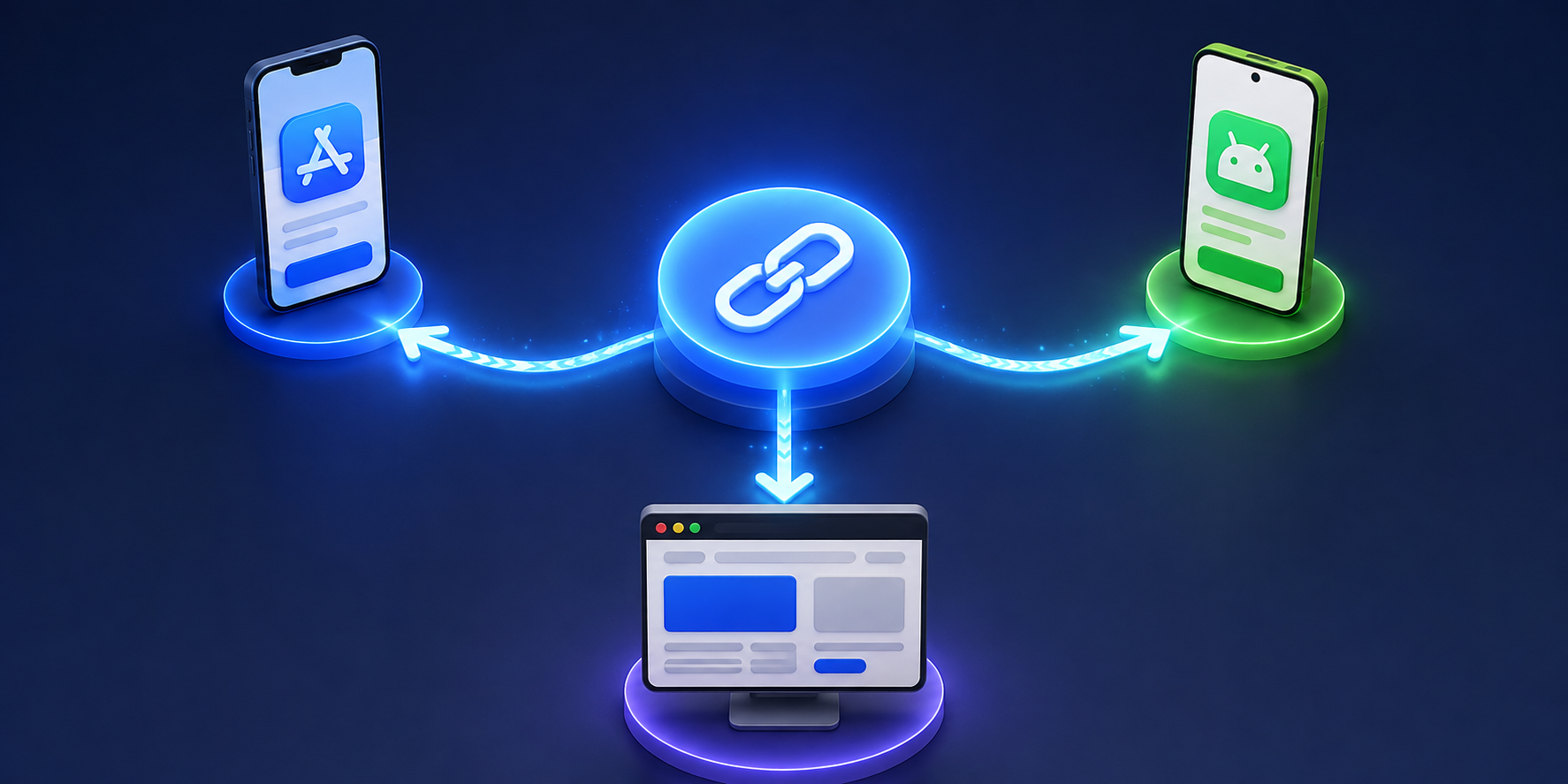
Smart links for app marketing solve a simple but important problem: not every user should go to the same place after clicking. An iPhone user may need the App Store. An Android user may need Google Play. A desktop visitor may need a landing page, a QR code, or a web version of your product. If one normal link sends everyone to the same page, some users will have to work harder than they should.
That extra friction can quietly hurt an app campaign. People may click with interest, but lose momentum when they land on the wrong destination. They may see the wrong app store, a generic homepage, or a page that asks them to choose manually. Smart links help remove that gap between the click and the next best step.
For app marketers, the value is not only that the link looks cleaner. The value is that one link can behave differently depending on who clicks it, where they click from, and what device they use.
Smart Links for App Marketing: Quick Answer
A smart link is a campaign link that can route users to different destinations based on context. For app marketing, that usually means sending iOS users to the App Store, Android users to Google Play, and desktop users to a web page.
A normal link has one destination. A smart link has routing logic behind it.
For example, one smart link could work like this:
| User type | Destination |
|---|---|
| iPhone user | App Store |
| Android user | Google Play |
| Desktop visitor | Landing page |
| Tablet user | Best matching app store or web page |
| QR code scanner | Mobile download route |
| Social bio visitor | App download page or hub link |
This is why smart links are useful for app install campaigns, social media, QR codes, influencer promotions, email campaigns, and offline marketing.
Instead of asking users to choose the right path, the link does the work for them.
Why Normal App Links Often Lose Users
A normal app campaign usually starts with good intentions. The team creates an App Store link, a Google Play link, and maybe a website link. Then the problem begins.
Instagram only gives you one bio link. A QR code can only point to one URL. A printed flyer should not show three different links. A TikTok caption needs something short. An email button needs one clean destination.
So the team chooses one link. Usually it is a landing page with buttons for App Store and Google Play.
That works, but it adds an extra step. A user clicks because they are interested. Then they must stop, look at the page, choose the correct store, and tap again. Some users will do it. Others will leave.
This is especially painful on mobile. If someone is already on an iPhone, they should not need to choose the App Store. If someone is on Android, they should not need to scroll past an iOS button. The link should already know what to do.
How Smart Links Decide Where to Send Users
Smart links use information from the click to decide the best destination. The most common signal is device type. The link checks whether the visitor is using iOS, Android, desktop, or another environment.
Some smart links can also use other signals, such as country, language, browser, campaign source, or custom rules. This helps marketers create different experiences without creating a messy list of separate links.
A simple app campaign might use these rules:
- iOS visitors go to the App Store
- Android visitors go to Google Play
- Desktop visitors go to a web landing page
- Unknown devices go to a fallback page
- QR code traffic goes to the mobile download route
The user does not see this logic. They only click one link and land in the most useful place.
This is what makes smart links feel simple on the outside, even though they are doing more behind the scenes.
Where Smart Links Fit in the App Marketing Funnel
Smart links are most useful near the top and middle of the app marketing funnel. They help people move from awareness to download without unnecessary steps.
For example, a creator mentions your app in a video. The audience is mixed. Some use iPhone, some use Android, and some watch from desktop. A smart link lets the creator share one URL, while each viewer gets a destination that fits their device.
A smart link is also useful after someone scans a QR code at an event, restaurant, hotel, gym, or retail location. The printed QR code does not need separate versions for each platform. One code can route people correctly.
For email campaigns, smart links help when your subscribers open the same email on different devices. A desktop user may need a web page. A mobile user may be ready to install immediately.
In all these cases, smart links reduce the gap between interest and action.
Smart Links vs App Store Links
App Store and Google Play links are still important. Smart links do not replace them. They organize them.
An App Store link is useful when you know the user is on iOS. A Google Play link is useful when you know the user is on Android. But public campaigns rarely give you that certainty.
Smart links sit above those destinations. They act like a single front door.
Instead of sharing:
App Store link
Google Play link
Website link
You share one smart link. Behind that link, each destination is still there. The user simply does not need to choose manually.
This makes smart links especially useful for campaigns where space is limited, such as Instagram bios, TikTok profiles, QR codes, SMS messages, posters, and creator captions.
Smart Links and QR Code Campaigns
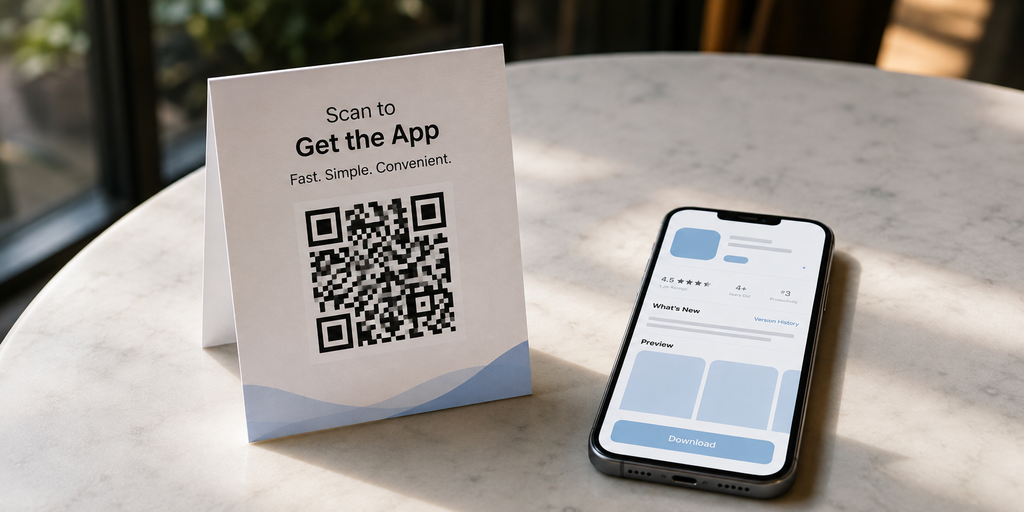
QR codes are one of the best use cases for smart links because QR codes are often used in physical places. Once printed, they are hard to change.
A restaurant app may place QR codes on table cards. A travel app may put QR codes on event banners. A fitness app may add QR codes to gym posters. A retail app may print them on packaging.
If the QR code points directly to one fixed URL, you have less flexibility. If the destination changes, the printed material becomes outdated.
A smart link gives the QR code more control. You can route users by device, update the destination later, and track how many people scanned the code.
This is useful because offline campaigns are often harder to measure than digital campaigns. A smart link turns a simple QR code into a trackable campaign touchpoint.
Smart Links and Campaign Analytics
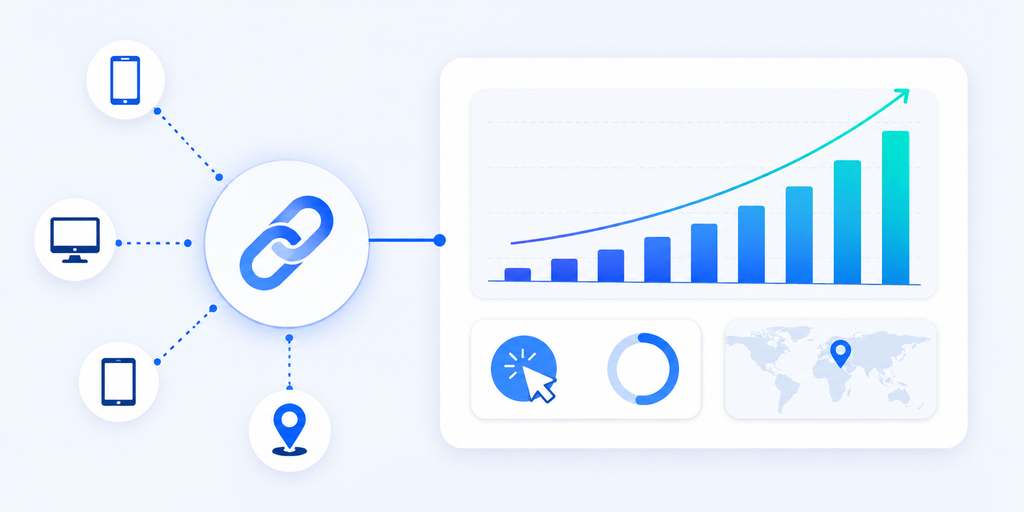
Smart links are not only about routing. They also help marketers understand what happened after the link was shared.
At a basic level, smart link analytics may show clicks, devices, locations, referrers, and campaign performance. This helps answer practical questions:
Which channel got the most clicks?
Did more users come from iOS or Android?
Did the QR code work?
Which country or city showed the most interest?
Did the Instagram bio link perform better than the email button?
This data may not replace full mobile attribution, but it gives app teams useful visibility. For many campaigns, that is enough to make better decisions.
For example, if most QR scans come from Android users, your next campaign may highlight the Google Play route more clearly. If desktop traffic is high, you may improve the desktop fallback page instead of ignoring it.
Common Mistakes With Smart Links
One mistake is using a smart link but sending everyone to the same landing page. That removes the main advantage. If the link can detect device type, use that routing to reduce steps.
Another mistake is forgetting the desktop fallback. App marketers often think only about mobile users, but desktop clicks still happen. A good fallback page can show app benefits, store buttons, a QR code, or a sign-up form.
Teams also forget to test the link before launch. A smart link should be tested on iPhone, Android, desktop, and QR code scan before being published. One wrong destination can break the campaign.
A final mistake is creating too many smart links without a naming system. If your dashboard has links called test, newlink, and campaign2, reporting becomes confusing later. Use clear names like summer_launch_instagram, event_qr_bangkok, or creator_campaign_tiktok.
When Smart Links Are Not Enough
Smart links are great for routing users to the right destination, but they do not solve every app marketing problem.
If you need to track installs, in-app purchases, subscriptions, retention, or post-install events, you may need mobile attribution tools or deeper app analytics. Smart links can show click behavior, but they may not show everything that happens after installation.
If you need to open a specific screen inside the app, you may need deep links. For example, a booking app may want to open a specific hotel page. A shopping app may want to open a product page. A travel app may want to open a saved itinerary.
In many cases, smart links and deep links work together. The smart link routes the user to the right platform. The deep link opens the right content inside the app when possible.
For early app campaigns, smart links are often the simpler first step. As the app grows, deep linking and attribution can be added later.
Final Answer: How Smart Links Work for App Marketing
Smart links for app marketing work by turning one campaign URL into a smarter path. Instead of sending every visitor to the same page, the link checks the user’s context and sends them to the most relevant destination.
That can mean App Store for iPhone users, Google Play for Android users, and a desktop landing page for people on computers. It can also help with QR codes, influencer campaigns, email links, social bios, and offline promotions.
The biggest benefit is less friction. Users do not need to choose the right store or search for the correct page. The link guides them there.
For app marketers, smart links also make campaigns easier to manage and measure. One link can support multiple destinations, cleaner sharing, editable routing, and useful click analytics.
If you want a simple way to create smart app campaign links, itlink.to OneRoute helps you send iOS, Android, and desktop visitors to the right destination from one clean link.
References
- Apple App Store & Google Play Guidelines: Official platform documentation detailing branding, asset standards, and developer compliance rules for store listings.
- Google Analytics Campaign Builder: Web utility for adding UTM parameters to URLs to track custom marketing campaign performance.
- Firebase Dynamic Links Documentation: Technical guide covering the legacy deep-linking service and migration requirements following its 2025 sunset.
- itlink.to OneRoute & Short Link Pages: Product overviews detailing features for smart path routing, custom domains, and shortened URLs.
ใส่ความเห็น