Seeing clicks but no conversions can be confusing. Your short link shows activity. People are clicking your QR code, tapping your Instagram bio link, opening your email campaign, or visiting your app download link. But the result you wanted does not happen. No signup. No sale. No app install. No form submission. No booking.
This does not always mean the campaign failed. It usually means you need to find where the journey breaks.
A short link measures the first step: the click. A conversion measures the result you actually care about. Between those two points, many things can go wrong. The link may send users to the wrong page. The page may not match the promise. The tracking may be missing. The conversion event may not fire. Or the campaign may be getting clicks from people who are curious but not ready to act.
That is why short link analytics is useful. Before you judge conversions, you should first confirm whether people are actually clicking, what devices they use, where they come from, and whether the campaign is sending traffic to the right place. With a free short link tracking tool like itlink.to, you can start checking that click data without needing an expensive analytics setup.
Clicks But No Conversions Means the Journey Needs to Be Checked
A click is not the same as a result. A click only means someone opened your link. A conversion means they completed the action you wanted them to take.
For example, if 1,000 people click your short link and 20 people sign up, the campaign has 1,000 clicks and 20 conversions. If 1,000 people click and nobody signs up, you have clicks but no conversions.
The mistake is assuming the problem is always the landing page or the audience. Sometimes that is true, but not always. The issue may happen before users even reach the page. A redirect may break. UTM parameters may disappear. Android users may be sent to the wrong destination. A QR code may be scanned by bots or preview tools. Your analytics may simply not be recording the conversion properly.
The practical way to think about it is this: your campaign has stages. First, someone sees the link. Then they click. Then they land somewhere. Then they decide whether to act. If the final result is missing, you need to check each stage instead of guessing.
First, Confirm That People Are Actually Clicking

Before you investigate why people are not buying, signing up, or downloading, confirm one basic thing: are people actually clicking the link?
This is where short link tracking helps. If you use a normal long URL, you may not clearly know how many people opened it from a flyer, social profile, QR code, or influencer post. You may only see vague traffic later inside Google Analytics or another platform.
A short link gives you a clearer first signal. You can see whether the campaign is getting clicks at all.
For example, imagine you print a QR code on a poster for an app launch. You expect people to scan it, but the app install number is zero. Without click tracking, you do not know whether people ignored the poster, scanned the QR code but dropped off, or installed the app but tracking failed.
With itlink.to Short Link, which includes free short link tracking, you can first check whether the QR code is receiving clicks. If there are almost no clicks, the problem may be the poster placement, QR code size, message, or visibility. If there are many clicks but no installs, the problem is probably after the click.
That small difference matters. It tells you where to look next.
The Problem May Happen Before the Click
Sometimes there are no conversions because the campaign never gets enough real attention. The short link may show only a few clicks, which means the problem is not the landing page yet. The problem is that not enough people are opening the link.
This can happen when a QR code is too small, placed too low, printed in a low-contrast design, or shown without a clear reason to scan. It can also happen when a social bio link is hidden behind weak profile copy, or when an email CTA does not make the benefit clear.
For example, “Learn More” is often weaker than “Download the Free Travel Checklist.” One creates vague curiosity. The other tells users exactly what they get.
If your short link analytics shows low clicks, focus on the campaign message and placement first. Make the CTA clearer. Put the link in a more visible place. Improve the QR code design. Use a stronger reason to click.
At this stage, conversion optimization is not the priority. You need more qualified clicks before you can judge what happens after the click.
The Problem May Happen During the Redirect
A short link usually redirects users from a clean, short URL to the final destination. That redirect should feel instant and invisible. But if something breaks during that step, conversions can disappear.
The link may send users to the wrong page. UTM parameters may be removed. A mobile user may be sent to a desktop page. An old campaign link may still point to an outdated offer. A QR code may open a page that looks fine on desktop but broken on mobile.
This is especially important for app campaigns. If an iPhone user clicks your app download link but lands on a generic website instead of the App Store, many users will drop off. If an Android user lands on an App Store page, the journey is broken immediately.
This is also where link testing matters. Always test the short link from the same place your users will use it. Open the Instagram bio link inside Instagram. Scan the QR code with a real phone. Tap the email link from an actual inbox. Test iPhone, Android, and desktop if your audience uses all three.
If the redirect is wrong, no amount of landing page improvement will fix the conversion issue.
The Problem May Happen After the Landing Page Opens
If people click the link and land on the correct page, but still do not act, the issue is likely after the click.
This is where the landing page, offer, page speed, trust signals, and CTA become important. The page may be too slow. The signup form may ask for too much information. The app download button may be hard to find. The headline may not match the campaign message. The user may not understand what to do next.
For example, if your Instagram post says “Get early access to our app,” the landing page should immediately support that promise. It should not open a generic homepage with many unrelated sections. The user clicked for one reason. The page should continue that same reason.
This is also where mobile experience matters. Many short link campaigns happen on mobile: QR scans, social bios, SMS, influencer links, app download campaigns, and email clicks. If the page looks good on desktop but feels slow or confusing on mobile, conversions will suffer.
Short link analytics cannot fix the landing page for you. But it helps confirm that the click happened, so you can stop guessing and inspect the page experience more seriously.
Common Reasons Short Links Get Clicks But No Conversions
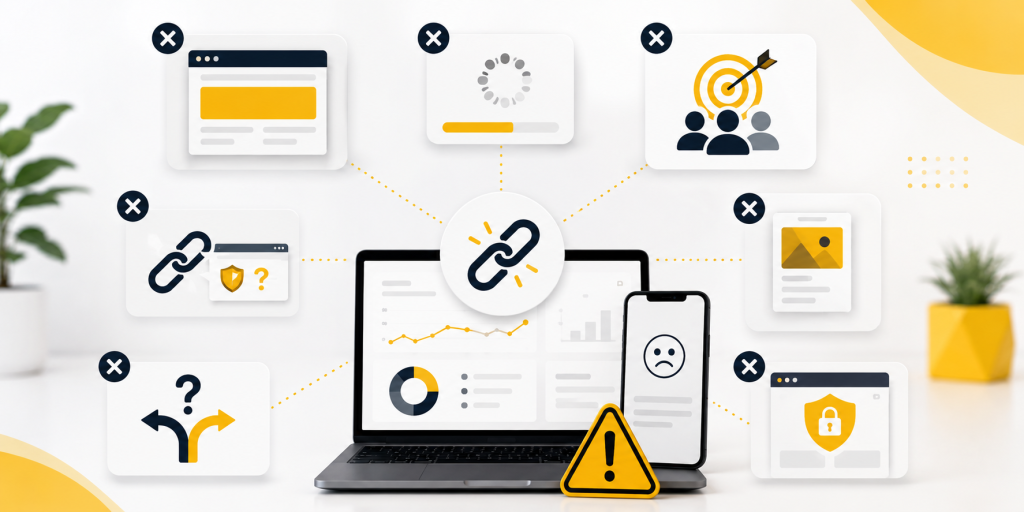
There are many possible reasons your short link shows clicks but your business result is missing. The key is to separate tracking problems from marketing problems.
Common causes include:
- The link gets clicks, but the destination page is wrong.
- The page opens, but the CTA is unclear or hidden.
- The campaign promise does not match the landing page.
- UTM parameters are missing or inconsistent.
- Conversion tracking is not installed correctly.
- The user converts later through another channel.
- Email scanners or social preview tools inflate click numbers.
- The page loads slowly on mobile.
- The final action happens on a third-party platform you cannot fully track.
- App Store or Google Play installs are not connected to your campaign report.
This is why the first step is not to panic. The first step is to diagnose.
If the link has no clicks, fix visibility and messaging. If the link has clicks but no sessions, check redirects, bots, and analytics. If the link has clicks and sessions but no conversions, check the landing page, offer, and conversion event.
UTM Tracking Can Make the Data Clearer
UTM parameters help analytics tools understand where traffic came from. They are especially useful when you use short links across different campaigns.
For example, you may create one short link for an Instagram bio, another for a QR code, another for an email campaign, and another for an influencer. If each link uses clear UTM parameters, you can compare traffic more easily later.
The problem is that UTM tracking is often messy. One campaign may use instagram, another may use ig, and another may use Instagram. These small differences split your reports. It looks like traffic is coming from many sources when it is really the same channel.
Another issue is losing UTM parameters during redirects. If the final URL does not receive the UTM tags, your website analytics may not connect the visitor to the campaign. Your short link may show clicks, but your analytics report may show the traffic as direct or unknown.
A cleaner process is to create the full tracked URL first, test it, then shorten it. After that, click the short link and confirm the final page still contains the tracking parameters.
This simple step can prevent a lot of confusion later.
Free Short Link Tracking Helps Small Campaigns Diagnose Faster
Not every business needs a complex analytics stack to understand basic campaign performance. Sometimes you just need to know whether people clicked, what device they used, and where the traffic came from.
That is where free short link tracking becomes useful.
For small businesses, creators, startups, app makers, event teams, and marketers running quick campaigns, itlink.to offers a free way to create short links and check basic click analytics. You can use it to see click activity, device data, browser data, country data, and campaign traffic before you spend time guessing why conversions are missing.
For example, if you put one link in your Instagram bio and another link on a printed QR code, you can compare which one gets more clicks. If the QR code gets clicks but no signups, the issue may be the landing page or form. If the QR code gets no clicks at all, the issue is probably the offline design or placement.
This is the real value of short link analytics. It does not promise that every click will become a customer. No tool can promise that. But it gives you visibility into the first part of the journey, which helps you make better decisions.
Do Not Judge the Campaign Until You Know Where the Drop Happens
A campaign with clicks but no conversions is not automatically a failed campaign. It is a campaign with an unanswered question.
Where did users drop off?
If they never clicked, improve the message and placement. If they clicked but never reached the page, check redirects and tracking. If they reached the page but did not act, improve the page, offer, CTA, and conversion setup.
This is why short link analytics should be part of campaign tracking. It gives you the first layer of truth before you analyze the rest of the funnel.
With itlink.to Short Link, you can create free short links, track clicks, and review useful traffic data such as device, browser, country, and referrer. That makes it easier to understand whether your campaign has a traffic problem, a redirect problem, or a conversion problem.
The better you understand the drop-off point, the faster you can fix the right thing.
When your short link shows clicks but no conversions, do not stop at the surface number. Clicks tell you that people opened the link. They do not automatically tell you whether the page worked, whether tracking worked, or whether the offer was strong enough.
Start by checking the journey. Did people click? Did the short link redirect correctly? Did users land on the right page? Did UTM parameters survive? Did the conversion event fire? Did the page clearly ask users to take the next step?
Once you answer those questions, the problem becomes easier to fix.
Short link analytics is useful because it gives you visibility before the conversion happens. And with itlink.to, you can start with free short link tracking to understand your clicks, devices, browsers, countries, and campaign traffic without overcomplicating your setup.
Create a free short link with itlink.to and see where your campaign traffic starts: https://itlink.to/#short-link
References
- Google Analytics Help — Collect campaign data with custom URLs Official guide detailing how to build and implement UTM parameters to accurately track traffic sources, campaigns, and user acquisition.
- Google Analytics Help — About key events and conversion measurement Comprehensive overview of designating critical user actions as key events to measure performance and optimize user conversion paths.
- Google Ads Help — Set up conversion tracking for your website Step-by-step documentation on deploying conversion tags to measure the effectiveness of ad spend and track actions taken after clicking an ad.
ใส่ความเห็น