A free link in bio page is one of the simplest ways for a small business to turn social media attention into real action. Instead of changing your Instagram, TikTok, Facebook, or Google Business Profile link every time you have a new offer, you can send customers to one clean page that contains your most important links.
For small businesses, this matters because customers rarely follow a perfect path. One person may want to book an appointment. Another may want to see your menu. Someone else may want WhatsApp, LINE, a product catalog, directions, or a discount page. If your bio only points to one destination, you may lose people who were ready to take the next step.
A good link in bio page does not need to be complicated. It should help people quickly understand what to do, where to click, and how to contact your business.
Why Small Businesses Need One Clear Bio Link
Most small businesses promote more than one thing at the same time. A café may want to share its menu, delivery link, location, and seasonal promotion. A beauty salon may need booking, price list, Instagram portfolio, and WhatsApp contact. A coach may want to share a course, consultation form, YouTube channel, and testimonials.
The problem is that many social profiles give you limited space for links. Even when a platform allows multiple links, the experience can still feel messy if the customer has to guess which link matters most.
One clear bio link gives your business a small landing page that works like a front desk. It does not replace your website. It organizes the most useful actions in one place. When someone taps your bio, they should immediately know whether to buy, book, message, visit, or learn more.
This is especially useful for businesses that do not have a full website yet. Instead of waiting until everything is perfect, you can create a simple page today and update it whenever your offers change.
Choose the Right Focus Before You Add Links
Before creating your page, decide what the page is supposed to help people do. Many small businesses make the mistake of adding every possible link because the tool allows it. More links do not always mean better results.
Your link in bio page should support your main business goal. If your goal is bookings, the booking button should be near the top. If your goal is product sales, your shop or best-selling product should be easy to find. If your goal is local visits, your map, opening hours, and contact button should be obvious.
Think of your page like a shop window. You do not need to show every item you have. You need to show the right next step for the person who just discovered you.
A simple rule is to start with one primary action, then add a few supporting links. For example, a bakery may put “Order Cakes” first, then add “View Menu,” “Find Us on Maps,” and “Message Us.” A fitness coach may put “Book Free Consultation” first, then add “Programs,” “Client Results,” and “Instagram.”
What to Include on a Free Link in Bio Page
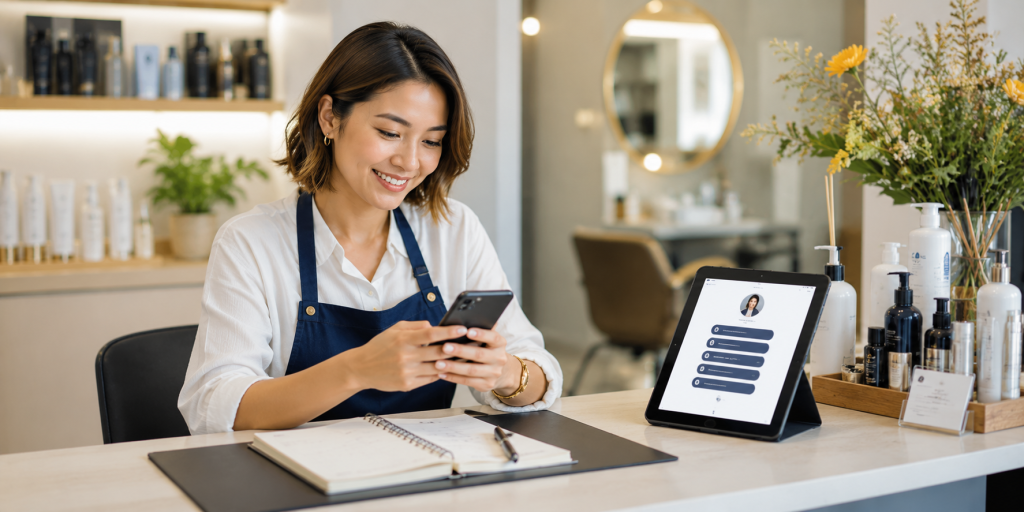
Your page should be short enough to scan, but complete enough to answer the customer’s next question. The best structure depends on your business, but most small businesses can start with these essentials:
- Your main offer, such as booking, ordering, signup, or product catalog
- A direct contact link, such as WhatsApp, LINE, Messenger, or email
- Your location or Google Business Profile if you serve local customers
- Your latest promotion, campaign, menu, event, or limited-time offer
- Social proof, such as reviews, testimonials, portfolio, or before-and-after examples
- Your main social channels if customers may want to follow you elsewhere
Do not treat every link as equally important. Put the highest-value action first. Customers are often distracted when they tap your bio link. They may be standing in a store, watching a Reel, checking your profile after an ad, or comparing you with another business. The faster they find the right action, the better.
How to Create a Free Link in Bio Page
Start by collecting the links your customers actually need. Do not begin with design. Begin with customer intent. Ask yourself: “If someone discovers my business today, what are the top three things they may want to do?”
Next, create your link in bio page and add those links in order of importance. Use clear button labels. Instead of “Click Here,” write “Book a Table,” “View Price List,” “Order on LINE,” “See Cake Menu,” or “Get a Quote.” Clear labels reduce confusion and make the page feel more trustworthy.
Then add your page URL to your social profiles. Instagram lets users add links through the profile editing flow, and TikTok Business Accounts can add a website link to the profile. For local businesses, you can also add your website or main customer link to your Google Business Profile.
After publishing, test the page on your phone. Open it from Instagram, TikTok, and any other platform where customers will find you. Check that the buttons are easy to tap, the order makes sense, and the page loads correctly.
Practical Small Business Examples

A link in bio page becomes more useful when it is built around a real business situation, not just a generic list of links.
For a restaurant, the page may include menu, reservation, delivery app, Google Maps, opening hours, and private event inquiry. The most important link may change depending on the season. During lunch hours, the delivery link may be most important. During holidays, the reservation or catering link may deserve the top position.
For a salon, the page may include appointment booking, service menu, stylist portfolio, location, WhatsApp, and current promotion. The top link should usually be booking, because people who visit a salon’s profile often want to check availability or prices.
For a coach, consultant, or service provider, the page may include a consultation form, service packages, client results, free resource, calendar booking, and contact link. Here, the page should build trust before asking for a commitment.
For a small online shop, the page may include best sellers, new arrivals, shipping policy, customer reviews, size guide, and support contact. Instead of sending people to a large homepage, the page can guide them toward the products they are most likely to buy.
Common Mistakes That Make Bio Links Perform Poorly
A free link in bio page can work well, but only if it is easy for customers to use. Many pages fail because they feel like a random collection of links rather than a clear path.
Common mistakes include:
- Adding too many buttons with no priority
- Using vague labels like “Website,” “More,” or “Info”
- Sending people to outdated promotions or broken pages
- Placing the most important action too low on the page
- Forgetting mobile users and making links hard to tap
- Using inconsistent branding that makes customers wonder if they are in the right place
- Not checking whether people are clicking the page after you publish it
The biggest mistake is thinking the page is finished after you create it. A link in bio page should change as your business changes. If your promotion ends, remove it. If a new service becomes your priority, move it higher. If customers keep asking the same question, add a link that answers it.
Make the Page Feel Trustworthy
Customers are careful before they click, buy, book, or send a message. Your link in bio page should feel like it belongs to your business.
Use the same business name, tone, and visual style that people already see on your social profiles. If your Instagram is clean and premium, your page should not feel messy. If your business is friendly and casual, your labels can sound warm and direct.
Trust also comes from clarity. A button that says “Book a Free Consultation” is stronger than “Learn More.” A button that says “Message Us on WhatsApp” is stronger than “Contact.” The clearer the action, the easier it is for customers to feel confident.
For local businesses, location details are important. People may want to know whether you are nearby before they contact you. For service businesses, proof matters. Add reviews, case studies, client examples, or portfolio links when they help customers make a decision.
Where to Share Your Link in Bio Page
Your bio link should not live only on Instagram. Once you have one clean page, you can use it across many customer touchpoints.
Add it to Instagram, TikTok, Facebook, YouTube, Threads, Google Business Profile, email signature, WhatsApp auto-reply, LINE profile, business cards, flyers, QR codes, and event materials. This makes your marketing easier because you do not need to promote different links everywhere.
This is also why a free linktree alternative can be useful for small businesses. The goal is not just to copy Linktree. The goal is to have one simple page that you control, update, and use across campaigns.
For example, if you run a weekend pop-up event, you can update your page with event location, menu, booking form, and promotion. After the event, you can replace those links with your regular ordering or contact links without changing the link on every social profile.
Why a Free Link in Bio Page Is a Smart First Step
A free link in bio page is not just a convenience. It is a practical marketing tool for small businesses that need to move faster.
You may not have time to build a full website, write many landing pages, or manage complex campaigns. But you still need one place where customers can find what matters. A good bio link page helps you organize your offers, reduce customer confusion, and make your social traffic more useful.
This is where HubLink by itlink.to can help. You can create a simple link in bio page for your business, add your important links, and share one clean URL across your social profiles and campaigns. It is a practical option if you want a free linktree alternative without making the setup feel complicated.
Start simple. Add the links customers need most. Put your strongest action first. Test everything on mobile. Then improve the page over time based on what your customers actually click.
Create your free link in bio page with itlink.to HubLink and give your small business one clean place to send customers from every social profile.
References
- Instagram Help Center – Add Links to Your Profile Official guide detailing how users can add, edit, or remove multiple external hyperlinks within their Instagram profile bio.
- TikTok Business Help Center – Website Links on Business Accounts Step-by-step instructions outlining requirements and verification processes for attaching an external business URL to a TikTok profile page.
- Google Business Profile Help – Add or Edit Your Website URL Official documentation explaining how merchants can update their primary and secondary landing page links to drive traffic from Google Maps and Search.