ป้ายกำกับ: app store link

  • What Is an App Store Redirect Link?

    What Is an App Store Redirect Link?

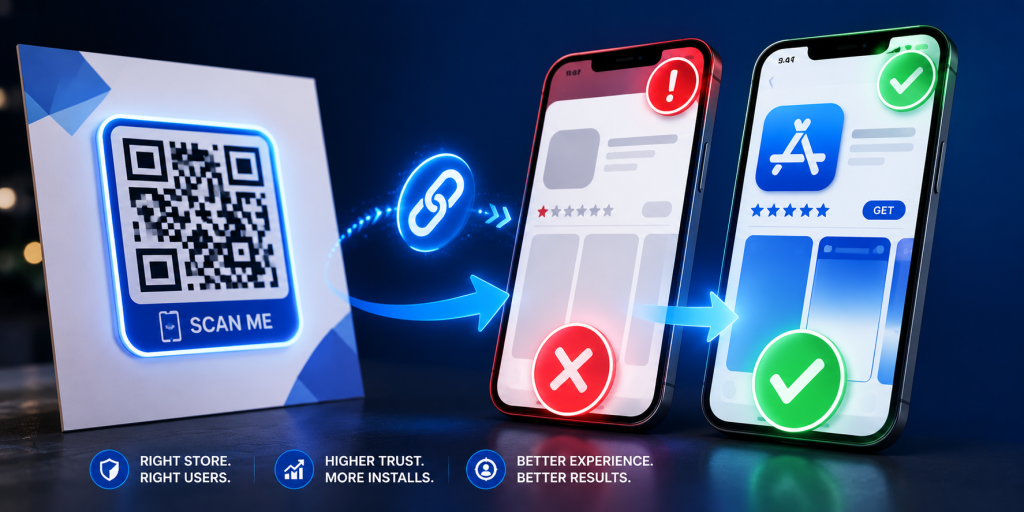
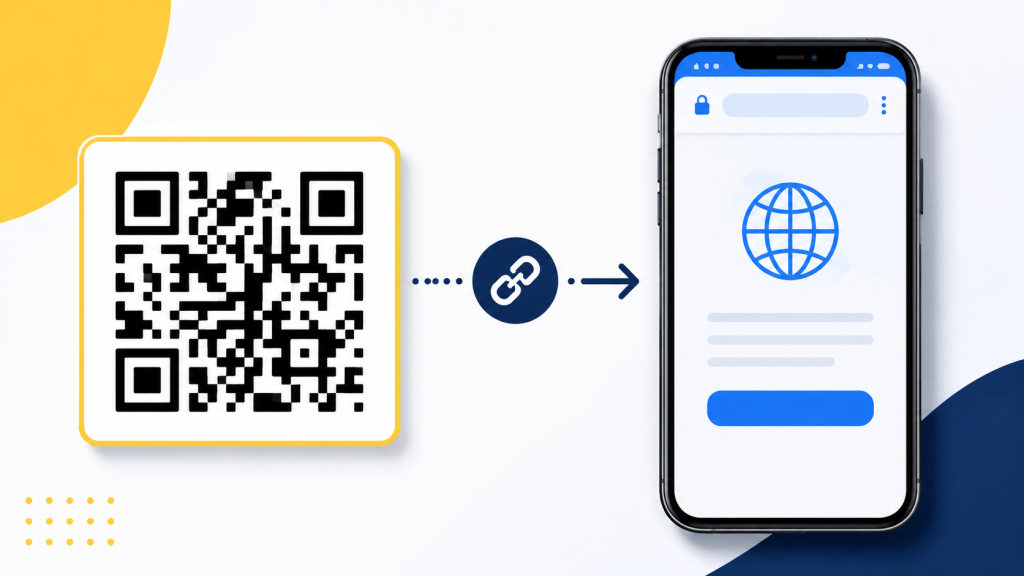
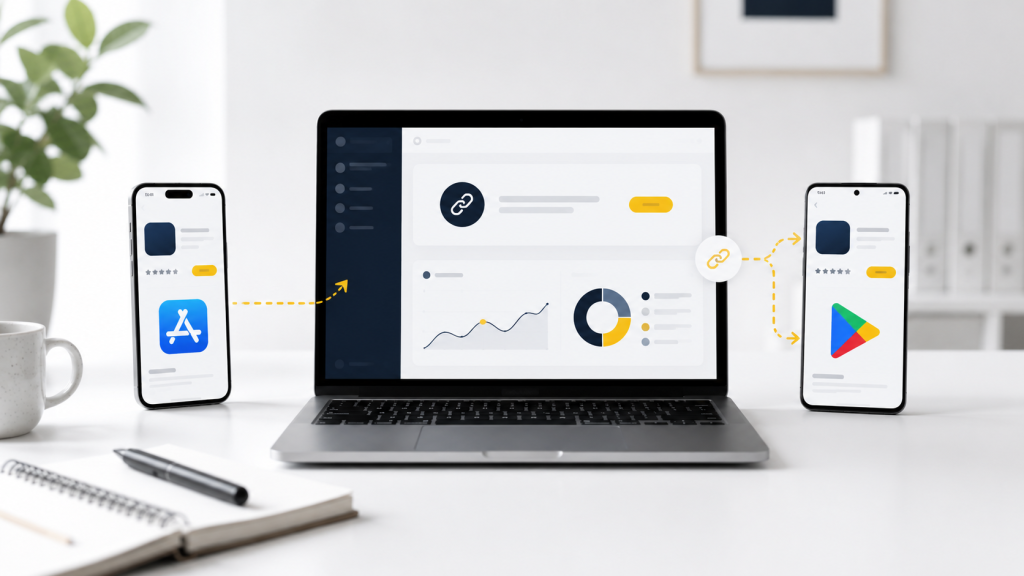
    An app store redirect link is one smart link that sends each visitor to the correct app download destination. iPhone users can go to the App Store. Android users can go to Google Play. Desktop visitors can go to a landing page with both download options.

    That sounds simple, but it solves one of the most common problems in app marketing. Most app campaigns use one public link, but the audience does not come from one device. People click from Instagram, TikTok, Product Hunt, email, QR codes, creator posts, paid ads, pitch decks, event booths, newsletters, and messaging apps.

    A normal App Store link only works well for iPhone users. A normal Google Play link only works well for Android users. A homepage may work for everyone, but it adds unnecessary steps before the download. An app store redirect link gives your campaign one clean public URL while routing users to the right place behind the scenes.

    One App Campaign Usually Has More Than One Type of User

    A simple app campaign rarely has one simple audience. Even if your app is mobile-first, people may discover it from many places. Someone may click from an iPhone while scrolling Instagram. Someone else may click from Android after watching a creator video. A desktop user may find the app from Product Hunt, a blog post, an email newsletter, or a pitch deck. If your campaign only uses one raw store URL, part of the audience gets the wrong experience. The link may not look broken, but the journey is still weak. The user has to figure out what to do next, and many users will not bother. A redirect link removes that decision by sending each visitor to the most relevant destination.

    The Wrong Store Page Is a Silent Install Killer

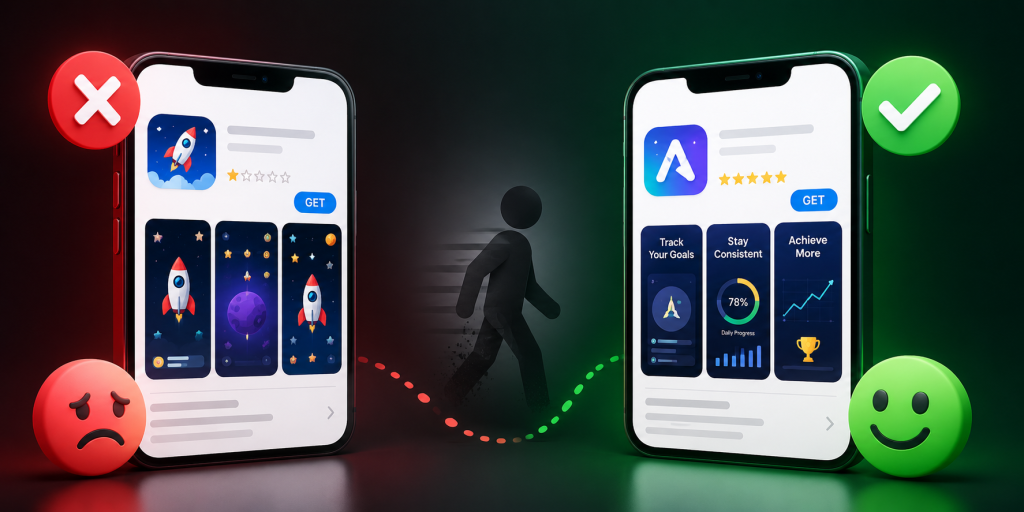
    The wrong store page does not always create a visible error. That is what makes it dangerous. An Android user who lands on an App Store page may simply close the tab. An iPhone user who lands on Google Play may assume the app is unavailable for them. A desktop visitor who lands on a mobile store page may not know whether to send the link to their phone, search for the app manually, or give up. These are not dramatic failures. They are silent conversion leaks. A campaign may still get clicks, but fewer people complete the install path. An app store redirect link helps fix the leak before it happens.

    A Short Link and an App Store Redirect Link Are Not the Same Thing

    A short link makes a long URL cleaner. That is useful, but it does not automatically make the link smarter. If you shorten an App Store URL, Android users still go to the wrong place. If you shorten a Google Play URL, iPhone users still go to the wrong place. The link looks nicer, but the campaign problem remains. An app store redirect link is different because it can use routing logic. The public link can still be short, readable, and easy to share, but the destination can change depending on the user’s device or context. For app campaigns, the logic behind the link matters more than the length of the link.

    The Desktop Fallback Should Not Be a Lazy Homepage

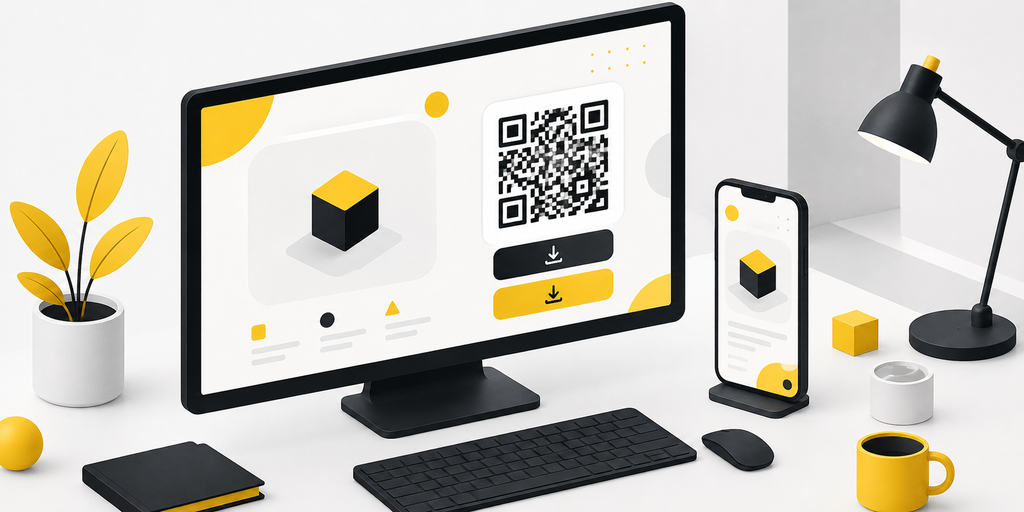
    Desktop users are often treated as an afterthought in app campaigns. Many teams send them to a homepage and hope they find the download buttons. That creates unnecessary friction. A better desktop fallback should be built for app discovery. It should explain the app quickly, show clear App Store and Google Play buttons, and include a QR code so users can continue on mobile. It should match the campaign message that brought the visitor there. If the campaign says “Download the app,” the fallback page should not feel like a general company website. It should help the user finish the download journey from desktop to mobile.

    QR Codes Make Redirect Links Even More Important

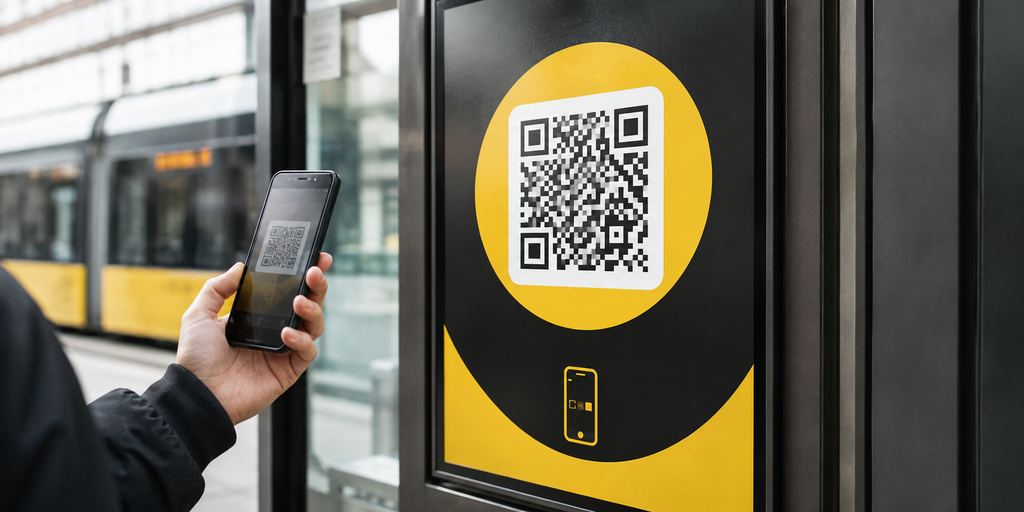
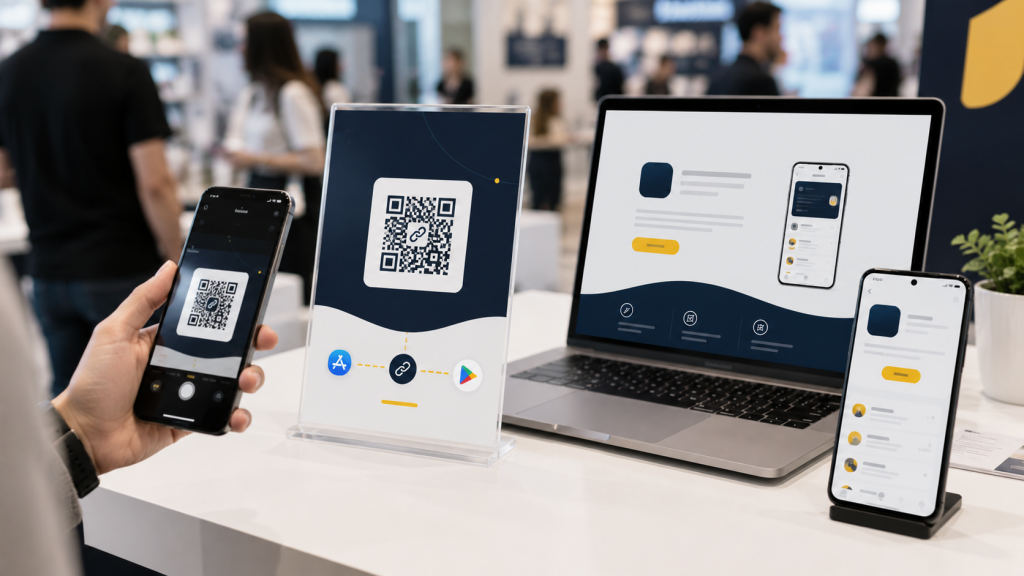
    QR codes are one of the clearest reasons to use an app store redirect link. A QR code may appear on flyers, posters, event booths, product packaging, restaurant tables, badges, slide decks, brochures, or business cards. Once printed, the code is hard to change. If it points directly to the App Store, Android users are blocked. If it points directly to Google Play, iPhone users are blocked. If it points to a landing page that changes later, the printed material may become outdated. A better setup is to make the QR code point to an editable app store redirect link. The QR code stays the same, while the destination logic can still serve the right users.

    The Link Must Work Inside Real Apps, Not Just Browsers

    Many teams test their app download link in Safari or Chrome and assume it works. That is not enough. App campaign links are often opened inside Instagram, TikTok, YouTube, Gmail, LinkedIn, X, Facebook, Messenger, WhatsApp, Telegram, and QR scanner apps. These environments can behave differently from normal browsers. A link that works perfectly in Chrome may feel awkward inside an in-app browser. Before launching, test your redirect link from the places where users will actually click. If your campaign runs on Instagram, test the link inside Instagram. If it runs through email, test it from mobile email apps. If it uses QR codes, scan the code with real phones in realistic conditions.

    Tracking Should Be Built Before the Campaign Goes Live

    An app store redirect link should not only send users to the correct destination. It should also help you understand which channels worked. If you use the same untracked link everywhere, you may see total clicks, but you will not know which source performed best. A stronger setup creates separate trackable links for major channels such as Instagram bio, TikTok profile, email, QR posters, event booths, creator partners, paid ads, and launch pages. The final destination may be similar, but each campaign placement should be measurable. This helps you learn from the campaign instead of only counting clicks. Without clear tracking, your team may repeat weak channels and underinvest in strong ones.

    App Store Redirect Links vs Deep Links

    An app store redirect link and a deep link are related, but they solve different problems. An app store redirect link decides where the user should go during the download journey. It can send iPhone users to the App Store, Android users to Google Play, and desktop visitors to a fallback page. A deep link usually opens a specific screen inside an installed app. For example, a deep link may open a referral page, product page, workout plan, message thread, booking screen, or saved item. Many mature app campaigns use both, but the order matters. If users are landing on the wrong store, fix redirect routing first. If users already have the app and need to land on the right screen, deep links become more important.

    When You Should Use an App Store Redirect Link

    Use an app store redirect link when your app campaign will be seen by users on different devices. This includes launch pages, Product Hunt posts, social campaigns, influencer promotions, newsletters, QR codes, paid ads, event materials, podcast notes, pitch decks, and app landing pages. It is especially useful when you do not control the user’s device or platform. If people may click from iPhone, Android, and desktop, a redirect link prevents you from choosing one store URL and hoping for the best. It also makes your campaign easier to share because everyone can use the same public link.

    Common Mistakes That Make App Download Links Weaker

    Many app teams lose installs because the link setup is treated as a last-minute task.

    • Sharing only the App Store link across every channel.
    • Sharing only the Google Play link across every channel.
    • Sending desktop visitors to a generic homepage.
    • Using QR codes that point directly to one store.
    • Using one campaign link everywhere with no source tracking.
    • Not testing links inside Instagram, TikTok, Gmail, or QR scanner apps.
    • Forgetting that the app may not be available in every country.
    • Using a random short link that looks suspicious.
    • Changing the landing page after launch without updating the link.
    • Measuring clicks without checking whether users reached the right store.

    These mistakes are easy to avoid when the link is planned before the campaign goes live.

    Final Checklist Before Sharing Your App Store Redirect Link

    Before publishing your campaign link, test the full journey from the user’s point of view.

    • iPhone users should reach the correct App Store page.
    • Android users should reach the correct Google Play page.
    • Desktop users should reach a useful fallback page.
    • The fallback page should include clear download buttons.
    • QR codes should point to an editable redirect link.
    • The public short link should look clean and trustworthy.
    • Each important channel should have its own trackable link.
    • The link should work inside the main social and email apps.
    • Store listings should be live and accurate.
    • The app should be available in your target countries.
    • The CTA should match the destination after the click.
    • Analytics should be ready before traffic starts.

    A good app store redirect link should feel invisible to users. They should not notice the routing. They should only feel that the app download path worked.

    Conclusion: One App Link Should Work for Every User

    An app store redirect link helps one campaign serve many different users. Instead of forcing everyone through one store URL, it routes iPhone users, Android users, and desktop visitors to the right destination. That makes app launches, QR campaigns, creator promotions, social posts, paid campaigns, and event marketing easier to manage. It also reduces silent friction that can cost installs. For app teams, startups, creators, and marketers, one clean redirect link can make the first click much more reliable. To create clean short links and app store redirect links for campaigns, you can use itlink.to here

    References

  • One App Download Link for App Store, Google Play, and Web

    One App Download Link for App Store, Google Play, and Web

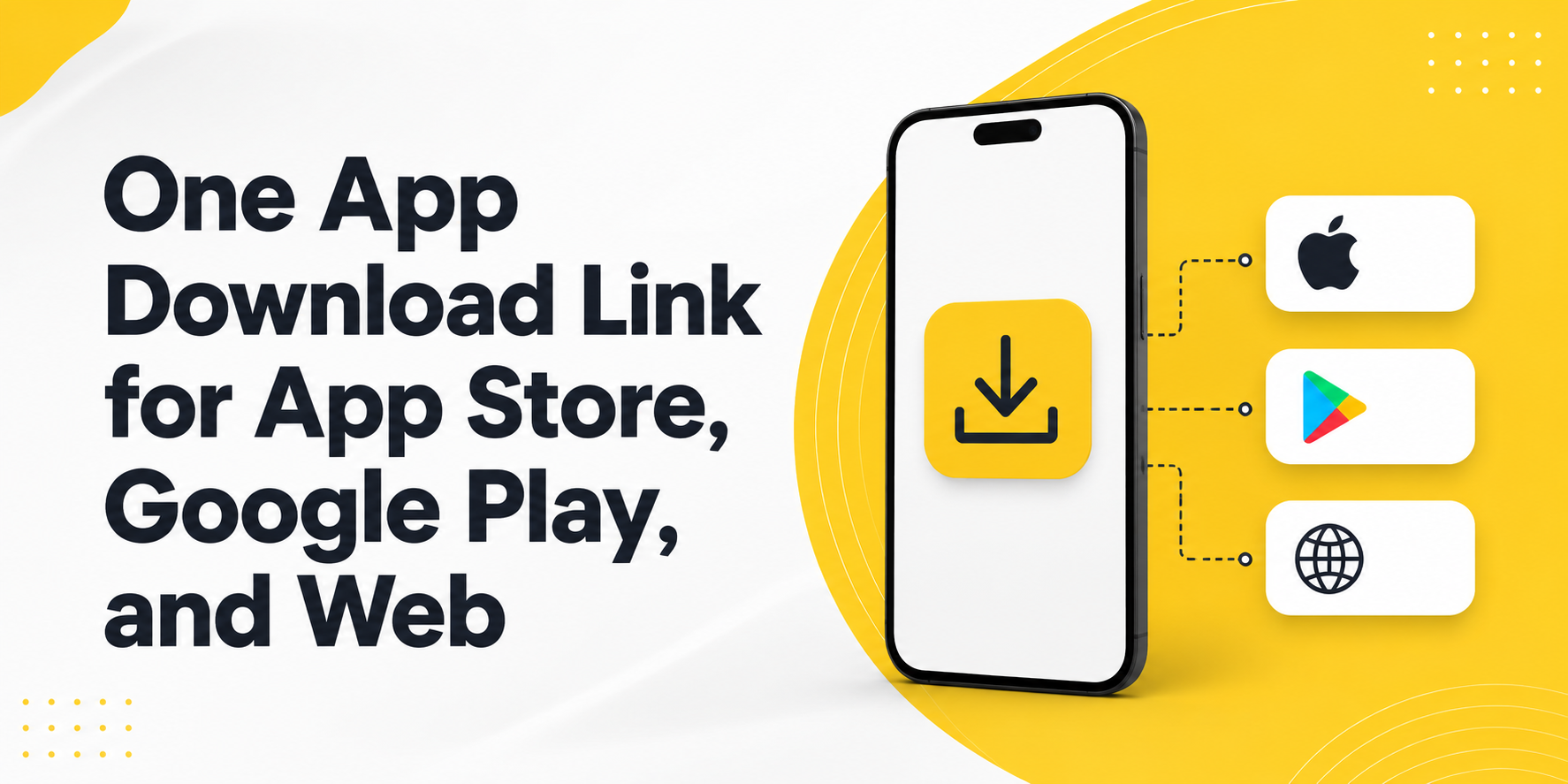
    When someone wants to download your app, the path should feel simple. But many campaigns still use separate links for iOS, Android, and desktop users. That creates friction, confusion, and missed installs. A one app download link solves this by sending each visitor to the right destination automatically: App Store for iPhone users, Google Play for Android users, and a web page for desktop visitors.

    Why App Download Links Often Create Friction

    A normal app download campaign sounds easy at first. You create an App Store link, a Google Play link, and maybe a website link. Then you place them in ads, QR codes, email campaigns, social posts, and landing pages.

    The problem starts when users arrive from different devices. An iPhone user should not land on a Google Play page. An Android user should not be sent to the App Store. A desktop user may not be ready to install immediately, so sending them directly to a mobile store can feel broken.

    This is where many app campaigns lose momentum. The user is interested, but the link does not match their device. Instead of downloading, they close the page, search manually, or forget about the app.

    The Real Problem Is Not the Link, It Is the Click Journey

    Most teams think about the link as a URL. Users experience it as a journey. They see a post, tap a button, scan a QR code, or click an ad. After that, they expect the next page to make sense instantly.

    If the journey feels wrong, trust drops. A user may wonder if they clicked the wrong link. They may think the app is not available for their device. They may decide the process is too much work.

    A better app download link removes that decision from the user. The link should understand the visitor’s device and send them to the most useful next step.

    One App Download Link for App Store, Google Play, and Web

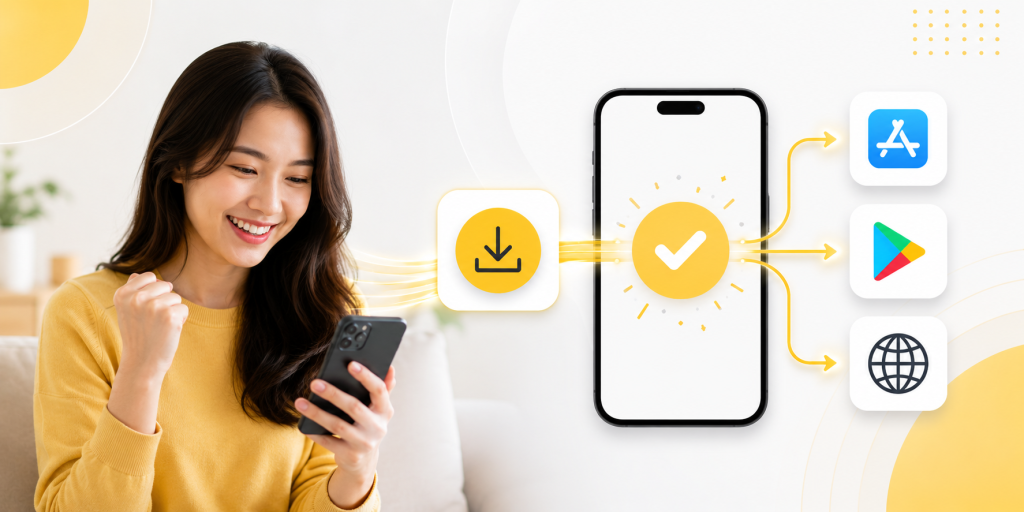
    A one app download link gives your campaign one clean URL that works across different devices. Instead of showing separate buttons everywhere, you promote one link.

    For example, the same link can send iPhone users to the App Store, Android users to Google Play, and desktop users to your website or app landing page. This makes your campaign easier to share and easier to manage.

    It is especially useful for social media bios, influencer campaigns, QR codes, printed flyers, email newsletters, and paid ads. You do not need to guess which device the user will use. The link handles the routing.

    Practical Places Where One Link Works Better

    A single app download link is useful anywhere your audience may come from mixed devices.

    • Social media bio: Use one link instead of asking users to choose between iOS and Android.
    • QR code campaign: Print one QR code on posters, packaging, menus, or event materials.
    • Paid ads: Send all mobile traffic through one clean campaign link.
    • Influencer posts: Give creators one link that works for every follower.
    • Email campaigns: Let desktop users visit a landing page while mobile users go to the right store.
    • Offline marketing: Avoid printing separate QR codes for App Store and Google Play.

    This is not only cleaner for users. It is also easier for your team because one campaign link can be reused across channels.

    Common Mistakes That Reduce App Installs

    Many app campaigns fail because the link setup is too manual. The campaign may look polished, but the download path still feels messy.

    A common mistake is placing two store buttons in every campaign. This works on a website, but it is not ideal for social bios, QR codes, short-form videos, or printed materials. Another mistake is using only one store link, which can exclude half of your mobile audience.

    Some teams also forget desktop users. A desktop visitor may not want to open a mobile app store page. A better fallback is a landing page with app details, screenshots, and store buttons.

    The goal is simple: every user should feel like the link was made for their device.

    How Smart Routing Improves the Download Experience

    Smart routing means the link checks useful signals, such as device type or operating system, before sending the user to a destination. The user does not need to choose manually.

    For app campaigns, this is powerful because the best destination depends on the visitor. iOS users need the App Store. Android users need Google Play. Desktop users often need a web page. Some campaigns may also need different pages by country, language, or campaign source.

    This helps reduce wasted clicks. It also creates a more professional experience because the link feels intentional from the first tap.

    What to Track After Someone Clicks

    A good app download link should not only redirect users. It should also help you understand performance. Click tracking can show which channels bring attention, which campaigns perform better, and where users are coming from.

    For example, you may find that Instagram brings many clicks but few serious users. You may discover that QR codes at events perform better than expected. You may also learn that desktop traffic needs a stronger landing page before users install later.

    Without tracking, every campaign feels like a guess. With tracking, you can improve the path from click to download.

    What a Better App Link Setup Should Include

    Before promoting your app, your link setup should be clear and flexible.

    • iOS destination: Send iPhone and iPad users to the App Store.
    • Android destination: Send Android users to Google Play.
    • Desktop fallback: Send laptop and desktop visitors to a web landing page.
    • Clean short URL: Make the link easy to share in bios, ads, and offline materials.
    • QR code support: Use the same routing logic for printed campaigns.
    • Analytics: Track clicks by campaign, channel, device, or location when available.

    With itlink.to, you can create a smart link for app campaigns and use it as one clean destination across App Store, Google Play, and web traffic.

    Conclusion: Make the Download Path Feel Effortless

    A one app download link makes your app campaign easier for users and easier for your team. Instead of managing separate links for iOS, Android, and desktop, you can promote one clean URL that sends people to the right place.

    This matters because app installs often depend on small moments. A user taps because they are interested. If the next step is confusing, you may lose them. If the next step is clear, they are more likely to continue.

    Create one smart app download link with itlink.to and give every user a smoother path to install your app.

    References

  • How to Create One QR Code for App Store and Google Play

    How to Create One QR Code for App Store and Google Play

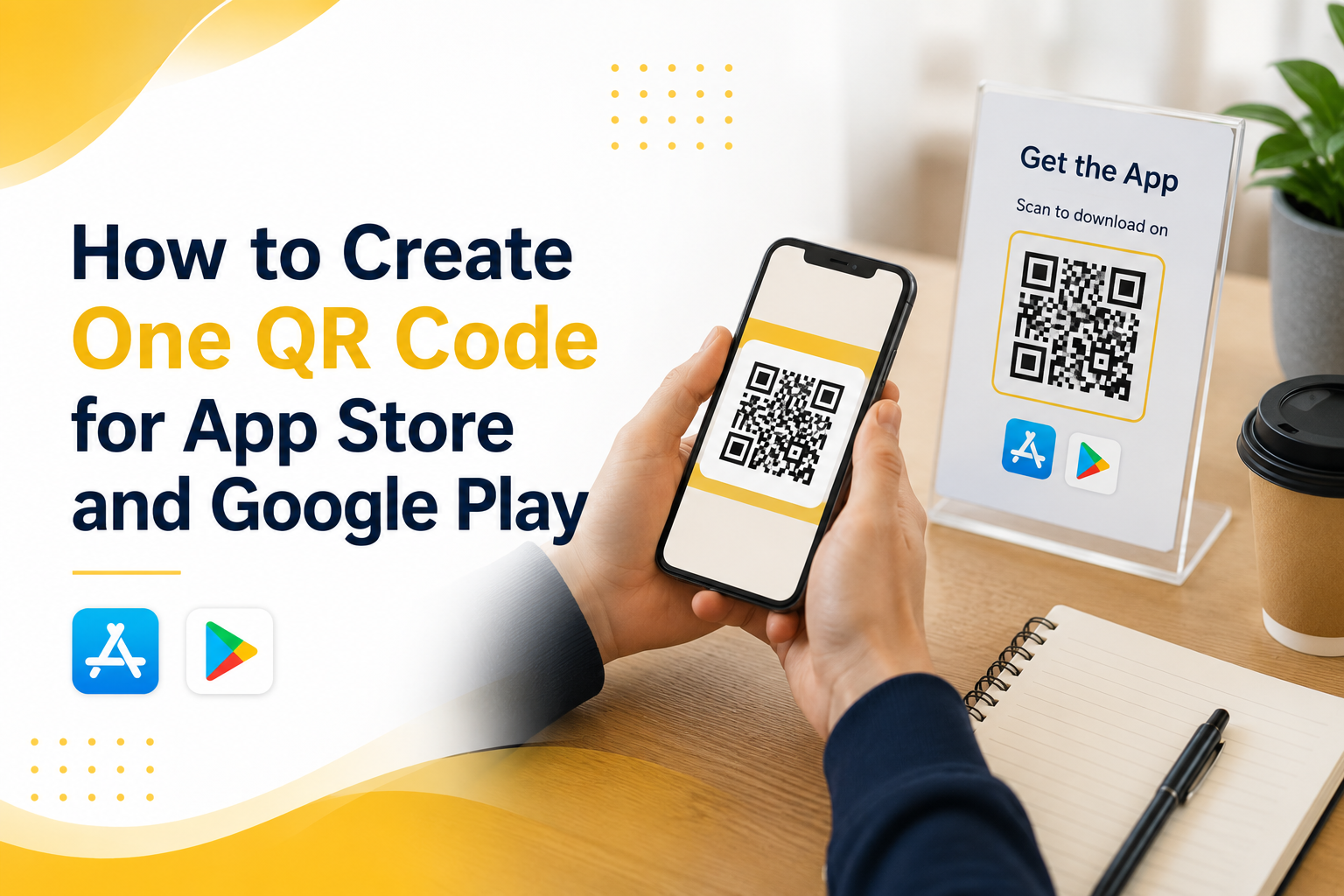
    If you are promoting a mobile app, using one app QR code for both the App Store and Google Play is much cleaner than printing two separate QR codes. The problem is simple: iPhone users need one destination, Android users need another, and desktop users may need a landing page instead. A normal QR code cannot make that decision by itself. It only opens one link.

    That is why many app campaigns fail before users even reach the download page. A QR code on a poster, product package, event booth, restaurant table, or social media graphic may look simple, but behind that code you need a link that understands the user’s device. When someone scans from an iPhone, they should go to the App Store. When someone scans from Android, they should go to Google Play. When someone opens it from a laptop, they should see a useful web page instead of a broken mobile store link.

    This guide explains how to create one QR code for App Store and Google Play without confusing users, wasting printed materials, or sending people to the wrong place.

    Why One QR Code Is Better Than Two Store QR Codes

    Two QR codes may seem like the easiest solution at first. One says “Download on the App Store” and the other says “Get it on Google Play.” That works on a clean landing page, but it becomes messy in real-world marketing.

    On a poster, flyer, booth banner, table tent, event screen, or product insert, users do not want to study two codes. They want to scan once and get the app. If they scan the wrong QR code, they may land on a store page that does not work for their device. That creates friction at the exact moment they were interested.

    One QR code also makes your design cleaner. You have more space for your headline, app benefit, product image, or call to action. Instead of explaining which code to scan, you can simply say “Scan to download the app.”

    The real advantage is control. When one QR code points to a smart routing link, you can update destinations later without reprinting the QR code. If your App Store URL changes, your Play Store URL changes, or you want desktop users to visit a campaign landing page, you can update the routing behind the link.

    The Problem With a Normal QR Code

    A normal QR code only stores one destination URL. It does not know whether the person scanning it uses iPhone, Android, tablet, or desktop. If you create a QR code directly from your App Store URL, Android users will not get the right experience. If you create it from your Google Play URL, iPhone users will not get the right experience.

    This is not a QR code design problem. It is a destination problem. The QR code is only the doorway. The link behind it decides where people go.

    For a mobile app campaign, the best setup is not “QR code to App Store” or “QR code to Google Play.” The better setup is “QR code to one smart link.” That smart link then routes users based on their device.

    This matters most for offline marketing. Once you print a QR code on a poster, packaging, business card, brochure, or event banner, changing it is expensive. If the QR code points directly to the wrong store URL, you cannot fix it without replacing the printed material.

    How an App QR Code Should Work

    A proper app QR code should feel simple to the user, even if the routing logic behind it is smarter. The user scans the code, opens the link, and lands in the correct place.

    The best flow usually looks like this:

    • iPhone users scan the QR code and go to the App Store.
    • Android users scan the QR code and go to Google Play.
    • Desktop users scan or open the same link and go to a website, landing page, or app download page.
    • The marketing team uses one QR code across posters, events, packaging, social media, and ads.
    • The link owner can update destinations later without changing the printed QR code.

    This is what makes a mobile app QR code different from a basic QR code. The QR code itself is not the smart part. The smart part is the link behind it.

    How to Create One QR Code for App Store and Google Play

    To create one QR code for App Store and Google Play, start by creating one routing link instead of creating a QR code directly from either store URL. The routing link becomes the single destination behind your QR code.

    First, prepare your App Store URL and Google Play URL. These should be the final public store listing links, not temporary testing links or internal developer links. Then choose a desktop fallback URL. This can be your app website, pricing page, product page, campaign landing page, or a simple page that explains how to download the app.

    Next, create a smart routing link that sends iOS users to the App Store, Android users to Google Play, and desktop users to your fallback page. After that, generate a QR code from the smart routing link.

    This is the key idea: do not generate the QR code from the App Store link or the Google Play link directly. Generate it from the one link that controls both destinations.

    Common Mistakes That Break App Download QR Codes

    Many app QR code campaigns fail because the setup looks correct on paper but is not tested across real devices. The QR code scans, but the user experience is still broken.

    A common mistake is testing only on the device used by the marketing team. If the person creating the campaign uses an iPhone, they may scan the QR code, see that it opens the App Store, and assume everything works. But Android users may still be sent to the wrong place.

    Another mistake is using a generic website page as the only destination. This may work, but it adds extra steps. If the user scans from iPhone, they should not have to tap another App Store button unless there is a strong reason for that intermediate page.

    A third mistake is printing the QR code before testing it in real conditions. Test it from iPhone, Android, desktop, mobile data, Wi-Fi, Instagram in-app browser, and camera app scanning. Small differences in browser behavior can affect the user journey.

    The biggest mistake is treating the QR code as permanent while treating the destination as fixed. In reality, the printed QR code may stay in the world for months. Your store URLs, app campaign, or landing page may change before then.

    Practical Examples for Real App Campaigns

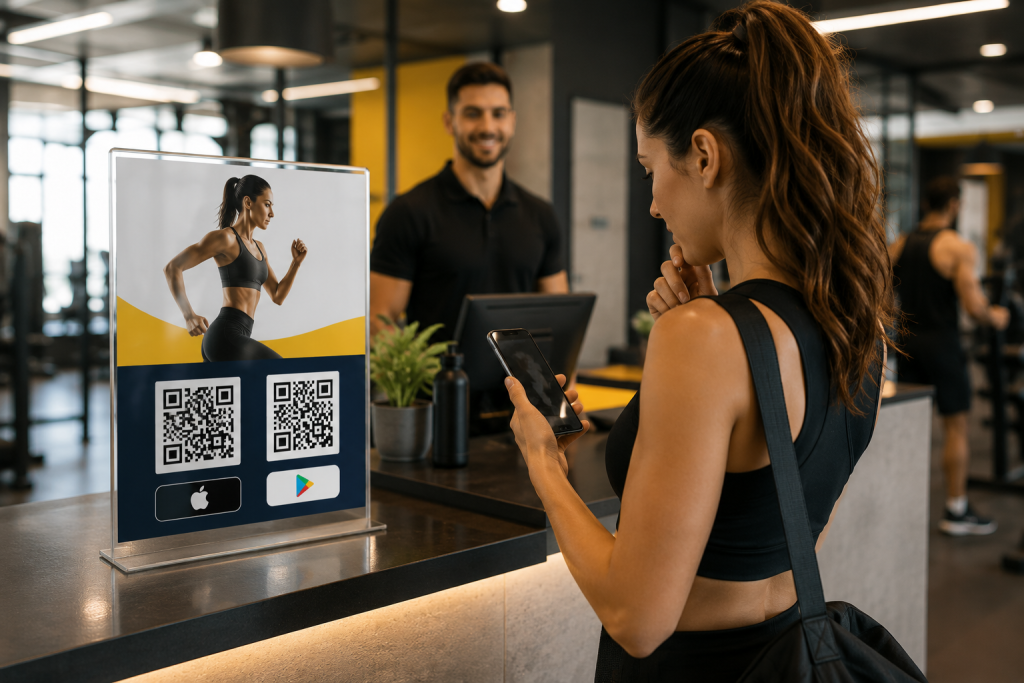
    Imagine a fitness app promoting downloads inside a gym. A poster near the front desk says “Scan to start your training plan.” If the poster has two QR codes, users must stop and choose. If it has one QR code, the action is obvious. iPhone users go to the App Store, Android users go to Google Play, and desktop visitors can land on the fitness app website.

    The same applies to restaurant apps, loyalty apps, event apps, travel apps, booking apps, and community apps. A single QR code works better when the user is in a hurry or scanning in a physical environment.

    For influencer campaigns, one QR code is also easier to share in visual content. A creator can show one code on screen or include one short link in the caption. The same route can support different devices without making the creator explain which store link to use.

    For paid ads and offline campaigns, one smart app QR code also makes reporting cleaner. Instead of splitting attention across multiple links, you can focus on one campaign entry point and understand how people interact with it.

    What to Check Before You Publish the QR Code

    Before you place your QR code on a poster, package, flyer, event booth, or social media creative, test the full user journey. Do not only check whether the QR code scans. Check whether it sends each user to the right destination.

    Use this checklist before publishing:

    • Scan the QR code with an iPhone and confirm it opens the App Store listing.
    • Scan the QR code with an Android phone and confirm it opens the Google Play listing.
    • Open the same link on desktop and confirm it shows a useful fallback page.
    • Test from different QR scanners, including the default camera app.
    • Make sure the QR code has enough contrast and quiet space around it.
    • Print a small test version before printing a large batch.
    • Confirm the call to action is clear, such as “Scan to download the app.”

    The goal is to remove doubt. A user should not need to think about their device, choose between two codes, or understand how routing works. They should only scan and continue.

    Where itlink.to Fits Into This Setup

    itlink.to can help you create one smart app download route for this exact use case. With One Route, you can set one link that sends iPhone users to the App Store, Android users to Google Play, and desktop users to a website or landing page.

    That one route can then be used behind your QR code, in your Instagram bio, on event banners, in influencer campaigns, on packaging, or in paid ads. Instead of managing separate links for every device, you manage one link and let the route handle the destination.

    This is especially useful when your campaign is already printed or shared publicly. If you need to update the store link or fallback page later, you can adjust the route instead of replacing the QR code everywhere.

    For app marketers, founders, creators, and small teams, this keeps the campaign simple without forcing users through the wrong store.

    Conclusion: Build One App QR Code That Works Everywhere

    The best app QR code is not just a code that scans. It is a code that sends every user to the right place. If your app is available on both the App Store and Google Play, one QR code should handle both paths automatically.

    Use a smart routing link as the destination behind your QR code. Send iPhone users to the App Store, Android users to Google Play, and desktop users to a useful landing page. Test the full flow before printing or publishing, and avoid locking your campaign into one store URL.

    If you want to create one app QR code for App Store and Google Play, use One Route by itlink.to to build a clean cross-device app download link, then turn that link into a QR code for your campaign.

    Create your One Route link here

    References

  • App Download Link Not Working on iPhone: Common Causes and Fixes

    App Download Link Not Working on iPhone: Common Causes and Fixes

    When your iPhone app download link does not work, the problem can be frustrating because the same campaign link may work perfectly on Android, desktop, or even another iPhone. One user taps the link and reaches the App Store correctly. Another user gets stuck in an in-app browser, lands on the wrong page, sees a blank screen, or never reaches the install page at all.

    This is a serious problem for app marketers, founders, creators, and product teams. A broken app download experience can waste ad spend, reduce installs, hurt QR code campaigns, and make users lose trust before they even try your app.

    Most iPhone app download link problems are not random. They usually come from a few clear issues: the App Store URL is wrong, the redirect path is too complicated, Universal Links are taking over unexpectedly, the link behaves differently inside social media apps, or the campaign does not route iPhone, Android, and desktop users to different destinations.

    This guide explains the most common causes and practical fixes so you can find where the link is breaking and make your download campaign work more reliably.

    Why Your App Download Link Works on Android but Fails on iPhone

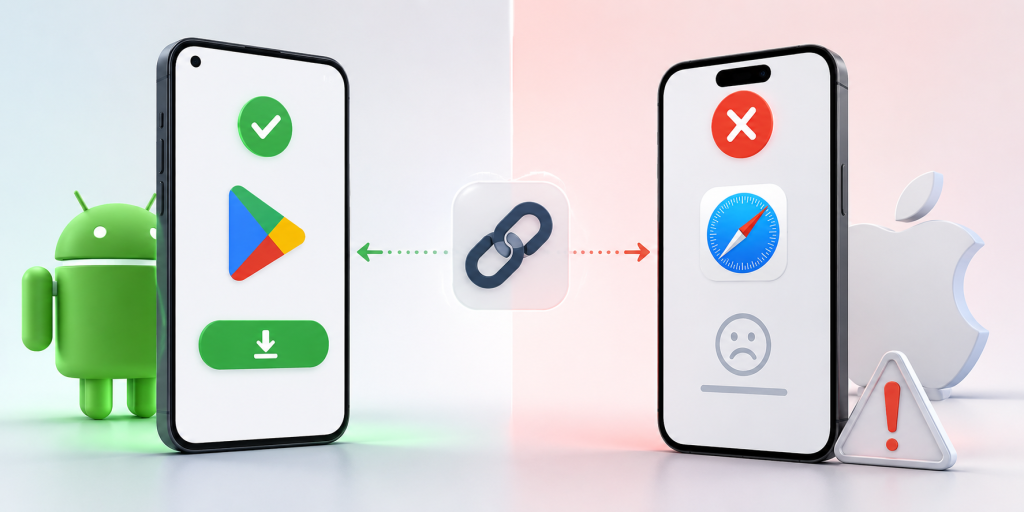
    One of the most confusing situations is when your download link works on Android but fails on iPhone. This usually happens because Android and iOS do not handle app store links, redirects, and in-app browsers in exactly the same way.

    For example, an Android user may tap your campaign link and go straight to Google Play. An iPhone user may tap the same link from Instagram, but instead of opening the App Store, the link stays inside Instagram’s browser or opens a blank redirect page. From the user’s point of view, the link is broken.

    In many cases, the link itself is not fully broken. The problem happens somewhere between the click and the final destination. The issue might be a URL shortener adding an extra redirect, a tracking tool sending the user through several URLs, a Universal Link opening the website instead of the App Store, or an App Store link copied from the wrong place.

    A simple way to think about the journey is this: the user taps or scans the link, the link redirects, the system detects the device, and the user reaches the App Store page. If any step fails, the whole experience feels broken.

    How to Tell Whether the Problem Is the Link, the App Store, or iOS

    Before changing your whole campaign setup, identify where the issue is actually happening. Many teams blame Apple or the App Store too early when the real problem is the link path.

    Start by opening the final App Store URL directly on an iPhone in Safari. Do not test the short link first. Use the direct iOS App Store link that should open your app listing. If the direct App Store link fails, the problem is probably the destination URL, app availability, country setting, or App Store listing itself.

    If the direct App Store link works, test the short link or campaign link in Safari. If it fails there, the problem is likely your redirect setup, tracking parameters, short link tool, or landing page logic.

    If the campaign link works in Safari but fails inside Instagram, TikTok, Facebook, LinkedIn, email, SMS, or another app, the issue is likely related to in-app browser behavior. Some apps open links inside their own browser first, and that can affect redirects, Universal Links, and the handoff to the App Store.

    This step-by-step testing saves time because it separates the final destination problem from the campaign link problem.

    The First Thing to Check Before Blaming Apple

    The first thing to check is the App Store URL format. A surprising number of iPhone download issues come from using the wrong kind of App Store link.

    A direct App Store listing link is usually more reliable than a search result link, a preview link, or a link copied from an internal tool. If your URL sends users to a search page instead of the app listing, the result may vary depending on country, language, device, and App Store availability.

    Another common mistake is copying a link with too many extra parameters. Tracking parameters are useful, but they can sometimes make troubleshooting harder. When testing, use the cleanest version of the App Store URL first. Confirm that it opens the correct app listing on a real iPhone.

    Also check whether the app is available in the country where the user is testing. If your app is not available in that App Store region, the link may look broken even when the URL format is technically correct.

    Do this before reviewing Universal Links, short links, QR codes, or campaign tools. If the final App Store URL is wrong, every link built on top of it will also fail.

    Why Universal Link Not Working Issues Can Break Download Campaigns

    Universal Links are useful when you want an iOS link to open your app if it is already installed. But they can create confusion when your main goal is to send new users to download the app.

    A Universal Link may open the installed app, open a webpage, or fail to open the expected destination depending on the app configuration, domain association, user device, and previous user behavior. If the Apple App Site Association file is missing, invalid, blocked, or configured incorrectly, the Universal Link may not behave as expected.

    The problem becomes more obvious in download campaigns. A new user who does not have the app installed needs to reach the App Store. But if the link is designed mainly as a Universal Link, the fallback experience may send that user to a website instead of the install page.

    This is why “universal link not working” is often not just a developer issue. It can become a marketing issue when paid ads, QR codes, influencer links, and social media bios depend on that link to drive installs.

    If your campaign goal is app downloads, make sure your link has a clear path for new iPhone users. Opening the app for existing users is useful, but new users still need a reliable App Store destination.

    Real Examples of iPhone Download Links Breaking

    In a social media bio campaign, a creator may place one short link in an Instagram profile. Android users tap the link and reach Google Play correctly, but iPhone users stay inside Instagram’s browser and never reach the App Store. The team may think the short link is broken, but the real issue may be how the redirect behaves inside the in-app browser.

    In a QR code campaign, a restaurant, event booth, or retail store may print one QR code on physical materials. If that QR code points directly to Google Play, Android users can install the app, but iPhone users land on the wrong store. If the QR code points only to the App Store, Android users have the same problem in reverse.

    In a paid ads campaign, a Facebook or TikTok ad may receive mixed traffic from iPhone, Android, and desktop users. If the ad uses only an iOS App Store link, iPhone users may be fine, but Android and desktop visitors will have a poor experience. If the ad uses only a homepage link, mobile users may need extra taps before they can install.

    In an email campaign, the link may work on desktop but fail on mobile because the email client opens the link through a tracking redirect first. By the time the user reaches the final destination, the device detection or App Store handoff may not work as expected.

    These examples show why testing only the final URL is not enough. You need to test the full user journey from the exact place where users will click.

    Fix Redirect and Short Link Problems

    Redirects are often necessary for tracking and analytics, but too many redirects can make an iPhone app download link unreliable. Every extra step increases the chance that Safari, an in-app browser, or a tracking system will interrupt the flow.

    A weak redirect path may look like this: short link, tracking URL, campaign URL, landing page redirect, device detection redirect, then App Store. That may still work on desktop, but it can become slow or unpredictable on iPhone.

    A better path is much simpler. The user taps one campaign link, the link detects the device, and iPhone users go directly to the App Store. Android users go to Google Play. Desktop users go to a useful landing page.

    Do not stack multiple tools unless you really need to. If your short link tool, analytics tool, landing page builder, and app routing logic all add their own redirects, the user experience becomes harder to control.

    When troubleshooting, remove unnecessary redirect steps and test again. If the link starts working after simplifying the path, the problem was not the App Store. It was the route to the App Store.

    Make Sure Each Device Has the Right Destination

    Many app download links fail because the campaign uses one destination for every visitor. That sounds simple, but it does not match how users actually behave.

    A good app campaign needs different destinations:

    • iPhone users should go to the Apple App Store.
    • Android users should go to Google Play.
    • Desktop users should go to a landing page with app information.
    • QR code users should follow the same device-based routing.
    • Unsupported devices should reach a fallback page instead of an error.
    • Campaign clicks should still be tracked for analytics.

    This matters because your audience is usually mixed. A QR code at an event may be scanned by iPhone and Android users. A social media bio may be opened from mobile and desktop. A paid ad may receive traffic from multiple devices in the same campaign.

    This is where smart routing becomes useful. Instead of creating separate links for each device, you can use one link that sends each visitor to the correct destination. For example, itlink.to One Route helps you create a single campaign link that can send iPhone users to the App Store, Android users to Google Play, and desktop users to a landing page.

    Test the Full Journey Before Launching

    Testing should happen before your link appears in ads, social profiles, printed QR codes, packaging, event materials, or influencer posts. Once a broken link is published, you may lose installs before you notice the problem.

    Test your direct App Store URL first. Then test your short link or campaign link on a real iPhone in Safari. After that, test the same link from the real channels where users will click it, such as Instagram, TikTok, Facebook, LinkedIn, email, SMS, and QR code scans.

    Also test Android and desktop behavior. Android users should not be sent to the Apple App Store. Desktop users should not be left on a mobile-only store page with no explanation. They should land on a page that explains the app and gives them a clear next step.

    After testing the destinations, check your analytics. Look at device data, browser data, locations, and click logs. If you see iPhone clicks but very few installs, review the redirect path and final App Store URL again.

    Good testing does not need to be complicated. It just needs to match the real user journey.

    How to Prevent This Problem in Future Campaigns

    The best way to prevent iPhone app download link problems is to avoid building fragile campaign flows. A link should not depend on too many redirects, unclear fallbacks, or manual device instructions.

    Create one clean campaign link for each major campaign. Define the iPhone destination, Android destination, desktop destination, and fallback destination before publishing. Then use that same link in your QR code, social bio, paid ads, email campaign, and printed materials.

    This reduces copy-paste mistakes and makes performance easier to track. Instead of checking several different links, you only need to monitor one campaign link and its analytics.

    It also makes your campaign easier to update. If your App Store URL changes or your landing page needs improvement, you can update the destination behind the link instead of replacing every QR code, ad URL, or social media bio link manually.

    For app download campaigns, reliability is part of conversion optimization. The fewer steps users need to take, the more likely they are to reach the correct install page.

    If your app download link is not working on iPhone, do not assume Apple is the problem. Most issues come from incorrect App Store URLs, Universal Link behavior, in-app browser limitations, unnecessary redirects, missing fallbacks, or campaigns that send every device to the same destination.

    The fix is to simplify the route. iPhone users should reach the App Store quickly. Android users should reach Google Play. Desktop users should reach a helpful landing page. QR code and social media users should get the same reliable experience.

    Before launching your next app campaign, test the full journey on real devices and real channels. If you want one link that automatically sends users to the right destination by device, create your One Route link with itlink.to here

    References

  • Best Branch.io Alternative for Startups (No Enterprise Pricing)

    Best Branch.io Alternative for Startups (No Enterprise Pricing)

    Finding the right branch.io alternative is not always about replacing every advanced feature Branch.io offers. For many startups, the real problem is much simpler: you need one link that works correctly when someone clicks from an iPhone, Android device, desktop browser, social media app, email campaign, or QR code.

    Imagine you are launching a new mobile app. You add your App Store link to Instagram, but Android users cannot download the app from that link. Then you add a Google Play link too, but now your profile looks messy. You print a QR code for an event, but you are not sure whether it should point to the App Store, Google Play, or your website. This is the moment many teams start searching for Branch.io, deep links, smart links, and app routing tools.

    Branch.io is powerful, especially for larger companies that need deep linking, attribution, and enterprise-level mobile growth infrastructure. But if your startup mainly needs clean app download routing, you may not need a full enterprise platform yet. You may need a simpler, free tool that helps you send the right user to the right destination.

    Why Startups Search for a Branch.io Alternative

    Startups usually search for a Branch.io alternative when their marketing becomes more serious than a single app store link. At first, a founder may simply share the App Store URL with friends, early users, or beta testers. That works until the audience becomes mixed.

    A creator campaign may send traffic from both iPhone and Android users. A paid ad may be opened inside Instagram, TikTok, or a mobile browser. A QR code at a booth may be scanned by hundreds of people using different devices. A desktop visitor may click the same link from an email newsletter and expect to see a proper landing page instead of a mobile-only app store screen.

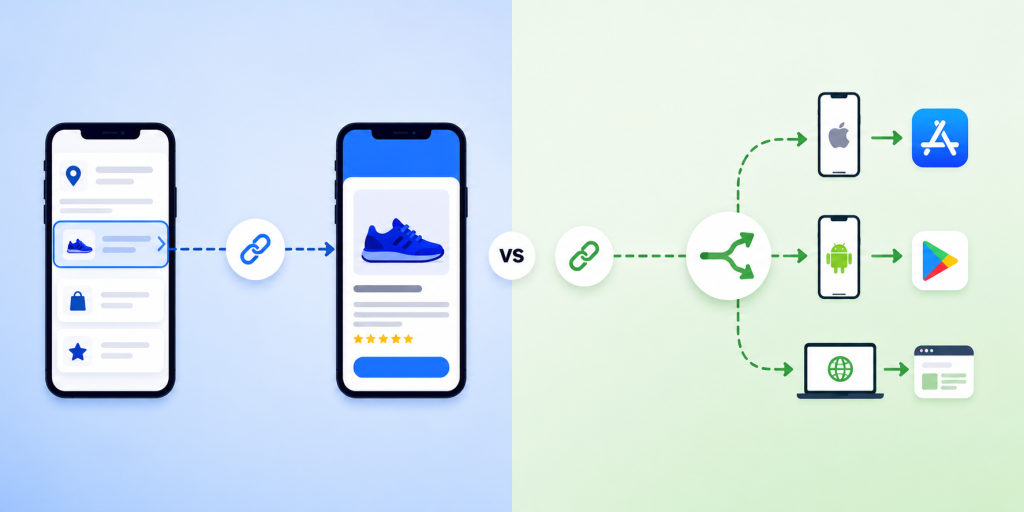
    The problem is not just link shortening. The problem is routing. A normal short link can make a long URL cleaner, but it does not automatically know whether the visitor should go to the App Store, Google Play, or a desktop page. That is why startups begin looking for smart routing tools.

    The best solution depends on the stage of the business. A funded growth team running advanced attribution may need an enterprise platform. A small startup trying to launch faster may need something simpler, easier, and more affordable.

    The Real Question: Do You Need Deep Linking or Smart Routing?

    Many startups use the word “deep linking” when they actually mean “send users to the correct download page.” These are related, but they are not the same problem.

    Deep linking is useful when the user already has your app installed and you want to open a specific place inside the app. For example, a travel app might open a hotel detail page, a fitness app might open a workout program, or a shopping app might open a product page.

    Smart routing is different. It is mainly about deciding where a visitor should go based on their device. If the visitor is on iPhone, send them to the Apple App Store. If they are on Android, send them to Google Play. If they are on desktop, send them to your website or landing page.

    For many startups, smart routing is the first real need. They are not yet trying to build complex in-app journeys. They are trying to stop wasting clicks. If someone is ready to download your app, the link should not send them to the wrong store.

    Choosing a full enterprise deep linking platform before you need it can slow down the team. It can create extra setup, extra technical decisions, and extra cost before the campaign has even proven itself.

    When Branch.io Makes Sense

    Branch.io can make sense for companies that need more than simple app download routing. If your team is running large paid acquisition campaigns, managing complex attribution, working across multiple product flows, or sending users into specific in-app screens, Branch.io may be a strong option.

    It is especially relevant when mobile attribution is a major part of your growth operation. Larger teams may need advanced analytics, integrations, campaign measurement, deferred deep linking, and more technical control over user journeys.

    That level of functionality is valuable, but it is not always necessary for a startup’s first app launch campaign. A small team may not have a dedicated growth engineer. The marketing owner may simply need to create one clean link for Instagram, QR codes, influencer campaigns, and ads.

    This is where the decision becomes practical. The question is not “Is Branch.io good?” The better question is “Do we need this level of platform right now?”

    If the answer is no, a lighter smart routing tool may be a better fit.

    Where Startups Often Overpay or Overcomplicate

    A common mistake is buying or implementing a tool based on what the company might need later, instead of what the campaign needs now. This can happen when a startup reads about deep linking, attribution, and mobile growth stacks, then assumes it must set everything up before launch.

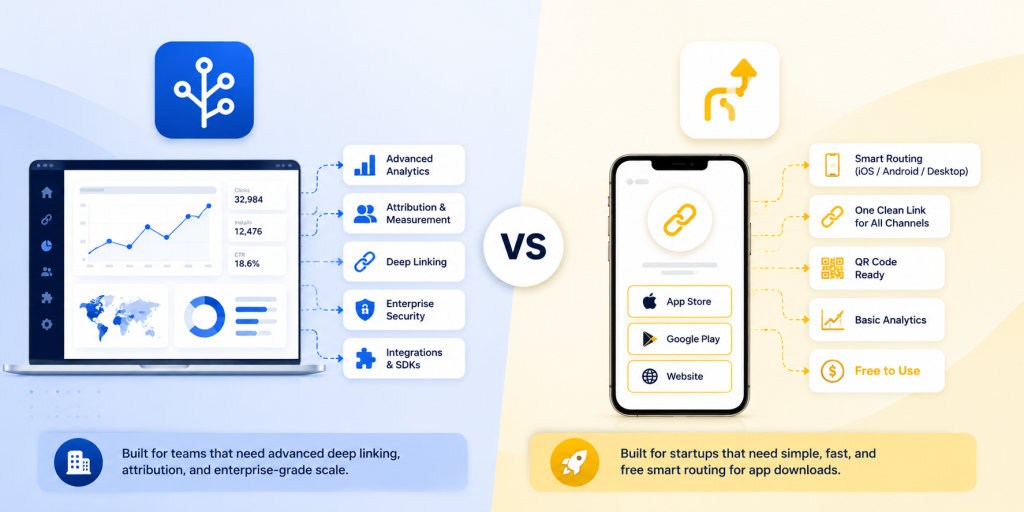
    In reality, many early campaigns need only a few things: one clean link, correct device routing, a desktop fallback, basic analytics, and the ability to update destinations. That is enough for many app launch campaigns, event campaigns, creator promotions, and QR code tests.

    Overcomplication creates hidden costs. The team spends more time understanding settings. Developers may need to support setup. Marketers wait for implementation. Campaigns get delayed. In the worst case, the startup pays for a sophisticated system while still using only the most basic feature: sending people to the correct app store.

    A simple setup is not a weakness. For an early-stage team, speed is often more valuable than complexity. If you can launch a campaign today, test it, and see which channels bring clicks, that is already useful progress.

    What a Startup-Friendly Branch.io Alternative Should Include

    A good Branch.io alternative for startups should focus on the job your team is trying to complete. If the main job is app download routing, the tool should make that easy without forcing you into unnecessary enterprise workflows.

    Look for these essentials:

    • Device-based routing for iPhone, Android, and desktop visitors.
    • One clean short link for campaigns, bios, QR codes, and ads.
    • App Store, Google Play, and desktop fallback destinations.
    • Easy editing so you can update destinations without changing the shared link.
    • Basic analytics for clicks, devices, browsers, and locations.
    • QR code support for offline and event marketing.
    • Simple setup that a founder, marketer, or product manager can understand.
    • Free or startup-friendly pricing so you can test before committing budget.

    The most important point is usability. If the tool is technically impressive but your team avoids using it, it will not help your campaign. A good startup tool should make the next step obvious.

    Branch.io vs One Route by itlink.to: A Practical Comparison

    Branch.io and One Route are not trying to solve the exact same level of problem. Branch.io is a broader mobile linking and attribution platform. One Route is focused on smart routing for app download and campaign links.

    For a large company, Branch.io may be the stronger choice if the team needs deep linking into app screens, advanced attribution, enterprise integrations, and detailed mobile growth infrastructure.

    For a startup, One Route may be the better choice if the immediate goal is simpler: create one link that sends iPhone users to the App Store, Android users to Google Play, and desktop users to a website or landing page.

    This distinction matters because many startups do not need every advanced feature on day one. They need a link that works, is easy to share, and does not confuse users.

    For example, if you are running a launch campaign with a small budget, you may only need to know whether people clicked, what device they used, and whether your link experience worked correctly. You do not necessarily need a full attribution system before your first real growth test.

    That is why itlink.to’s One Route can be a practical option. It gives startups a free way to create smart routing links without jumping straight into enterprise pricing or complex setup.

    Real Campaign Examples Where Smart Routing Wins

    Smart routing becomes most useful when one link needs to work across many environments. A startup rarely controls where people will open a link. The same campaign URL might appear in a social bio, a QR code, a newsletter, a pitch deck, a blog article, and a paid ad.

    Useful examples include:

    • An app launch page where the main CTA should work for both iPhone and Android users.
    • An Instagram bio link where there is only room for one clean download link.
    • A QR code on posters, flyers, event booths, receipts, packaging, or table cards.
    • An influencer campaign where each creator needs one simple trackable link.
    • A paid ad campaign where users may open the link inside mobile app browsers.
    • A newsletter where desktop users should see a landing page instead of a mobile store.
    • A product demo or pitch deck where investors, partners, and users may click from different devices.

    In each case, the user should not have to think. They should click once and land in the right place. That is the whole value of smart routing.

    Common Mistakes to Avoid Before Launching Your App Link

    The first mistake is using only the App Store link everywhere. This immediately creates a bad experience for Android users. The second mistake is adding both App Store and Google Play links everywhere, which makes campaigns look cluttered and forces users to choose manually.

    Another mistake is forgetting the desktop fallback. Not every click comes from a phone. If someone opens your app link from a laptop, they should land on a clear page that explains the app and gives them a way to continue.

    Startups should also test links inside social media apps. Instagram, TikTok, Facebook, LinkedIn, and X may open links inside in-app browsers. A link that works perfectly in Safari or Chrome should still be tested in the places where users will actually click.

    Finally, do not print QR codes until you have tested the routing. A broken printed QR code is painful because you cannot edit the paper after it is distributed. Use a smart link behind the QR code so the destination can be updated later if needed.

    One Route is a good fit if your startup needs smart app routing, not a full enterprise deep linking platform. It helps you use one clean link to send iPhone users to the App Store, Android users to Google Play, and desktop visitors to your website or landing page.

    This makes it useful for app launches, QR code campaigns, influencer promotions, paid ads, social media bios, and email marketing. The biggest advantage is that itlink.to is free, so you can test app download routing before committing to a larger platform.

    Branch.io may still be better for advanced deep linking, enterprise attribution, and complex mobile growth workflows. But if your main goal is simple app download routing, One Route is a faster and easier starting point.

    Create your first free smart routing link here: https://itlink.to/#one-route

    References

    • Apple Developer – Universal Links Official Apple documentation explaining how links can route users into apps and web destinations across Apple devices.
    • Android Developers – App Links Official Android documentation covering app links, deep linking behavior, and user routing on Android devices.
    • Branch – Deep Linking Explained A comprehensive guide breaking down the mechanics of mobile deep linking, deferred deep linking, and industry best practices.
    • itlink.to One Route A smart routing solution that detects device types to automatically redirect iPhone users to the App Store, Android users to Google Play, and desktop visitors to a custom landing page via a single link.

  • How to Create One Link for App Store and Google Play

    How to Create One Link for App Store and Google Play

    You launch an app, share the download link, and immediately run into a simple problem: iPhone users need the App Store, Android users need Google Play, and desktop users need somewhere useful to go. Posting two separate links works on a full landing page, but it gets messy fast in a social bio, QR code, email button, ad, or influencer caption. A one link for app store and google play setup fixes this by giving people one URL that sends them to the correct destination automatically. This guide shows how that setup works, where to use it, what to test before publishing, and how to avoid the small mistakes that can quietly hurt app downloads.

    The Real Problem Is the Click Path, Not the Store Link

    Most app teams think the problem is simple: “We have two store links.” But the real issue is the path between user interest and download. When someone sees your app in a TikTok bio, event poster, email campaign, or ad, they are usually making a quick decision. If they tap and land somewhere confusing, the moment is gone. If they see two links and have to choose, that is one more step. If they click from desktop and land on a page built only for mobile users, the journey breaks. A good app link should reduce thinking. The user should tap once and keep moving.

    Why Two Separate Links Work on Landing Pages but Fail in Campaigns

    Two store buttons are normal on a website because the page has space to explain them. The user can see the app name, screenshots, text, and both download options. In that context, two buttons are fine. Campaign links are different. A social bio gives you very little space. A QR code can only point to one destination. An email CTA should not ask the reader to choose between two buttons when one button is enough. Influencers also prefer one clean link because it is easier to say, paste, and remember. That is why the same link strategy does not work everywhere. On your website, two store buttons may be fine. In campaigns, one smart link is usually cleaner.

    How One App Link Decides Where Each User Should Go

    A device-based app link checks the visitor’s device when the link opens. If the user is on iPhone or iPad, the link sends them to the App Store. If the user is on Android, it sends them to Google Play. If the user is on desktop, it sends them to a fallback page you choose. This is different from a normal short link. A regular short link usually sends everyone to the same destination. A routing link sends different users to different destinations from one shared URL. That difference is what makes one link useful for real campaigns. You can promote the same URL everywhere without asking users which phone they use.

    What to Prepare Before Creating Your Smart Link

    Before setting up the link, gather the destinations and campaign details first. This makes the setup easier and helps you avoid messy redirects later.

    • Apple App Store URL: For your iPhone and iPad users.
    • Google Play Store URL: For your Android users.
    • Desktop Fallback URL: Usually your dedicated app landing page.
    • Campaign Name: Crucial if the link is being used for ads, email tracking, or influencers.
    • Short Readable Slug: Something punchy and easy to type, such as /download or /app.
    • A Quick Test Plan: A checklist to verify iPhone, Android, desktop, and QR scan behavior.

    The fallback page is not optional if you care about desktop traffic. Many people still discover apps from blog posts, press pages, LinkedIn, newsletters, and work laptops.

    What Desktop Users Should See After Clicking

    Desktop visitors should not be treated as failed mobile users. They may still be interested; they are just not on the device where they can install the app immediately. The best fallback is usually a simple app landing page. It can explain what the app does, show App Store and Google Play buttons, include a QR code, and give the visitor a reason to continue. If the app is new, the fallback page can also include screenshots, pricing, a waitlist, or a short product demo. Avoid sending desktop users directly to a mobile store page without context. It often feels awkward and gives you less control over what happens next.

    Where One Link for App Store and Google Play Works Best

    One link for app store and google play is most useful when you cannot predict the device behind the click. That includes almost every public marketing channel.

    • Social Media Bios: Perfect for Instagram, TikTok, X, LinkedIn, and Facebook where character space is limited.
    • Physical Marketing: QR codes on posters, flyers, packaging, booths, tables, and receipts.
    • Paid Ad Campaigns: Ads that receive untargeted, mixed traffic from both iOS and Android users.
    • Email Marketing: Newsletters and campaigns that are opened fluidly across phones, tablets, and desktops.
    • Influencer Partnerships: Captions where a single, clean CTA performs better than a mess of multiple links.
    • PR & Media: Blog posts, launch announcements, and press mentions.
    • Customer Support: Quick replies where the team should not need to ask, “Are you on iPhone or Android?” before sending a link.

    The more places your link appears, the more valuable a single routing link becomes.

    Common Mistakes That Quietly Reduce Downloads

    The most common mistake is using a basic short link and assuming it solves the app store problem. Shortening a URL makes it look cleaner, but it does not automatically send iPhone and Android users to different places. Another mistake is only testing in Safari or Chrome. Many users open links inside Instagram, TikTok, Facebook, Gmail, Messenger, or Line. In-app browsers can behave differently, so your real campaign environment matters. Teams also forget about old placements. If a QR code is printed on a poster or packaging, the link needs to keep working long after the campaign is created. A good app download link should be easy to update without breaking the URL people already have.

    The Easier Way Is to Avoid Building Routing Logic Yourself

    You can build this system yourself, but most small teams do not need to. Custom routing means detecting devices, handling fallbacks, testing edge cases, maintaining redirects, and updating destinations when store links change. That is time your team could spend on the app, the launch, or the campaign itself. Instead of building device-detection logic yourself, you can set this up with itlink.to One Route and use one clean app download link across your campaigns. Set the iOS destination, set the Android destination, add a desktop fallback, then test the final URL before publishing.

    Create One Clean App Download Link Before Your Next Campaign

    Creating one link for app store and google play is a small setup task that can make your app promotion feel much cleaner. It removes the need for two public links, reduces wrong clicks, and gives desktop visitors a better path. Before your next launch, ad campaign, QR code, or influencer post, create one app download link and test it from the places users will actually click. Check iPhone, Android, desktop, email, social apps, and QR scans. Create one app download link with itlink.to One Route so every campaign has one clear URL that is easier to share, easier to manage, and easier for users to click.