A link in bio checklist can save you from wasting attention after a post goes live. You may have a great Reel, carousel, Story, or caption, but if the link in your Instagram bio is outdated, confusing, or broken, people will leave before taking action.
Instagram lets users add links through the profile Links section, and professional accounts can use Insights to understand account and content performance. That makes the bio link one of the most important conversion points on your profile.
Before you publish your next Instagram post, check the link experience from the visitor’s point of view.
The Post and the Link Must Tell the Same Story
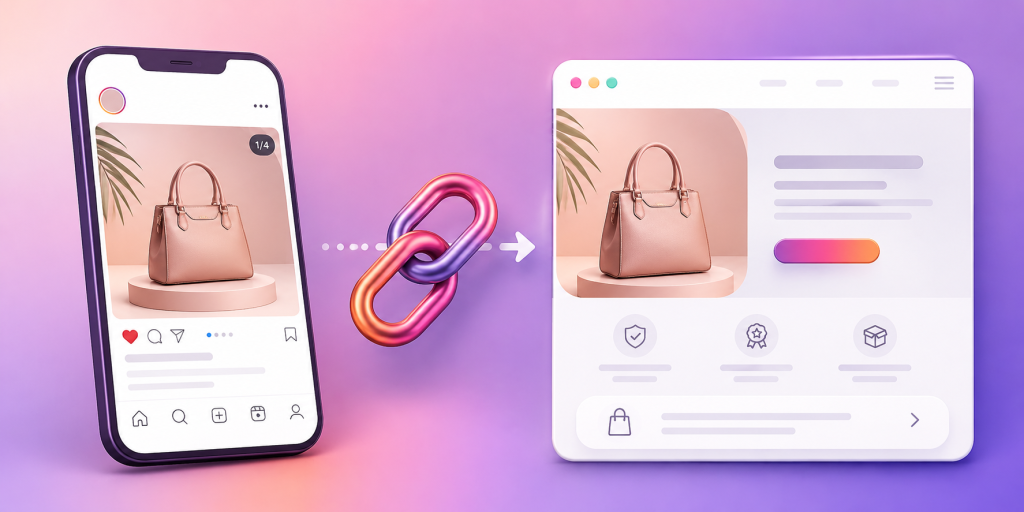
The most common link in bio mistake is a mismatch.
Your post talks about a new product, but your bio link opens a general homepage. Your Reel promotes a free guide, but the first button on your link page says “Book a Call.” Your Story says “grab the template,” but the link page makes people search for it.
That mismatch kills intent.
Before posting, ask one question: if someone clicks your profile link because of this post, will they instantly see the thing they came for?
If the answer is no, fix the link before publishing.
Put the Most Important Link First
People do not study link pages. They scan.
The first visible link should match your current campaign. If your latest post promotes a new offer, that offer should be the first thing people see after tapping your bio link.
Do not make visitors scroll past old links, secondary offers, or random social buttons before reaching the main action.
A good rule is simple: the top link should match the CTA in your latest post.
Make the Button Text Specific, Not Cute
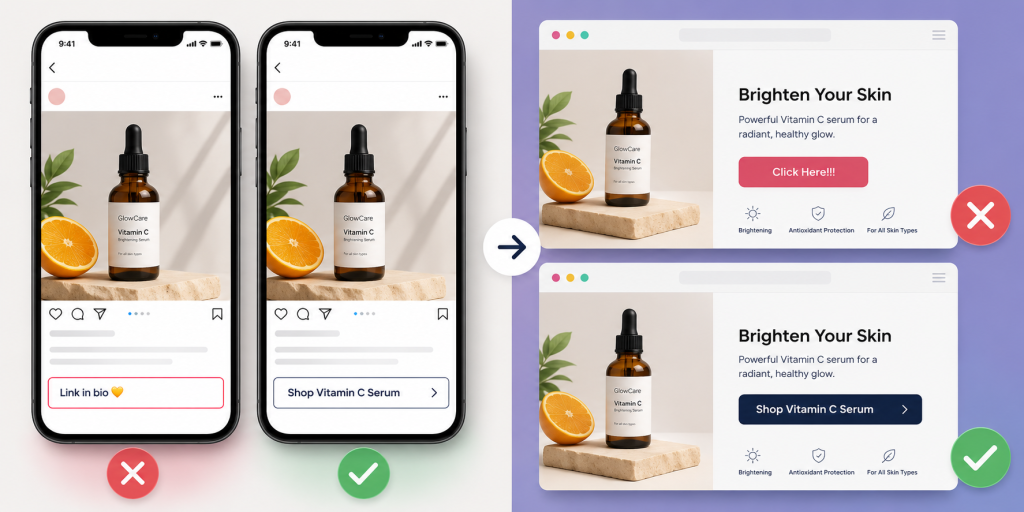
Generic button text creates hesitation.
“Click here,” “Learn more,” and “Check this out” are weak because they do not tell people what happens next.
Use clear action labels instead:
- Download the Free Checklist
- Shop the New Collection
- Book a Demo
- Join the Newsletter
- Watch the Full Video
- Get the Instagram Template
- Try the Free Tool
Specific button text improves clarity. It also makes your link page easier to understand in two seconds.
Test the Link Like a Real Follower
Do not only preview the link from your laptop.
Most Instagram clicks happen on mobile, often inside Instagram’s in-app browser. That means your link should be tested from the Instagram app before the post goes live.
Open your profile. Tap the bio link. Check the page speed, layout, buttons, images, and checkout or signup flow.
If the page feels slow, crowded, or confusing on your phone, it will feel worse for followers who are less patient.
Check the Destination After Every Campaign Change
A bio link is easy to forget because it sits in the same place for weeks or months.
But campaigns change. Products sell out. Booking pages close. Free downloads move. Launch pages get replaced. Old offers expire.
Before every important post, check that the destination is still correct.
This is especially important if your caption says “link in bio.” That phrase creates a promise. The bio link should fulfill it immediately.
Do Not Send Warm Traffic to a Cold Homepage
Your Instagram followers already have context. They saw your post, watched your Reel, or read your caption.
Sending them to a general homepage often resets the conversation.
A better link sends them closer to the action. If the post promotes a product, send them to the product page. If it promotes a newsletter, send them to the signup page. If it promotes an app, send them to the correct app download path.
A homepage is fine when the goal is broad discovery. But for campaigns, specific pages usually perform better.
Track the Clicks You Actually Care About
Instagram Insights can help professional accounts understand performance trends, but your link page or URL tool should also help you see which links people click after they leave Instagram.
Do not only ask, “Did this post get likes?”
Ask, “Did this post drive profile visits, bio link taps, and meaningful clicks?”
For campaigns, create separate links when needed. For example, you may want different links for Instagram bio, Instagram Story, email, and QR codes.
That helps you see which channel is actually moving people to action.
Remove Anything That Distracts From the Current Goal
A link page with too many options can feel like a menu with no recommendation.
If your current goal is to sell a product, do not surround that product link with ten unrelated buttons. If your goal is newsletter signups, do not bury the signup under social links and old campaigns.
Before posting, remove or move anything that competes with the main CTA.
This does not mean your link page must have only one link. It means the current campaign should be obvious.
Make Sure the Link Looks Trustworthy
A link in bio should feel like part of your brand.
Check the URL, title, preview, button labels, colors, and page layout. If the page looks messy or unrelated to your Instagram profile, people may hesitate.
Trust matters more when you are asking for money, email addresses, bookings, downloads, or app installs.
A clean link page makes the next step feel safer.
Final Link in Bio Checklist Before You Post
Before publishing your Instagram post, run through this quick checklist:
- Does the first link match the post CTA?
- Is the destination still active?
- Does the page load well on mobile?
- Is the button text clear?
- Is the main offer visible without scrolling?
- Are old or expired links removed?
- Does the page look trustworthy?
- Are clicks trackable?
- Did you test the link inside Instagram?
- Is the next action obvious?
A good Instagram post earns attention. A good link in bio turns that attention into action.
Before your next post goes live, make sure your bio link matches the promise you made in the content. Keep the destination clear, the first button relevant, and the next step easy to understand.
For creators, startups, and brands, the goal is not just to have a link in bio. The goal is to create a simple path from interest to action.
References
- Instagram Help Center — Account and Content Performance Metrics Platform support documentation explaining how professional and creator accounts navigate native analytics dashboards to track impressions, reach, and user engagement.
- Meta Business Help Center — Instagram Insights and Audience Analytics Meta’s business resource overview detailing the backend data mechanics of Instagram Insights, designed to help brands interpret demographic trends, content interactions, and organic traffic distribution.
- Instagram Help Center — Professional Accounts Architecture Official administrative guide detailing the features, category labeling, data access rights, and structural communication tools available when transitioning from personal profiles to professional or creator instances.